A hospital asset inventory is the foundation of every compliant biomedical and facility maintenance program — and The Joint Commission expects to see it structured by equipment category, risk tier, and maintenance interval. This free template gives biomed and facilities teams a ready-to-use inventory framework pre-mapped to TJC Equipment Management chapter requirements, with all the fields auditors and department managers need. Start a free Oxmaint trial to import this template directly into a live CMMS — no re-entry required. Book a demo to see how Oxmaint auto-populates asset records from mobile field scans.
Free Template — Hospital Asset Inventory
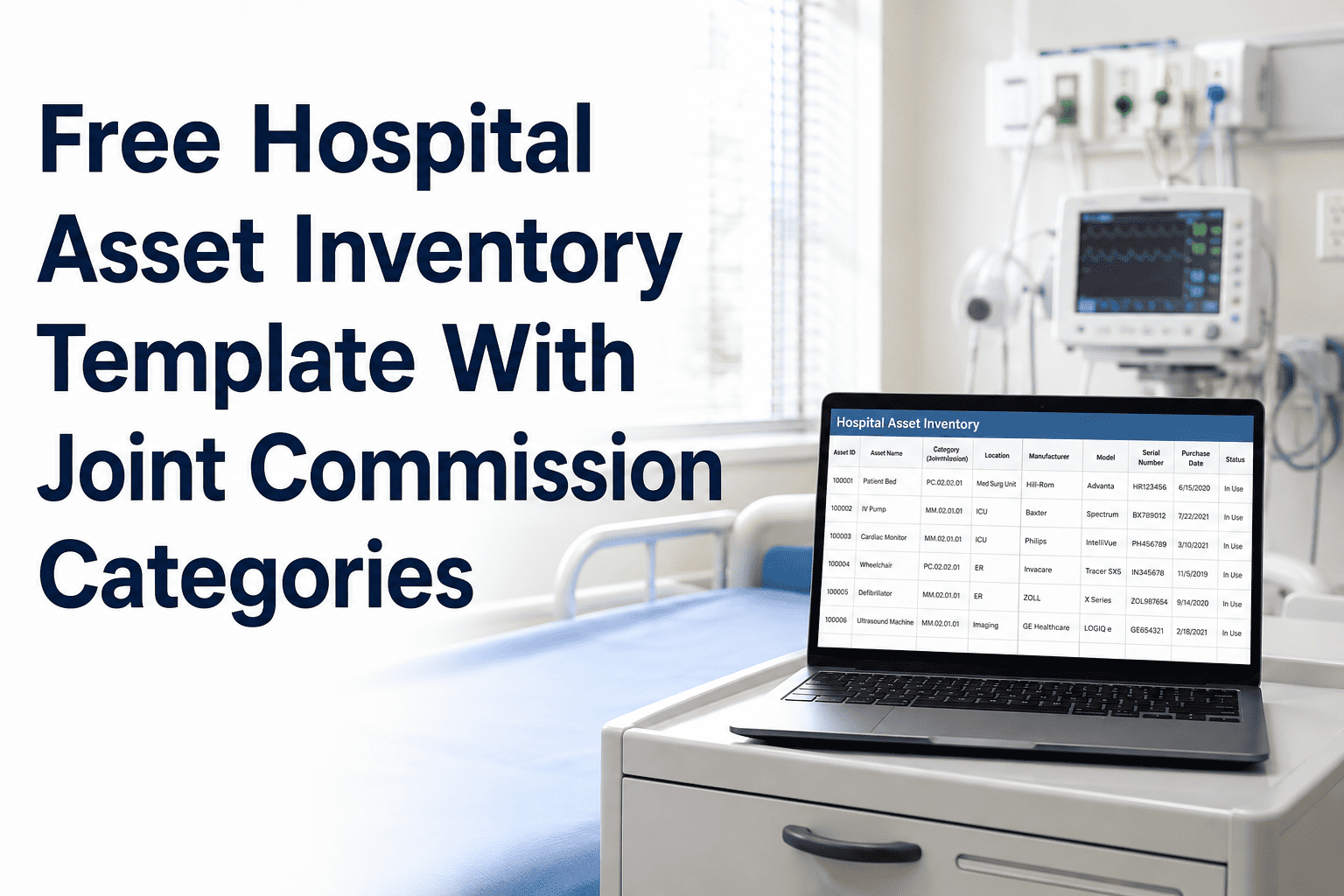
Hospital Asset Inventory Template With Joint Commission Equipment Categories
Pre-structured inventory framework covering TJC equipment categories, AAMI risk tiers, PM intervals, warranty tracking, and ownership fields — ready to use or import into Oxmaint.
6,800+
Average biomedical assets in a 300-bed hospital requiring structured inventory records
1 in 4
Hospitals receive a TJC finding related to incomplete or unstructured asset inventory documentation
78%
Reduction in PM scheduling errors when inventory is properly categorized by risk tier and interval
Template Structure
What the Hospital Asset Inventory Template Covers
The template is organized into five sections that mirror The Joint Commission's Equipment Management chapter and AAMI EQ56 guidance. Each section maps to a specific audit requirement, so building your inventory in this format means your records are survey-ready from the start.
Section 1
Device Identification
Asset ID / Tag Number
Device Name
Manufacturer
Model Number
Serial Number
Acquisition Date
Acquisition Cost
Required for device-level PM record linkage — TJC EC.02.04.01 requires records traceable to individual devices by serial number.
Section 2
TJC Equipment Category and Risk Classification
TJC Equipment Category
AAMI Risk Score
Risk Tier (High / Medium / Low)
Life Support Designation (Y/N)
Alternative Equipment Maintenance (AEM) Eligible
Risk classification drives PM interval assignment. Life-support designation triggers mandatory PM compliance tracking under EC.02.04.01 Appendix.
Section 3
PM Schedule and Interval
PM Frequency (months)
Last PM Date
Next PM Due Date
PM Template ID
Responsible Technician
Department Owner
PM interval fields enable automated scheduling and overdue flagging — critical for maintaining the on-time completion rates TJC tracks during survey.
Section 4
Location and Ownership
Building / Campus
Floor / Wing
Room Number
Cost Center
Department
Primary User Contact
Location fields enable zone-based PM planning and support the physical inspection walkthrough that TJC surveyors conduct during the equipment management chapter review.
Section 5
Warranty, Service Contract, and EOL Tracking
Warranty Expiration Date
Service Contract Vendor
Contract Expiration Date
Expected End-of-Life Date
Replacement Budget Year
Disposition Status
Lifecycle fields support capital budget forecasting and ensure PM plans account for assets approaching end-of-life — a common gap that drives unnecessary maintenance spend on aging equipment.
TJC Equipment Categories
Pre-Mapped TJC Equipment Categories Included in the Template
Ready to Go Beyond the Spreadsheet?
Import This Template Into Oxmaint and Make It Live
This template gives you the structure. Oxmaint gives you the system — automated PM scheduling, overdue alerts, technician assignments, and TJC-formatted audit reports. Start free and import your asset inventory in the same session.
Expert Review
Biomed and Compliance Expert Perspectives
"The single most common inventory mistake I see in hospital biomed departments is an asset list that cannot be linked to PM records at the device level. You may have 8,000 devices in a spreadsheet, but if you cannot produce the PM history for each one by serial number — categorized by TJC equipment class — that list provides no survey protection. The template structure in this guide gets the fields right. The critical next step is putting that inventory into a system that automates what happens next."
Sandra Holloway, CBET, CHTM
Certified Healthcare Technology Manager, 22 years in hospital clinical engineering leadership
"AAMI EQ56 is clear that risk-based PM programs require a documented, defensible methodology for assigning intervals — not arbitrary schedules. The risk tier and AAMI score fields in a properly structured asset inventory are the foundation of that methodology. When surveyors challenge your PM intervals for a particular device category, you need to be able to show the scoring rationale, not just the schedule. A structured inventory with these fields built in makes that defense straightforward."
David Kwon, MS, CCE
Certified Clinical Engineer, AAMI Standards Committee Member
Questions
Frequently Asked Questions
Can I use this template with my current CMMS or only with Oxmaint?
This template works as a standalone spreadsheet inventory that can be maintained independently of any CMMS platform. The field structure and TJC category mapping apply regardless of what system you use. If you import the template into Oxmaint, the fields map directly to Oxmaint's asset record structure and immediately activate PM scheduling, overdue alerts, and compliance reporting.
Start a free Oxmaint trial to see the import process and how your existing data maps to the platform.
How do I determine which AAMI risk tier applies to each of my devices?
AAMI EQ56 defines three scoring criteria for equipment risk: function (patient care impact), risk of failure (consequence if the device fails), and maintenance requirements (whether lack of maintenance leads to failure). Each criterion is scored 1 to 3, and the composite score determines risk tier. High-risk devices typically include life support and critical care equipment. Oxmaint's asset setup workflow includes the AAMI scoring calculator built in.
Book a demo and request a live walkthrough of the AAMI risk scoring tool for your device population.
What is the difference between this template and a full CMMS implementation?
This template gives you the data structure and field definitions for a compliant asset inventory — essentially the blueprint. A CMMS like Oxmaint takes that blueprint and operationalizes it: scheduling PMs automatically, generating work orders, tracking completions, alerting on overdue items, and producing TJC audit reports on demand. The template is the starting point; Oxmaint is the system that makes the data work for you instead of requiring you to manage it manually.
Book a demo to see the full operational picture beyond the template.
Your Asset Inventory Should Work as Hard as Your Biomed Team
A structured inventory is not a compliance checkbox — it is the operational backbone of your entire PM program. Use this template to get the structure right, then import it into Oxmaint to make it a live, automated system that runs your PM program and produces your TJC audit evidence automatically.