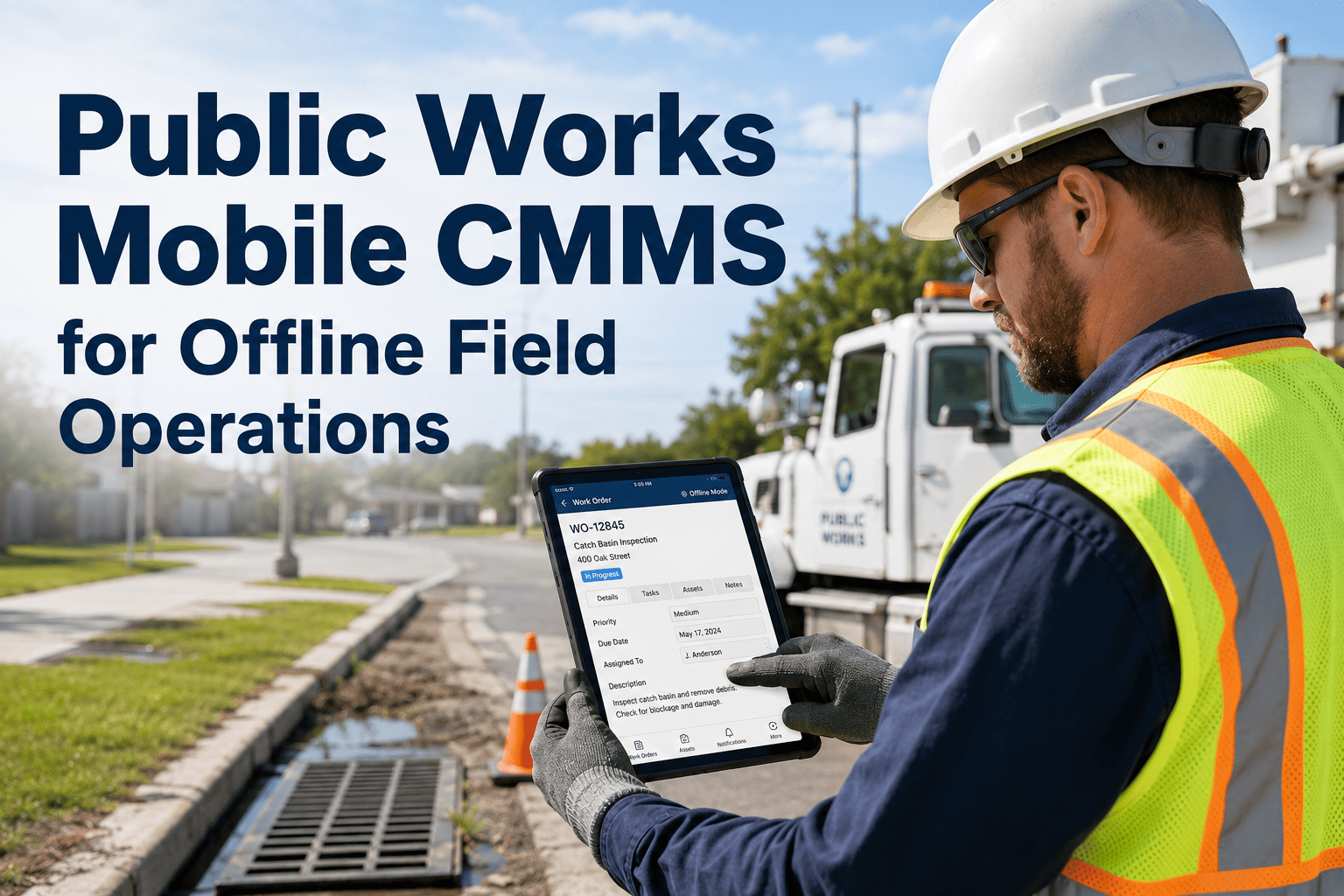
Public works field crews lose roughly 2.5 hours per technician per day to windshield time, phone calls for missing information, and paperwork — APWA data that translates to about $650,000 in wasted labor annually for a 20-technician department. Mobile CMMS recovers that time only if it works where field crews actually work: underground vaults, rural pump stations, water tunnels, parking garages, and any of the dozens of locations where cellular coverage fails. OxMaint AI's work order management platform runs a complete mobile workflow offline, syncing automatically when connectivity returns — or book a 30-minute demo to see offline mode tested against your worst-coverage location.
Work Order Management · Public Works Operations
A CMMS That Works Where Your Crews Actually Work
Online dashboards are useless to a technician 30 feet underground in a stormwater interceptor. OxMaint's mobile platform stores every assigned work order, asset record, inspection checklist, and reference photo locally on the device — sync happens automatically.
2.5 hr
Daily windshield + paperwork loss per technician (APWA)
30%
Productive capacity lost to paper-based field workflows
$650K
Annual labor waste in a 20-tech paper-based department
14 days
Typical full crew deployment with OxMaint mobile
The Connectivity Reality Public Works Crews Actually Face
The pitch deck for most municipal CMMS platforms assumes 5G connectivity at every work site. The reality of public works field operations is the opposite — utility crews work in environments deliberately designed to block signal, and rural and remote infrastructure is by definition outside dense cellular coverage. A working mobile CMMS treats offline operation as the default, not an exception.
UG
Underground Vaults
Water valve vaults, electrical manholes, fiber splice enclosures. Reinforced concrete and metal access plates block all cellular signal during the entire work session.
RP
Rural Pump Stations
Lift stations, booster pumps, and wellhead control buildings located beyond cellular tower range. Service intermittent or absent for the duration of the on-site visit.
PG
Parking Garages
Below-grade parking structures, mechanical rooms, and electrical service spaces serving municipal buildings. Multiple floors of concrete attenuate any signal.
TT
Tunnels & Trenches
Stormwater interceptors, utility tunnels, road cuts, and open trench work. Coverage drops the moment the technician descends below grade for the duration of work.
RM
Remote Maintenance Yards
Sand and salt storage, equipment compounds, and outlying material yards positioned for access rather than connectivity. Often outside service maps entirely.
DA
Disaster & Outage Areas
Storm recovery, post-tornado response, post-flood inspection. Cellular infrastructure is itself damaged, and emergency response crews cannot wait for it to be restored.
Paper Workflow vs Mobile-First Workflow
The productivity case for mobile CMMS is not about technology novelty — it is about eliminating the transcription, return-trip, and lost-paperwork cycles that paper-based field operations require. The comparison below covers a single work order from creation through completion, with the time and accountability gaps that mobile-first deployment closes.
| Workflow Step |
Paper-Based |
OxMaint Mobile |
Time Saved |
| Work Order Assignment |
Printed ticket, picked up from depot |
Notification on device, no depot trip |
30-45 min per shift |
| Asset Lookup |
Radio call to dispatch for history |
Full asset record on device, offline |
15-25 min per ticket |
| Inspection Capture |
Paper form, manual photo handling |
Digital checklist, photos auto-attached |
20-30 min per ticket |
| Parts Verification |
Phone call to storeroom |
Inventory check on device, QR scan |
10-15 min per ticket |
| Work Order Closure |
Return to depot, re-key into system |
Digital sign-off in field, instant sync |
45-60 min end-of-shift |
| Audit Trail |
Filed paper, frequently lost |
Immutable timestamped digital record |
Pre-audit scramble eliminated |
Offline-First Mobile
Test It Against Your Worst-Coverage Site
A 30-minute demo includes a live offline-mode walkthrough on your terms. We will simulate the worst connectivity profile in your portfolio and show every work order action queueing, syncing, and reconciling cleanly.
What the OxMaint Mobile App Actually Does Offline
"Offline mode" is a feature checkbox on most CMMS marketing pages, and on most platforms it means "you can read cached data but not act on it." OxMaint's mobile app operates a complete work order workflow with no cellular dependency — every action queues locally, conflicts resolve cleanly on sync, and audit-grade timestamps survive the offline window.
Work Order Operations
- Open, edit, and close work orders without connectivity
- Reassign work orders between crew members on site
- Log labor hours against the work order in real time
- Complete digital sign-off with technician credential
Asset & Inspection Data
- Browse complete asset history including past work orders
- Scan QR or barcode tags for asset identification
- Complete regulatory inspection checklists with photo fields
- Reference manufacturer manuals stored on the device
Photo & Documentation
- Capture and attach unlimited photos per work order
- Annotate photos with markup for findings or measurements
- GPS-stamp photos with site coordinates for verification
- Voice-to-text notes preserved for later supervisor review
Parts & Inventory
- Check parts availability against last synced inventory
- Issue parts to work order via QR scan in the field
- Flag low-stock conditions for storeroom replenishment
- Reconcile inventory against actual usage on sync
Three KPIs Public Works Directors Track After Mobile Deployment
The productivity gain from mobile CMMS deployment is real, but it is only defensible when it shows up in three director-level metrics. Below is the typical 12-month curve OxMaint customers report after standardising the platform across field crews.
25-35%
Crew Utilization Gain
Productive field time recovered from eliminated paper handling, depot return trips, and phone dispatch coordination.
40-55%
Emergency Response Improvement
Reduction in mean time to dispatch for emergencies through GPS-based nearest-crew routing and real-time crew status.
3.2x
Work Order Throughput
Faster work order completion measured per crew per shift, captured in industry benchmarks for paper-to-digital municipal CMMS migration.
Expert Review
CA
Carlos Alvarez, APWA-CPM
Public Works Director · 19 years municipal field operations · APWA Certified Public Works Manager
"Every public works director has been sold a mobile CMMS that did not work in the field. The technician installs the app, downloads twelve work orders for the day, drives to the first vault, opens the app, and the screen is blank because the cache invalidated when signal dropped. That is the experience that hardens field crews against mobile rollouts for the next five years. OxMaint is the first platform I have deployed where the answer to "can I do that offline" is consistently yes — open, edit, close, photograph, sign off, sync when you surface. That is the bar mobile CMMS for public works has to clear, and OxMaint clears it."
Frequently Asked Questions
How long can the mobile app operate fully offline before sync becomes a problem?
OxMaint mobile operates without connectivity for the duration of a normal shift and beyond. The local cache holds assigned work orders, asset records, inspection checklists, photos, and labor logs. Multi-day offline windows are supported for storm response and rural deployment scenarios. Sync conflicts on reconnect are resolved by timestamp, with supervisor flags raised for any record that cannot reconcile cleanly.
Start a free trial to test the offline window in your environment.
Does the platform run on the devices our crews already carry, or does it require new hardware?
OxMaint runs as native iOS and Android applications on standard smartphones and tablets, no specialised hardware required. Most municipal deployments use the devices crews already carry. The app is optimised for one-handed use in work gloves with large tap targets, voice notes for hands-free documentation, and outdoor-readable screens. The platform also supports ruggedised tablet form factors where departments have standardised on those.
How does the platform integrate with our existing GIS and asset register?
OxMaint imports assets from ArcGIS, Cityworks, AssetWorks, and other municipal asset registers via API and standardised file exports. Asset records retain their geospatial coordinates, classification codes, and historical work order links during migration. Field technicians see the asset on a map alongside its history and the active work order.
Book a demo for an integration walkthrough specific to your stack.
What happens to the audit trail if a device is lost, damaged, or replaced mid-shift?
All work order actions are timestamped at the moment they occur on the device, with cryptographic signatures preserving order even when sync is delayed. If a device is lost before sync, the queued records are preserved when the user signs in on a replacement device — provided the device was last paired within the standard recovery window. Cloud-side controls let supervisors remotely deactivate lost device sessions without losing the queued data.
Work Order Management · Mobile Public Works · Field Operations
Crews Already Know What To Do. Stop Making Them Wait for a Signal.
A complete work order workflow, in the technician's hand, working everywhere the work is. Deploy in 14 days, recover the lost field hours on day 15.