Most warehouse delivery operations do not avoid CMMS because the software is too complex — they avoid it because they assume implementation will take months, drain the team, and still fail to stick. That assumption is costing them more than the downtime they can measure. A structured 14-day deployment, built around the way warehouse teams actually operate, takes a logistics operation from scattered spreadsheets and WhatsApp maintenance threads to a fully live AI-powered CMMS — with no disruption to shift schedules and no dedicated IT project. OxMaint is built specifically for this deployment speed, with pre-configured asset templates for conveyor systems, dock equipment, forklifts, and delivery vehicles that have your team submitting work orders on Day 3, not Day 30. If your maintenance log still lives in a shared Excel file, book a 30-minute walkthrough and see exactly what your first two weeks look like.
Implementation Guide · Warehouse Delivery CMMS
Deploy Your Warehouse CMMS in 14 Days — Without Disrupting a Single Shift
Top-performing logistics teams are not doing anything revolutionary. They replaced spreadsheets with a system that actually fits warehouse operations — and they did it in two weeks. This is the exact playbook.
14
Days
From zero to fully deployed CMMS
3
Days
Until first live work orders are submitted
62%
Reduction in unplanned equipment downtime within 60 days
0
IT
Projects or dedicated tech staff required
Why Most Warehouse CMMS Deployments Stall at Week 3
Implementation failure in warehouse environments almost never comes from software quality. It comes from four predictable gaps that get ignored during setup and collapse the moment the system goes live with real teams.
Gap 1
Asset lists built in a boardroom, not a bay
When asset registers are created from invoices or floor plans rather than a physical walkthrough, technicians find equipment that does not match what is in the system. The mismatch creates trust problems that kill adoption within days.
Gap 2
PM schedules copied from manuals, not from reality
Manufacturer-recommended intervals assume ideal conditions. Warehouse conveyor systems running two 10-hour shifts in a dusty environment degrade four times faster than the manual assumes. Generic PM schedules generate overdue work orders within a week.
Gap 3
No mobile-first workflow for floor technicians
A CMMS that requires technicians to return to a desktop to log work orders gets abandoned. Warehouse maintenance happens on the floor, at the equipment, often in a loud environment. The system must work on a phone with one hand, immediately.
Gap 4
No connection to dispatch or shift scheduling
A maintenance system that operates in isolation from shift supervisors and dispatch fails its primary job. When a forklift is tagged out for maintenance, dispatch needs to know before assigning it to a route — not after the driver arrives at the dock.
The 14-Day Deployment Roadmap — Week by Week
This plan is structured around warehouse operational reality: shifts run continuously, teams are lean, and no one has time for a week-long training programme. Every phase is designed to deliver value before the next one starts.
Day 1–2
Physical Asset Walkthrough
Walk every bay, dock, charging station, and conveyor line. Register every maintainable asset in OxMaint with location, make, model, age, and current condition rating. Do not use invoice lists — use what is physically on the floor.
Day 3
Team Onboarding and Mobile Setup
Technicians download the OxMaint mobile app and submit their first work orders for any existing open faults found during the Day 1–2 walkthrough. First day of real data in the system — not test data.
Day 4–5
PM Schedule Configuration
Build preventive maintenance schedules for each asset category — conveyors, forklifts, dock levellers, EV chargers, delivery vehicles. Set intervals based on actual operating hours and shift intensity, not manual defaults.
Day 6–7
Supervisor Dashboard Configuration
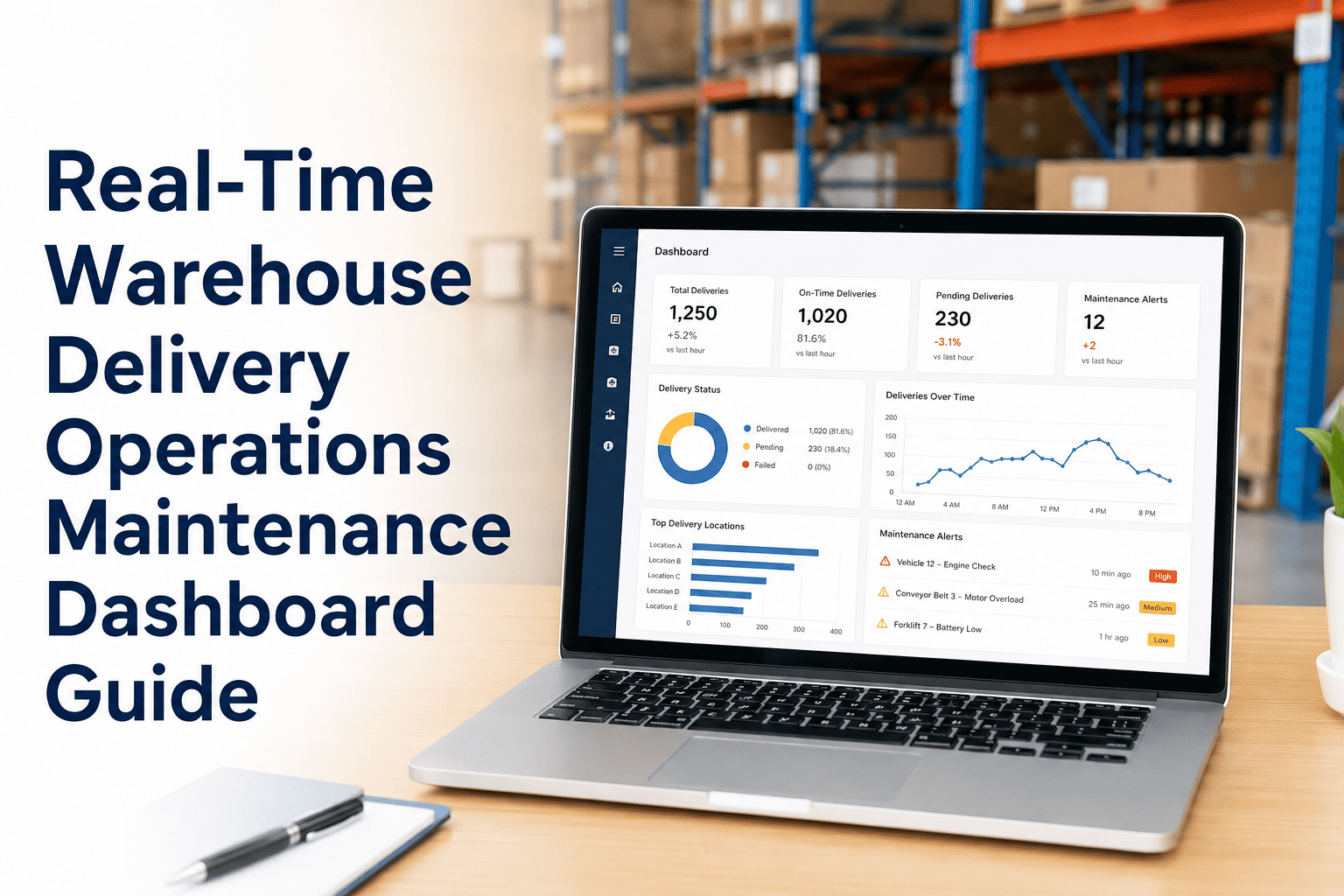
Configure the shift supervisor view to show equipment availability, open work orders, and PM compliance alongside vehicle dispatch status. Supervisors see maintenance and operations on one screen — no switching between systems.
Day 8–9
Automated Alert Configuration
Set threshold-based alerts for equipment runtime hours, fault frequency, and PM overdue status. When a conveyor accumulates 200 hours since last inspection, a work order is created automatically — no human monitoring required.
Day 10–11
Spare Parts Inventory Setup
Register critical spare parts in OxMaint linked to the assets they serve — belts to conveyors, connector assemblies to EV chargers, seal kits to dock levellers. Set minimum stock levels with auto-reorder alerts before parts run out mid-shift.
Day 12–13
Reporting and Compliance Templates
Configure weekly maintenance compliance reports and equipment downtime summaries. Operations managers get automated reports without manually pulling data — and every audit question can be answered from the system within 60 seconds.
Day 14
Go-Live Review and 30-Day KPI Baseline
Review first-week data: work orders submitted, PM completion rate, fault response time. Set the 30-day KPI baseline — the numbers that will demonstrate ROI to operations leadership at Day 45. The system is now fully operational.
What Gets Registered in Week 1 — Asset Categories for Warehouse Delivery Hubs
A complete warehouse delivery CMMS covers six equipment categories, each with distinct failure modes, maintenance intervals, and compliance requirements. Missing any category leaves blind spots that become unplanned downtime within 90 days.
| Asset Category |
Key Maintenance Tasks |
Primary Failure Mode |
Typical PM Interval |
Impact if Missed |
| Conveyor Systems |
Belt tension, roller inspection, drive unit lubrication |
Belt wear, misalignment, motor overheating |
Every 200 operating hours |
Sortation stoppage — full hub throughput impact |
| Electric Forklifts and AGVs |
Battery state, tyre wear, brake inspection, hydraulic fluid |
Battery degradation, tyre failure |
Monthly + 500-hour major |
Vehicle grounded during peak shift |
| EV Charging Infrastructure |
Connector contacts, cable integrity, firmware, thermal |
Contact oxidation, firmware drift |
Every 150–250 sessions |
Fleet dispatched undercharged |
| Dock Levellers and Seals |
Lip plate, hydraulic cylinder, seal perimeter check |
Hydraulic seal failure, lip plate wear |
Quarterly + annual full service |
Loading dock inoperative — inbound/outbound impact |
| Last-Mile Delivery Vehicles |
Tyre pressure, brake wear, cargo door, fluid levels |
Tyre failure, brake fade under load |
Weekly pre-shift + monthly full check |
Vehicle off-route mid-delivery |
| Warehouse HVAC and Refrigeration |
Filter replacement, compressor inspection, temperature calibration |
Compressor failure, filter blockage |
Monthly filter + semi-annual full service |
Cold chain breach — product loss and compliance failure |
Start Your 14-Day Deployment
Your First Asset Can Be Registered in OxMaint in Under 4 Minutes
Pre-built asset templates for conveyors, forklifts, dock equipment, EV chargers, and delivery vehicles mean your team is not starting from a blank screen. Everything is structured for warehouse delivery operations from the first login.
Day-3 Milestone: Why Real Work Orders on Day 3 Matter More Than Perfect Setup
The most common implementation mistake is spending two weeks configuring the perfect system before letting technicians touch it. By the time the system launches, the team has had no practice, no ownership, and no reason to trust it. The Day-3 principle fixes this.
Traditional Approach
- Week 1–3: Configure system internally
- Week 4: "Train" technicians in a classroom
- Week 5: Soft launch with test data
- Week 6+: Real usage begins — with confused teams
- Week 8: Abandonment rate spikes as frustration peaks
Adoption rate: 34% at 90 days
14-Day OxMaint Approach
- Day 1–2: Assets registered on the actual floor
- Day 3: Technicians submit first work orders — real faults
- Day 4–7: PM schedules built around real operating data
- Day 8–14: Automation and alerts layer onto live system
- Day 14: Full deployment with 11 days of real usage data
Adoption rate: 89% at 90 days
Metrics That Prove ROI to Operations Leadership — By Day 45
Before sign-off, leadership will want to know what changed. These are the four metrics that move within the first 45 days of a live CMMS deployment — and how to present them without needing a data team.
Mean Time to Repair (MTTR)
Before: 4.2 hours average fault-to-resolution
After: 1.6 hours with pre-populated work orders and parts availability
PM Completion Rate
Before: 41% of scheduled PMs completed on time
After: 87% completion rate with automated work order creation
Unplanned Downtime Events
Before: 8–12 unplanned equipment failures per month
After: 3–4 failures per month within 60 days of deployment
Audit Readiness Time
Before: 3–5 days to compile maintenance records for an audit
After: Under 2 minutes — full history is always current in OxMaint
Frequently Asked Questions
Do we need IT support to deploy OxMaint?
No. OxMaint is a cloud-based platform accessed through a browser and mobile app. There is no server installation, no database configuration, and no IT project required. Your maintenance supervisor can set up the account and begin registering assets without any technical background.
Start your free account here.
How long does the physical asset walkthrough take for a medium-sized warehouse?
For a warehouse with 40–80 assets across conveyor systems, forklifts, dock equipment, and EV charging, a thorough walkthrough takes 6–8 hours across two days. OxMaint's mobile asset registration app lets you photograph, tag, and register each asset on the spot — no transcription to a separate system afterward.
Book a demo to see the mobile registration workflow.
Can OxMaint import existing maintenance records from spreadsheets?
Yes. OxMaint supports CSV import for asset lists and historical maintenance records. If your existing data is in a structured spreadsheet, the import typically takes under an hour. If your records are in unstructured documents or email threads, the Day 1–2 walkthrough effectively starts your history fresh — which is often cleaner than importing incomplete legacy data.
What happens after Day 14 — is there ongoing support?
OxMaint includes onboarding support throughout the 14-day deployment and ongoing customer success access after go-live. The platform also generates a 30-day and 90-day KPI report automatically, so you have structured data to review progress without manually pulling reports.
Discuss your post-deployment support options in a demo call.
Will the system work across multiple warehouse sites from day one?
Yes. OxMaint supports multi-site deployment within a single account. Each site has its own asset register, PM schedules, and technician teams, while operations managers see consolidated reporting across all locations. The 14-day rollout can be done site-by-site or simultaneously depending on your team's bandwidth.
Start Your 14-Day Deployment Today
Your Maintenance Team Could Be Submitting Real Work Orders by Day 3 — Not Month 3
OxMaint is built for warehouse delivery operations that cannot afford long implementation timelines. Pre-built asset templates, mobile-first work order management, and automated PM scheduling mean your system is live, used, and delivering data within two weeks — not two quarters.