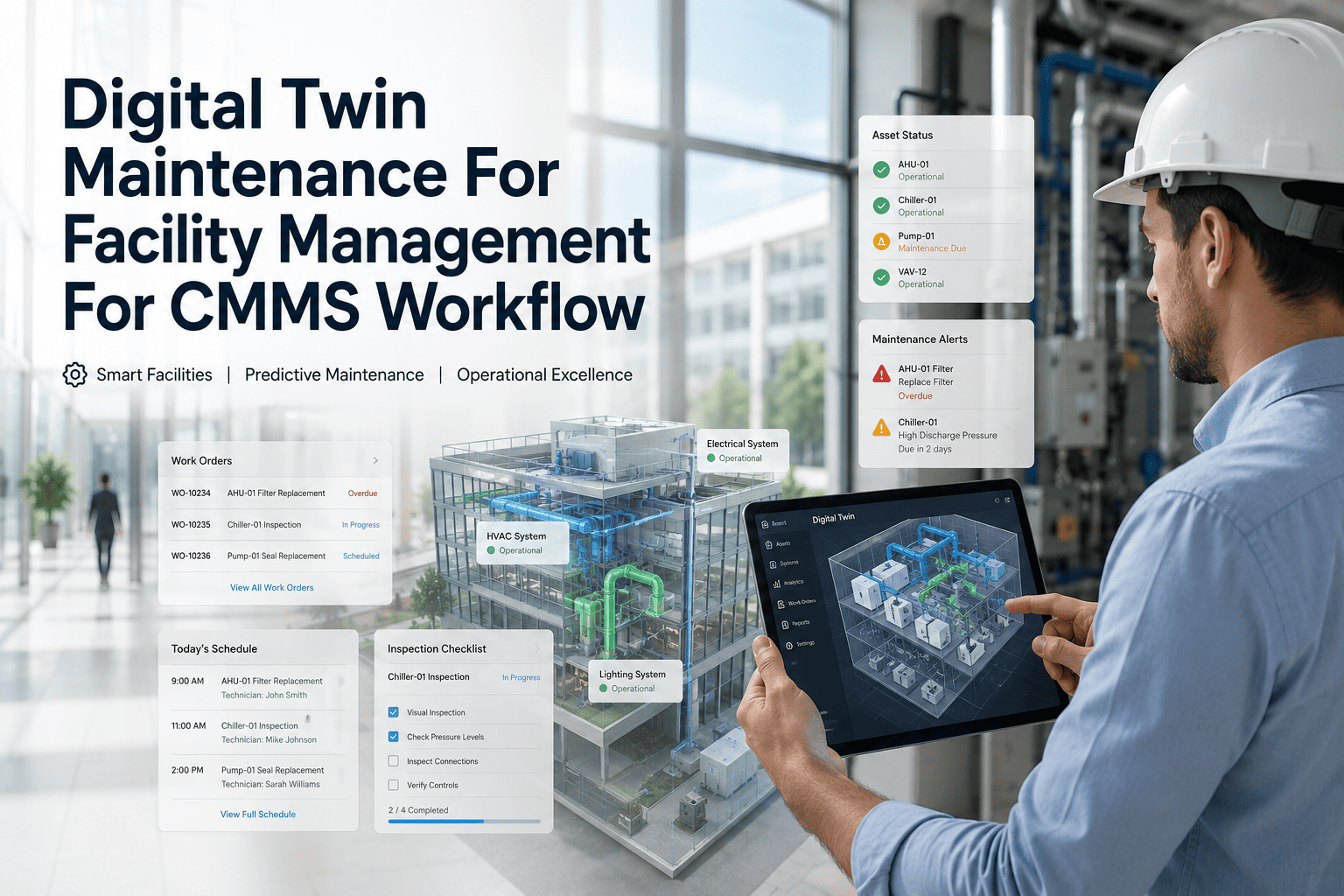
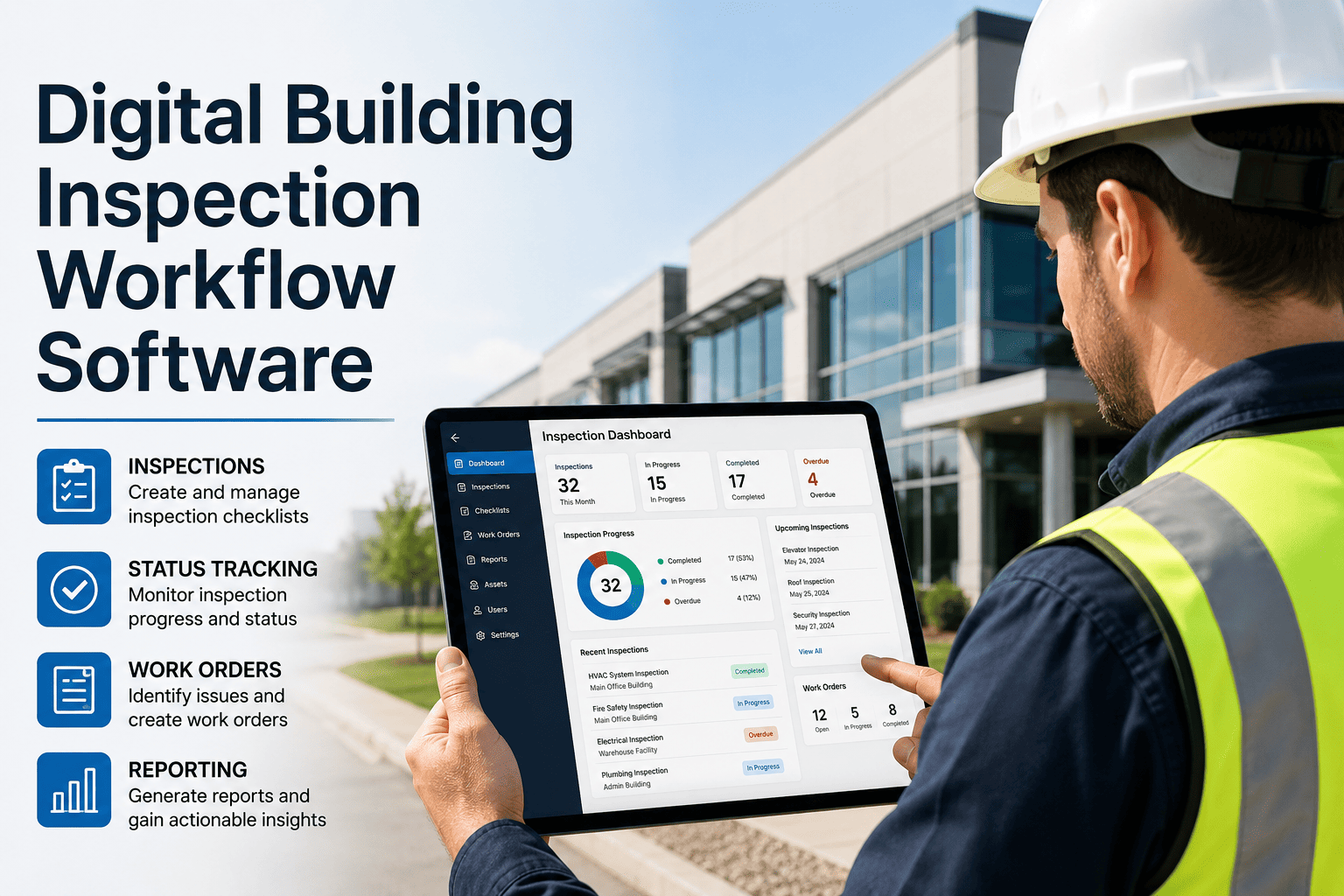
A maintenance technician standing in front of an air handling unit needs to know when it was last serviced, what was found at the previous inspection, and whether any open work orders are already tracking a defect on this asset — all without returning to the office. A QR code scan delivers that information in under 5 seconds, opens the pre-built inspection checklist for that exact asset type, and creates a timestamped, photo-evidenced, digitally signed inspection record that closes the loop from asset to CMMS without any rekeying. Verdantix 2025 research found that mobile applications reduce field data entry time by 45% — and that is before accounting for the time saved by eliminating the "walk back to the office to find the paper checklist" loop that defines most paper-based inspection programmes. Book a demo to see OxMaint's QR-based inspection workflow — or start free and generate your first inspection QR codes today.
Checklist · Mobile Facility Operations · Work Order Management
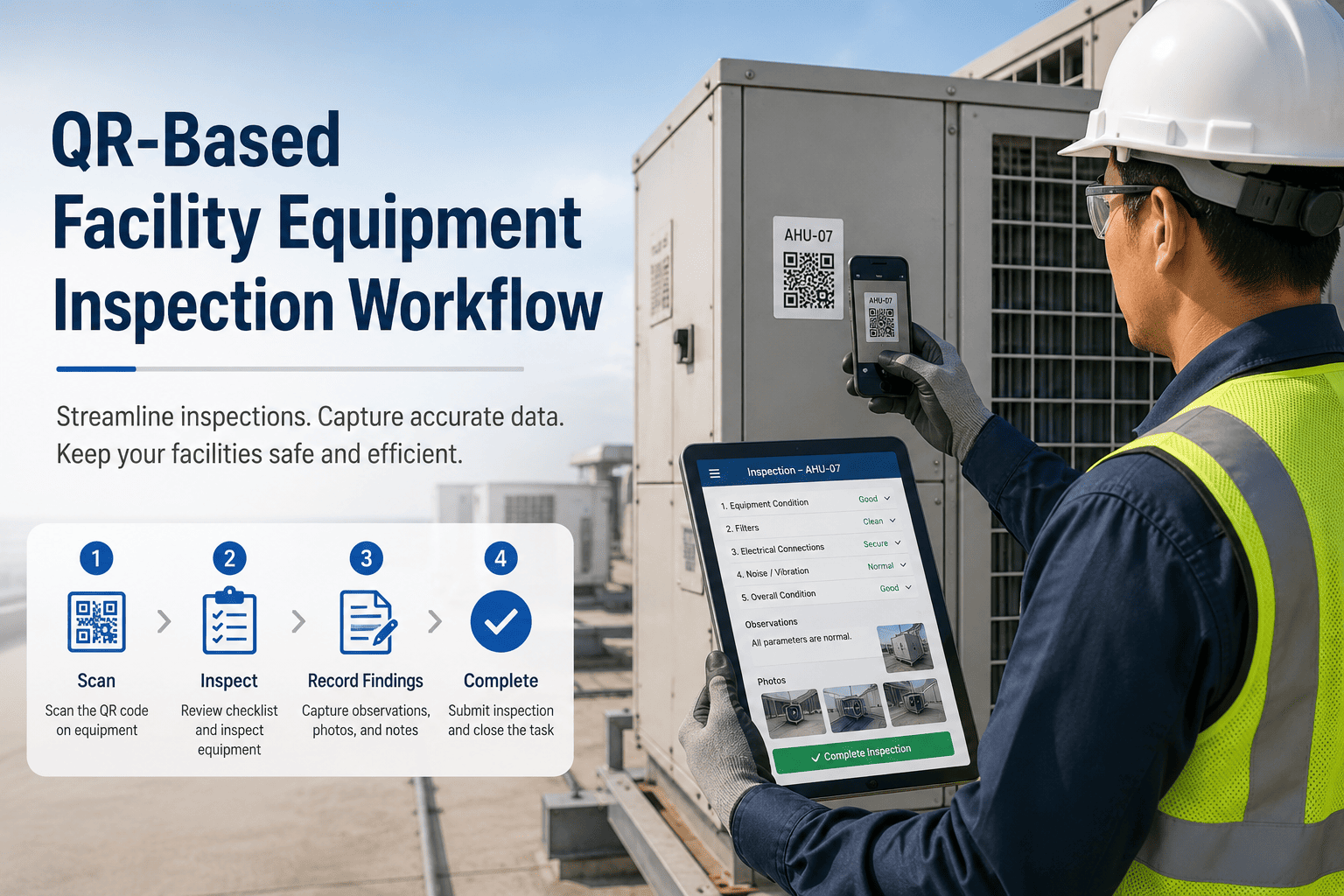
QR-Based Facility Equipment Inspection Workflow
From scan to signed inspection record in under 3 minutes. This checklist covers the complete QR inspection workflow for facility equipment — what the technician does at each step, what OxMaint captures automatically, and what the manager sees when the inspection closes.
45%
Reduction in field data entry time — mobile apps vs paper (Verdantix 2025)
5 sec
Time from QR scan to asset record with full history on-screen
70%
Of field teams cite offline capability as most critical software requirement (Gartner 2024)
2 min
Average time to complete a QR inspection check and raise a work order
The QR Inspection Workflow — Step by Step
Every step below happens in a single mobile session. The technician never navigates away from the asset — the entire inspection, history review, and work order creation happens on-screen between the scan and the sign-off.
1
Scan QR code on the asset
Point camera at the QR tag on the asset surface. No app required — browser opens directly to the asset's OxMaint record. If the technician has the app installed (recommended), tap-to-open replaces the browser. Asset ID, location, last service date, and current open work orders display immediately.
OxMaint auto-captures: Scan timestamp · Technician identity · GPS location confirmation
2
Review asset history before beginning inspection
30 seconds of context before touching the asset: last 3 inspection results, any repeat findings, open work orders, pending PM due dates, and any known fault notes from previous technicians. This context changes what the technician looks for — if the previous 2 inspections noted early bearing noise, the technician checks that bearing first.
OxMaint displays: Last 3 inspection summaries · Open WOs · Next PM due date · Failure history
3
Complete the pre-built inspection checklist for this asset type
OxMaint loads the inspection checklist pre-configured for the asset type — AHU inspection, pump inspection, electrical panel inspection. Each checklist item is a pass/fail/observation dropdown, not a free text field. Mandatory photo attachment triggers automatically for any item marked "Fail" or "Observation." The checklist cannot be submitted incomplete.
OxMaint enforces: Mandatory photo on any non-Pass result · All items must be responded to · Submission timestamp is server-generated, not device clock
4
Create work orders directly from failed items
Any item marked "Fail" or "Observation requiring action" presents a one-tap "Create Work Order" button at the bottom of the checklist. Work order is pre-populated with the asset ID, location, the failed checklist item as the work description, and the inspection photo as the attached evidence. Priority is pre-suggested based on the asset criticality and the item type. The work order is in the queue before the technician leaves the asset.
OxMaint pre-fills: Asset ID · Location · Description from failed item · Photo evidence · Suggested priority
5
Sign off and close the inspection record
Technician signs the inspection record with their digital signature — confirming they physically performed the inspection at the timestamped location. The inspection record is locked: it cannot be edited after sign-off, only amended with a new inspection event. The asset's "last inspected" date updates, and if all items passed, the next inspection due date is automatically set from the PM schedule calendar.
OxMaint updates: Asset last inspected date · Next inspection due date · Inspection record locked and archived · Compliance report updated
6
Manager sees real-time inspection completion dashboard
No follow-up call, no end-of-day report. The manager's OxMaint dashboard shows inspection completion status live — which assets have been inspected today, which have open findings, and which are overdue. Any inspection generating a work order is immediately visible in the work order queue. Trend data across inspections (repeat findings, rising failure rates per asset) is available in the analytics panel.
Manager sees: Today's inspection completion rate · Open findings from today's rounds · Assets overdue for inspection · Repeat finding patterns
Inspection Checklists by Facility Asset Type
Each asset type in OxMaint has a pre-built inspection checklist. Below are the inspection zones and critical items for the most common facility equipment categories.
Air Handling Units (AHU)
Mechanical
Belt tension and condition — check for fraying, glazing, or incorrect tension
Fan bearing condition — listen for noise, check for vibration, note operating temperature
Drive sheave alignment and wear — misalignment causes accelerated belt wearFilter Section
Filter differential pressure — log reading, flag if above manufacturer's change threshold
Filter condition visual check — bypass air, holes, collapsed media, or heavy loadingCoil and Drain
Coil surface condition — fouling, fin damage, microbial growth visible
Condensate drain pan — clear, no standing water, no microbial growthControls
Control panel — no fault indicators, no unusual temperatures at panel surface
Temperature and pressure readings logged against setpoints
Pumps (HVAC Circulation / Chilled Water)
Mechanical
Bearing condition — temperature check, listen for grinding or rumbling
Mechanical seal condition — no visible leakage at seal face or lantern ring
Coupling alignment and condition — no visible wear, no movement beyond specElectrical
Motor operating temperature — log reading at terminal box with IR thermometer
Motor current draw — log at nameplate frequency, flag if above rated currentFlow and Pressure
Differential pressure across pump — log and compare to last 3 readings
System noise — cavitation, water hammer, or unusual flow sounds
Electrical Distribution Panels
Visual Inspection
Panel cover secure, all knockouts present, no exposed wiring visible
36-inch clearance maintained in front of panel — no storage encroaching
Breaker labels current — all circuits labelled, no "unknown" or unlabelled breakersThermal and Electrical
IR scan of panel face — hotspots above ambient temperature flagged for investigation
Any tripped or partial-trip breakers — log and investigate before resettingSafety
Arc flash label present and current — replace if faded or if fault current calculations have changed
Lockout provisions intact — lock hasps accessible, not obstructed or damaged
Emergency Generators
Fluid Levels and Condition
Engine oil level and condition — check dipstick, check for milky appearance (coolant contamination)
Coolant level and condition — check expansion tank, check for rust or contamination
Fuel level — minimum 75% full for emergency standby complianceBattery and Starting System
Battery terminal condition — no corrosion, connections tight
Battery charger operational — indicator light green, no fault codesTest Record
Weekly no-load run completed — log start time, run duration, and any alarms
Monthly load test due date confirmed — link to scheduled PM if within 14 days
WORK ORDER MANAGEMENT · OXMAINT · MOBILE
Every Checklist Item Above Is Pre-Built in OxMaint and Triggered by a QR Scan at the Asset.
No rebuilding templates from scratch. No paper forms to transcribe. Scan the asset, complete the checklist, raise the work order, sign off — fully digital, fully auditable, and done before you leave the asset location.
What the Manager Sees vs What the Technician Does
| Inspection Stage |
Technician Action (on-site) |
Manager View (dashboard) |
| Start of round |
Scan first asset QR — asset record and checklist open |
Round status changes from "Not Started" to "In Progress" with first scan timestamp |
| During inspection |
Complete checklist items, add photos for observations |
Progress visible in real time — X of Y items completed per asset |
| Finding identified |
Mark item "Fail" or "Observation" → attach photo → tap "Create WO" |
Work order appears in queue immediately — priority flagged, technician attribution visible |
| Inspection completed |
Sign off with digital signature — record locks |
Asset moves to "Inspected Today" on dashboard — compliance record updated |
| Round complete |
Last asset signed off — round closure notification sent |
Round summary: X assets inspected, Y findings, Z work orders raised — timestamped report available |
| Overdue assets |
Not applicable — OxMaint notifies the technician of overdue inspection assets |
Assets not inspected within scheduled window flagged red on dashboard — automatic escalation if 24 hrs overdue |
Expert Review
"The facility management industry has been slow to adopt QR-based inspection workflows compared to manufacturing — largely because facility inspections have historically been managed as safety compliance activities rather than maintenance data collection activities. The shift that QR inspections enable is not just efficiency. It is the shift from inspection-as-compliance to inspection-as-data. A technician who scans a QR code, completes a structured checklist, photographs every finding, and creates a work order before leaving the asset is not just satisfying a compliance requirement. They are building the asset condition history that feeds PM optimisation, capital planning, and predictive analytics. The paper clipboard delivers compliance evidence. The digital inspection delivers compliance evidence plus operational intelligence. The 45% reduction in data entry time that Verdantix documents is a productivity gain. The accumulated inspection data that enables AI-driven maintenance improvements is the strategic gain — and that one has no equivalent in a paper-based inspection programme."
Sandra Okafor, CFM, RPA
Certified Facility Manager · Real Property Administrator · 19 years multi-site facility operations · Specialist in mobile CMMS adoption, inspection workflow design, and digital maintenance transformation
Frequently Asked Questions
Does the QR inspection workflow work offline in areas with poor connectivity?
OxMaint supports offline inspection completion — a critical requirement given that Gartner 2024 found 70% of field service teams cite offline capability as their most important software need. The technician downloads the day's inspection queue and asset records before leaving the office or during the last connected moment. In offline mode, they complete inspections, add photos, and create work orders — all stored locally on the device. When connectivity is restored, all data syncs automatically to the CMMS. The inspection records are timestamped at the moment of data entry, not the moment of sync — so a basement mechanical room inspection completed at 10:15 AM shows as 10:15 AM even if it syncs at 11:30 AM when the technician returns to a connected area.
Book a demo to see OxMaint's offline inspection workflow.
How are QR inspection checklists configured for different asset types?
In OxMaint, inspection checklists are configured per asset type — not per individual asset. A checklist built for "AHU" applies to every AHU in the portfolio; changes to the template propagate immediately to all assets of that type. Each checklist template defines: the inspection items with pass/fail/observation response options; which items require mandatory photo evidence on a non-pass result; the item order (safety-critical items appear first); and the conditional logic that triggers a work order suggestion when specific items are failed. Facility managers can build and modify templates directly in the OxMaint web interface without technical support.
Start free to access OxMaint's inspection template library.
What compliance documentation does a QR inspection record produce?
Each completed QR inspection generates: a timestamped, signed inspection record with technician attribution and GPS confirmation; photo evidence of every finding (mandatory for non-pass items); a work order trail linking every finding to the corrective action raised; and an inspection history report per asset showing all inspections over any selected period. This documentation package satisfies OSHA periodic inspection requirements, fire authority annual inspection records, NFPA equipment inspection requirements, and insurance audits — all from the same record, retrievable by asset ID in under two minutes. The inspection record cannot be edited after sign-off, which provides the tamper-evidence that compliance auditors require.
How does OxMaint handle a finding that is also a safety hazard requiring immediate escalation?
OxMaint's checklist configuration allows specific items to be flagged as Safety Critical — meaning any non-pass result on that item automatically generates a P1 work order and sends an immediate push notification to the technician's supervisor and the designated safety officer, without waiting for the technician to manually create the work order or end the inspection session. The asset can also be flagged as "Out of Service" directly from the inspection screen, which updates the asset's availability status in the CMMS and prevents new work orders from being assigned to it until the safety hazard work order is closed. This ensures safety findings are escalated at the moment of discovery — not after the inspection report is reviewed.
MOBILE FACILITY OPERATIONS · OXMAINT
Scan. Inspect. Create Work Order. Sign Off. Before You Leave the Asset.
OxMaint QR-based inspection workflow gives facility technicians pre-built asset-specific checklists, full history at the scan point, one-tap work order creation from failed items, offline capability, and a tamper-evident signed record — all from the smartphone they already have in their pocket.