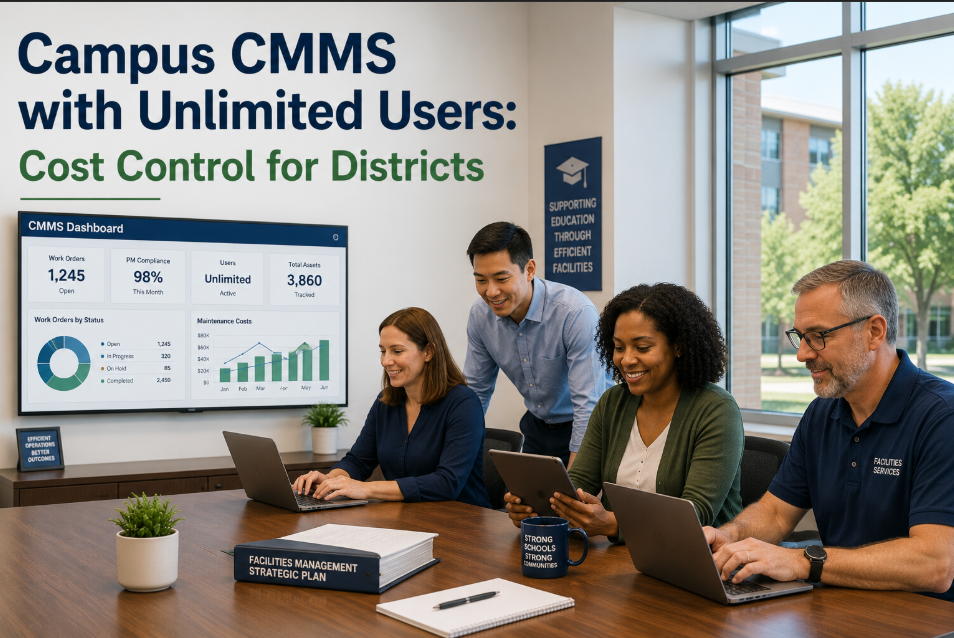
Campus facility teams are no longer choosing maintenance software just to “track tickets.” In 2026, the right campus maintenance management platform must coordinate work orders, preventive maintenance, asset history, mobile technicians, compliance records, and multi-site reporting across classrooms, labs, residence halls, athletics buildings, utilities, and administrative spaces. The difference is measurable: campuses using modern CMMS platforms report 45–60% faster work order response, 20–35% lower reactive maintenance costs, and up to 30% better PM compliance within the first year. But not every platform is built for campus complexity. Some are strong for basic request intake but weak on asset lifecycle tracking. Others support work orders but lack CapEx forecasting, portfolio dashboards, or mobile-first execution. This comparison ranks the top campus maintenance management platforms for 2026 and shows where OxMaint fits for schools, colleges, and universities managing real buildings, real teams, and real budgets. Want to compare your current system against OxMaint? Start a free trial or book a demo and see what a campus-ready CMMS looks like.
Comparison Guide · Campus Facility Platforms · 2026
Top Campus Maintenance Management Platforms Compared
A side-by-side comparison of the best campus maintenance platforms for schools, colleges, and universities — ranked by features, pricing approach, mobile capability, PM automation, and multi-site management.
45–60%
Faster response times after moving from email to digital work orders
30%
Higher PM compliance with automated scheduling and reminders
4.8x
Emergency repair cost compared with planned maintenance
20–35%
Reduction in reactive maintenance cost with campus CMMS adoption
What Is a Campus Maintenance Management Platform?
A campus maintenance management platform is a CMMS built to manage facility operations across multiple buildings, asset types, users, technicians, and service priorities. It centralizes work requests, preventive maintenance schedules, asset records, inspections, technician assignments, inventory usage, and reporting into one system.
For a campus, this means every request is tied to a real location — building, floor, room, system, asset, or component. A broken classroom HVAC unit is not just a ticket. It becomes part of that asset’s maintenance history, cost profile, repair frequency, and replacement planning record. That is the difference between basic work order software and a true campus facility platform. If your current system cannot show cost per building, open backlog by priority, PM compliance by technician, and asset condition by campus, it is not giving leadership enough visibility. See how OxMaint structures campus operations from portfolio to component level — start a free trial or book a demo for a 30-minute walkthrough.
Evaluation Framework: What We Compared
The best campus maintenance platform is not the one with the longest feature list. It is the one that helps facilities teams reduce backlog, prevent failures, prove compliance, and justify budgets with data. These six criteria were weighted most heavily.
01
Work Order Management
Mobile request intake, technician assignment, priority triage, requester updates, and completion reporting. Strong platforms cut average work order cycle time by 40% or more.
02
Preventive Maintenance Automation
Calendar, runtime, inspection, and condition-based PM triggers. Campus teams need 80%+ planned maintenance ratios to control emergency repair spending.
03
Asset Lifecycle Tracking
Asset registry, repair history, condition scoring, warranty tracking, and replacement planning. Without lifecycle data, CapEx decisions become guesswork.
04
Mobile Technician Experience
Native mobile access, photo capture, digital checklists, offline completion, and instant status updates. Technicians should not return to an office just to close a work order.
05
Multi-Site Reporting
Portfolio dashboards across schools, buildings, departments, zones, and asset classes. Directors need campus-wide visibility, not isolated building reports.
06
Pricing and Implementation
Transparent pricing, low setup friction, fast onboarding, and minimal implementation fees. Campus teams should see first value in days, not after a 90-day deployment.
Ranked Comparison: Best Campus Maintenance Platforms in 2026
The rankings below focus specifically on campus facility operations — not manufacturing-only CMMS use cases or general help desk tools. Scores reflect practical fit for schools, colleges, and universities managing multiple buildings.
Ranked #1 · Best Full Campus Maintenance Platform
01
OxMaint
Best for multi-building campuses needing work orders, PM automation, asset lifecycle tracking, and CapEx forecasting in one platform.
Strongest Fit
Universities, school districts, technical colleges, and multi-site education portfolios with 10+ buildings.
Key Advantage
Condition-based lifecycle tracking plus 5–10 year CapEx forecasting — not just ticket management.
Mobile Capability
Mobile-first work orders, inspections, technician history, photos, and digital signatures.
Implementation
No heavy implementation fees. Most teams create first digital work orders within 7 days.
Why it leads: OxMaint combines campus work order management, PM scheduling, asset registry, condition scoring, spare parts tracking, compliance records, and portfolio-level reporting. It is built for campus facility directors who need operational control and board-ready budget visibility.
02
FMX
Best for smaller education teams needing facility requests, scheduling, and basic maintenance workflows.
Good choice for schools that want a user-friendly request system and event scheduling. Less strong for deep asset lifecycle tracking, condition-based PM, and long-term CapEx forecasting.
03
Asset Essentials
Best for organizations already using Brightly tools and needing broad public-sector facility workflows.
Strong public-sector footprint and broad feature set. Implementation can be heavier, and advanced portfolio visibility often requires more configuration than leaner campus teams expect.
04
MaintainX
Best for mobile-first teams needing simple work orders and operational checklists.
Excellent mobile usability and technician adoption. Less specialized for higher education asset hierarchy, campus-wide CapEx planning, and multi-building lifecycle analysis.
05
UpKeep
Best for teams that want a general CMMS with work orders, PM schedules, and inventory basics.
Solid general CMMS for small to mid-size teams. Campus-specific reporting, portfolio asset hierarchy, and long-term capital planning are not as strong out of the box.
06
Limble CMMS
Best for maintenance teams focused on equipment PM and straightforward technician workflows.
Good usability and PM features. Less differentiated for education portfolios that need compliance documentation, asset condition scoring, and finance-ready replacement forecasts.
Side-by-Side Feature Comparison
Use this horizontal comparison to quickly identify which platform matches your campus requirements. For larger campuses, the biggest gaps usually appear in multi-site reporting, asset lifecycle tracking, and CapEx forecasting.
| Capability |
OxMaint |
FMX |
Asset Essentials |
MaintainX |
UpKeep |
Limble |
| Campus Work Orders |
Advanced |
Strong |
Strong |
Strong |
Good |
Good |
| Preventive Maintenance |
Calendar, condition, runtime |
Calendar-based |
Calendar-based |
Checklist-driven |
Calendar-based |
Calendar-based |
| Asset Condition Scoring |
Built in |
Limited |
Configurable |
Limited |
Limited |
Limited |
| CapEx Forecasting |
5–10 year models |
Not native |
Limited |
Not native |
Not native |
Not native |
| Mobile Technician App |
Mobile-first |
Available |
Available |
Very strong |
Available |
Available |
| Multi-Site Dashboards |
Portfolio-level |
Basic |
Configurable |
Basic |
Basic |
Basic |
| Compliance Records |
Audit-ready |
Basic exports |
Strong |
Checklist history |
Work order history |
Work order history |
| Implementation Speed |
Days |
1–2 weeks |
Weeks to months |
Days |
1–3 weeks |
1–3 weeks |
| Best Fit |
Full campus operations |
Small schools |
Public sector portfolios |
Mobile teams |
General CMMS |
Equipment PM |
Campus Pain Points These Platforms Must Solve
Most campus maintenance failures start before the technician arrives. They start with poor intake, weak routing, no asset history, and leadership reports that arrive too late to change outcomes.
Problem 01
Work requests arrive through 6 different channels
Email, phone calls, hallway conversations, paper forms, text messages, and spreadsheets create duplicate requests and missing priorities. Digital intake can reduce request confusion by 40%.
Problem 02
Technicians lose time moving between buildings
Without mobile assignments and zone-based dispatch, technicians spend 15–25% of the day walking, searching, or confirming details instead of completing work.
Problem 03
PM schedules are missed during peak academic periods
When move-in, exams, athletics, or events overload the team, preventive work gets deferred. Missed PM tasks raise failure risk by 30–45% on HVAC and electrical assets.
Problem 04
Asset history is incomplete or unavailable
If a boiler has failed 5 times in 18 months, the platform should surface that instantly. Without asset history, teams keep repairing assets that should be replaced.
Problem 05
Compliance documentation is assembled manually
Fire safety, elevator, lab, and environmental inspections require proof. Manual audit prep can take 40–120 hours per cycle when records live in separate systems.
Problem 06
Finance cannot see why facilities need funding
Budget requests without maintenance history, condition scores, and replacement forecasts are harder to approve. Data-backed CapEx plans improve funding confidence.
How OxMaint Solves Campus Maintenance Management
OxMaint is designed for multi-site commercial, industrial, and education portfolios where asset data, work orders, PM schedules, and CapEx planning must operate together — not as disconnected modules.
Step 1
Build a campus asset registry
Map every campus asset into a clear hierarchy: portfolio, campus, building, system, asset, and component. Teams gain immediate visibility into age, condition, location, and service history.
Step 2
Centralize work request intake
Staff, faculty, and operations teams submit requests digitally with photos, locations, categories, and priorities. Duplicate work drops because every request enters one queue.
Step 3
Automate PM schedules and triggers
Create recurring PMs by time, runtime, usage, inspection result, or condition score. OxMaint helps campuses move from 20–40% planned work to 70–85% planned work.
Step 4
Dispatch technicians on mobile
Technicians receive assignments, asset history, checklists, parts details, and completion steps on mobile. Photos and signatures create a complete digital record.
Step 5
Track cost and performance by building
OxMaint shows maintenance spend, backlog age, PM completion, technician workload, and repeated failures by building, zone, department, and asset class.
Step 6
Forecast CapEx with asset condition data
Rolling 5–10 year CapEx models help directors justify replacements before failures become emergency funding requests. Finance gets evidence, not estimates.
If your facilities department is trying to connect work orders, PM, assets, and capital planning manually, OxMaint removes that operational drag. Compare it with your current platform in a live walkthrough — start a free trial or book a demo today.
Before vs. After: Campus Maintenance With a True Platform
A campus CMMS should change day-to-day operations immediately. The table below shows the operational difference between disconnected maintenance workflows and a unified platform like OxMaint.
| Area |
Before Platform |
After OxMaint |
| Request Intake |
Email, calls, forms, and verbal requests create duplicate work |
Single digital intake with photos, priority, location, and requester updates |
| Technician Assignment |
Manual dispatch based on supervisor memory |
Assignments based on skill, building zone, workload, and urgency |
| Preventive Maintenance |
PM tasks missed when campus is busy |
Automated PM schedules with escalation for overdue tasks |
| Asset History |
Records scattered across files, spreadsheets, and technician memory |
Every work order linked to the asset’s complete lifecycle record |
| Compliance |
Audit documents assembled manually over several weeks |
Timestamped digital records exported in minutes |
| Leadership Reporting |
Monthly spreadsheet summaries with limited visibility |
Live dashboards showing backlog, PM compliance, spend, and asset risk |
| Capital Planning |
Replacement requests based on age and anecdotal evidence |
5–10 year forecasts based on condition, repair cost, and failure history |
| Budget Control |
Emergency spending discovered after invoices arrive |
Real-time cost tracking by building, system, asset, and work type |
ROI Benchmarks for Campus Maintenance Platforms
A strong campus maintenance platform should pay for itself through reduced emergency repairs, better technician utilization, fewer duplicate requests, and improved asset replacement timing.
40%
Lower average work order cycle time
Driven by mobile intake, faster dispatch, and real-time completion updates.
25%
Reduction in maintenance admin time
Less manual reporting, fewer follow-up calls, and automated work order routing.
30%
Improvement in PM compliance
Automated schedules and overdue alerts keep critical campus assets maintained.
20–35%
Lower reactive maintenance spend
More planned work means fewer emergency callouts and less after-hours contractor cost.
Pricing Approach: What Campus Buyers Should Watch
Software price is only part of the cost. Campus teams should compare implementation fees, training effort, required modules, mobile access costs, and whether reporting or integrations are locked behind premium tiers.
Per-user pricing can punish technician adoption
If every technician, requester, and supervisor adds cost, teams restrict access. Lower adoption means fewer digital records and weaker reporting.
Implementation fees can double first-year cost
Some campus platforms charge onboarding, data import, training, and configuration separately. Always compare first-year total cost, not monthly license only.
Module-based pricing hides key features
Asset management, inventory, reporting, and PM automation may require separate modules. A cheaper base plan can become expensive fast.
Slow onboarding delays ROI
If implementation takes 8–12 weeks, savings are delayed. OxMaint is designed to get teams live quickly, with first work orders often running in week one.
Frequently Asked Questions
What is the best campus maintenance management platform for multi-building universities?
For multi-building universities, OxMaint is the strongest fit because it combines work order management, preventive maintenance, asset lifecycle tracking, condition scoring, mobile technician workflows, portfolio reporting, and 5–10 year CapEx forecasting. Many platforms handle tickets well, but fewer connect daily maintenance activity to asset replacement planning and finance-ready reporting.
How is a campus maintenance platform different from a basic help desk system?
A help desk system tracks requests. A campus maintenance platform manages facility operations. It links every request to a location, asset, technician, work history, parts usage, cost record, PM schedule, and compliance trail. That difference matters when a campus needs to reduce downtime, prove inspection history, and justify capital replacements.
How long does implementation usually take?
Implementation varies by platform. Heavy enterprise tools can take several weeks or months. OxMaint is designed for faster deployment, with most teams creating their first work orders and PM schedules within 7 days. Full asset registry maturity typically builds over the first 30–60 days as teams add equipment history, condition scores, and recurring maintenance plans.
Which features matter most for reducing campus maintenance costs?
The highest-impact features are automated PM scheduling, mobile work orders, asset condition tracking, priority triage, cost reporting by asset, and CapEx forecasting. Together, these features reduce emergency repairs, improve technician productivity, prevent repeat failures, and help leadership fund replacements before breakdowns become urgent.
Compare Platforms. Then Choose the One Built for Campus Scale.
Your campus does not need another disconnected ticketing tool. It needs a maintenance platform that gives facilities, finance, and leadership one shared view of work orders, assets, PM compliance, risk, and capital needs. OxMaint helps campus teams move from reactive maintenance to planned, data-driven facility management — with faster onboarding, mobile-first execution, and lifecycle visibility from day one.