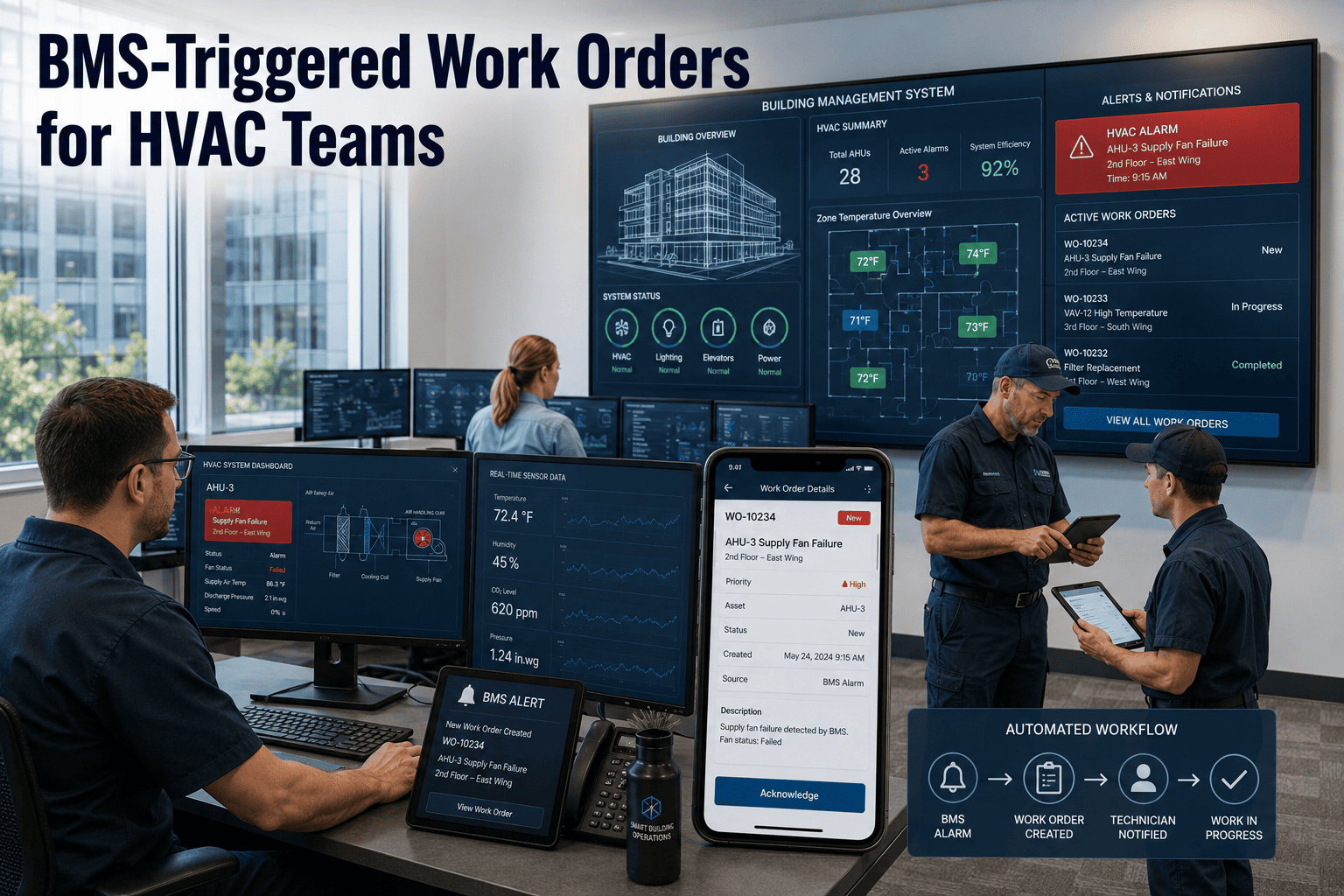
Building Management Systems generate thousands of alarms per month — but without a direct connection to a CMMS, those alarms sit in a BMS interface that maintenance technicians rarely monitor in real time. The result: a chiller alarm at 2 AM that escalates to a $40,000 compressor failure by morning because no work order was created, no technician was dispatched, and the BMS alarm log was cleared at the next shift startup. BMS-triggered work order automation closes this gap permanently — converting every BMS alarm and sensor threshold breach into a tracked, assigned, prioritised maintenance action without manual intervention. Start a free trial to see how Oxmaint connects your BMS to automated HVAC work orders, or book a demo and we will walk through your specific BMS integration architecture.
See how much HVAC downtime you can prevent by connecting your BMS to automated work order dispatch.
- Real-time BMS alarm-to-work-order conversion — zero manual intervention
- Predictive work orders from sensor threshold trends before failure
- Complete alarm-to-resolution traceability in a single system
No heavy implementation required · Works across multi-site portfolios · Live in days, not months
What are BMS-Triggered Work Orders?
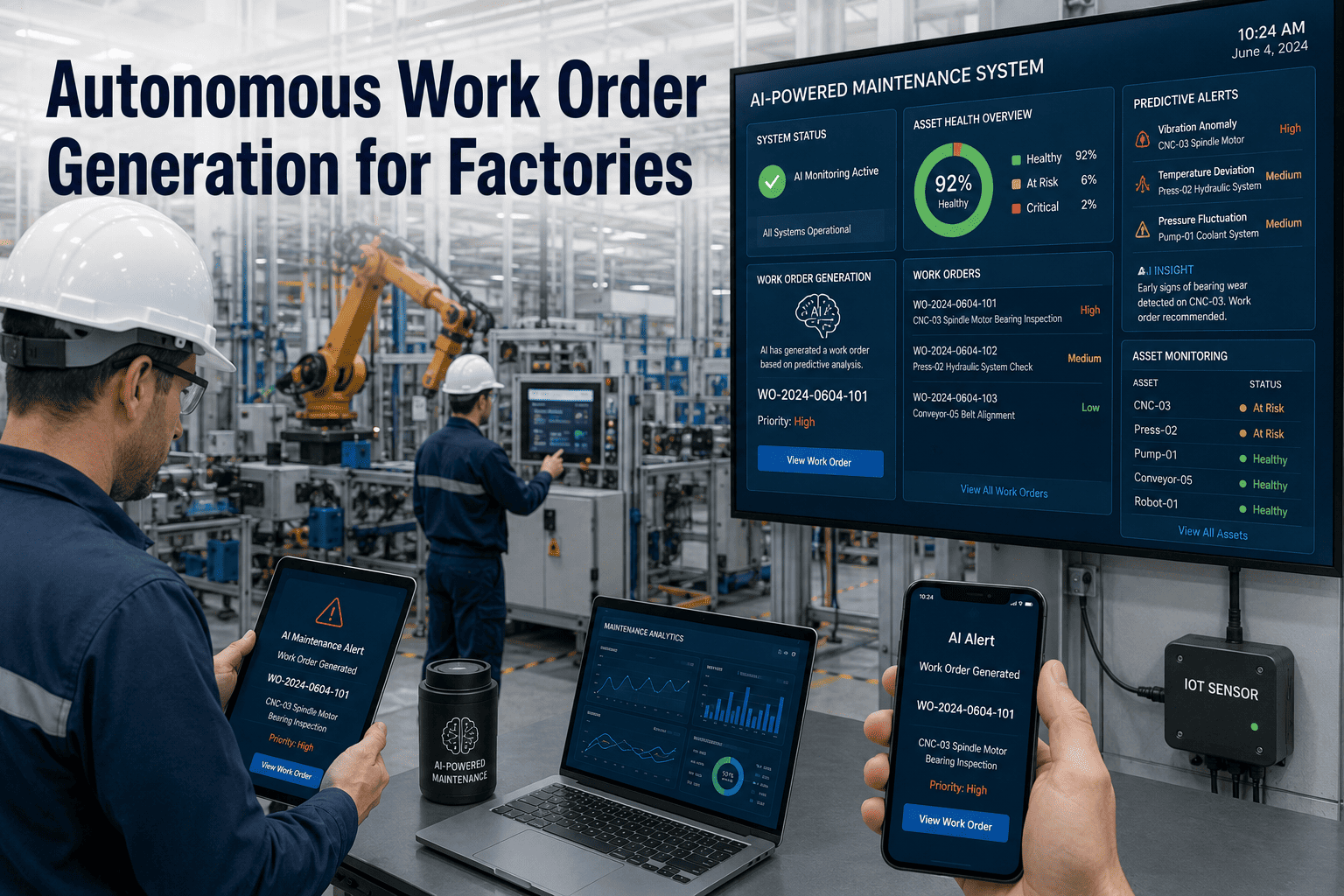
BMS-triggered work orders are maintenance work orders automatically generated by a CMMS in direct response to Building Management System alarms, sensor threshold breaches, or fault codes — without requiring a human operator to notice the alarm, interpret it, and manually create a corresponding maintenance action. The integration connects the BMS's real-time monitoring capability with the CMMS's work order management, asset history, and technician dispatch functions.
When a chiller supply temperature rises above a defined setpoint, when a VAV actuator fails to respond, or when a condenser water pump draws excessive amperage, the BMS generates an alarm. In a BMS-CMMS integration, that alarm is converted in real time to a work order — assigned to the correct technician, linked to the correct asset record, prioritised based on equipment criticality, and trackable from creation to resolution — all without manual touch.
For facility managers overseeing complex HVAC systems, BMS-triggered work orders transform the BMS from a monitoring tool into an active maintenance management system where every alarm creates an accountable response workflow. Start a free trial to explore Oxmaint's BMS integration capabilities for your HVAC systems.
Key Capabilities in BMS-Triggered Work Order Systems
Pain Points in Manual BMS Alarm Management
These six operational failures occur in virtually every facility where BMS alarms are monitored separately from CMMS work order management. Book a demo to see how Oxmaint eliminates the gap between your BMS alerts and your maintenance team's response.
| Operational Failure | Cost / Impact |
|---|---|
| Alarm Without Accountability | A BMS alarm that doesn't create a work order has no assigned owner, no response deadline, and no documentation trail. It can be acknowledged, ignored, or cleared — with no record that it occurred or was responded to appropriately. |
| Night and Weekend Alarm Gaps | BMS alarms generated outside business hours receive delayed response because no automated escalation exists. By the time a technician is dispatched, a warning-level alarm has become a failure-level event. |
| Alarm Fatigue and False Priority | BMS systems in poorly configured facilities generate hundreds of low-priority alarms that condition operators to delay responses — until a critical alarm is buried in the noise and missed entirely. |
| No Asset History at Point of Response | Technicians responding to BMS alarms have no visibility into previous alarms, repair history, or parts inventory — leading to longer diagnosis time, repeat visits, and avoidable parts delays. |
| Disconnected Resolution Records | When a BMS alarm is responded to manually, the response is recorded in the BMS log — not in the CMMS. Asset maintenance history and BMS event history exist in separate systems, making root cause analysis practically impossible. |
| No Trend Visibility | Without CMMS linkage, BMS alarm frequency per asset cannot be trended against repair outcomes. A chiller generating 12 alarms in 30 days is invisible as a pattern — until it fails catastrophically. |
How Oxmaint Automates BMS-Triggered HVAC Work Orders
Oxmaint's IoT and SCADA integration framework connects directly to BMS platforms to convert alarms into structured, asset-linked, priority-assigned HVAC work orders in real time.
Manual vs. Automated: BMS Alarm Response Comparison
|
| ||
|---|---|---|
| Response Dimension | Manual BMS Monitoring | Automated with Oxmaint |
| Alarm-to-Work Order Speed | 15 min–4 hours — depends on operator availability and shift timing | Under 60 seconds — automatic at alarm event regardless of time or shift |
| Night and Weekend Coverage | Unmanned or on-call — alarms frequently missed or delayed | 24/7 automated — work orders and escalations fire regardless of staffing |
| Asset History Availability | Not available — technician arrives without context | Full history on mobile before first wrench turn |
| Alarm Accountability | BMS log only — no owner, no deadline, no close-out record | Work order created — assigned, timestamped, tracked to resolution |
| Response Time Measurement | Not measured — no system connection between alarm and response | MTTR calculated automatically from alarm timestamp to work order close |
| Repeat Alarm Detection | Manual pattern recognition — typically noticed only after failure | Automatic condition score tracking — recurring alarms escalate proactively |
| CapEx Justification | Anecdotal failure history — finance requests data that doesn't exist | Alarm frequency and cost data per asset — CapEx requests backed by evidence |
ROI: What BMS-Triggered Work Order Automation Delivers
The financial return from BMS-CMMS integration is driven by three measurable outcomes: fewer equipment failures from faster response, lower emergency repair costs from earlier intervention, and reduced labour waste from intelligent alarm routing. Start a free trial and eliminate your BMS response gap from day one.
Frequently Asked Questions
Which BMS platforms does Oxmaint integrate with for work order automation?
Oxmaint integrates with major BMS platforms including Siemens Desigo CC, Honeywell EBI, Johnson Controls Metasys, Schneider Electric EcoStruxure, and Trane Tracer — via API, MQTT, BACnet/IP, or webhook. For legacy BMS infrastructure without modern API support, Oxmaint can receive alarm data via structured email parsing or CSV export. The specific approach depends on the BMS platform and facility IT environment, assessed during onboarding.
How does Oxmaint prevent alarm flooding from creating hundreds of duplicate work orders?
Oxmaint's deduplication logic groups related alarms from a single fault event into one work order — a chiller failure generating 15 downstream alarms creates one work order for the root fault, not 15 parallel ones. Configuration rules define which alarm combinations are grouped, which are informational rather than actionable, and which frequency thresholds qualify as routine versus critical. Most facilities refine alarm routing rules within the first two weeks of go-live.
Can BMS-triggered work orders be assigned to specific technicians or zones automatically?
Yes. Assignment rules route BMS-triggered work orders based on asset location, system type, alarm category, time of day, and technician availability. A chiller alarm during business hours routes to the on-site HVAC technician; the same alarm at 11 PM routes to the on-call technician and escalates to the facility manager. Rules are fully configurable from the management dashboard without requiring IT support.
How does BMS-triggered work order data improve long-term CapEx planning?
Every BMS-triggered work order contributes to the asset's maintenance cost record and condition score history. Assets with increasing alarm frequency show a declining condition trend that feeds Oxmaint's 5–10 year CapEx forecasting model. When a facility manager presents a replacement CapEx request, the supporting data — alarm count trend, repair cost escalation, condition score decline over 24 months — provides the evidence that finance teams and ownership groups require for capital approval.
Stop Losing Money to BMS Alarms That Nobody Acts On
Connect your Building Management System to Oxmaint and convert every alarm into an assigned, tracked, asset-linked work order — automatically, in under 60 seconds, around the clock.
- Real-time BMS alarm-to-work-order conversion across all HVAC systems
- Predictive failure alerts from alarm frequency trends — before equipment fails
- 5–10 year CapEx forecasting from alarm history and asset condition data
Limited onboarding slots available this quarter · Measurable results in the first 30 days
No heavy implementation required · Works across multi-site portfolios · Live in days, not months