Hospital facility teams manage hundreds of support assets — patient lifts, pneumatic tube stations, dietary carts, waste handling equipment, environmental controls — that rarely appear on clinical dashboards but directly affect care delivery quality and regulatory compliance. Healthcare CMMS software built for facility support operations gives engineering teams structured inspection scheduling, mobile technician workflows, service history tracking, and KPI dashboards that turn scattered asset data into actionable maintenance intelligence. Book a demo with OxMaint to see how hospital facility departments are reducing support asset downtime by 41%, eliminating missed inspection cycles, and producing audit-ready maintenance records that satisfy Joint Commission Environment of Care requirements — without adding staff or expanding the engineering budget. This guide covers what a modern inspection software platform does differently from spreadsheet-and-clipboard workflows, what KPIs matter most, and how to evaluate platforms against your facility's compliance requirements.
Healthcare · Facility Engineering · Support Asset Management
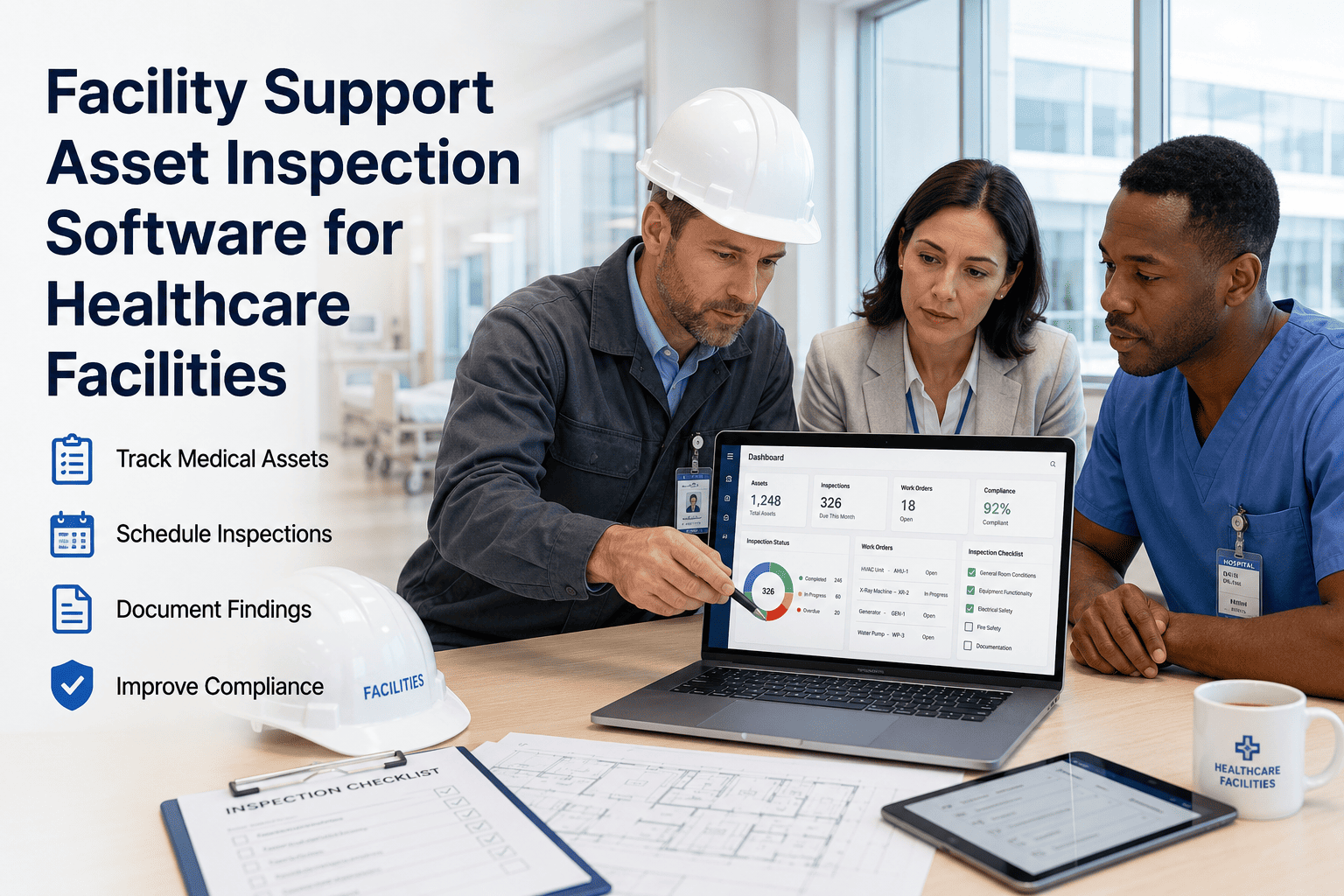
Facility Support Asset Inspection Software for Healthcare Facilities
Scheduling, response tracking, service history, and KPI dashboards — purpose-built for hospital facility support operations.
41%
Reduction in support asset downtime
96%
PM inspection on-time compliance
<60 sec
Audit record retrieval time
The Problem
Why Support Asset Inspections Slip Through the Cracks
01
No Central Asset Register
Support assets are often tracked across department-specific spreadsheets, paper logs, or not at all — making it impossible to know which assets have been inspected, which are overdue, and which have a history of repeat failures.
02
Inspection Cycles Driven by Memory
Without automated scheduling, inspection frequency depends on individual technician recall or supervisor reminders — creating inspection gaps that only surface during audits, equipment failures, or incident investigations.
03
No Structured Evidence Capture
Paper checklists produce unverifiable completion claims. Without mandatory photos and digital sign-off, inspectors cannot confirm that the work was actually performed — a position that creates significant audit exposure under TJC EC standards.
04
Leadership Has No Visibility
Facility managers and VP Operations have no real-time view of which support assets are compliant, which are overdue, and which departments carry the most deferred maintenance risk — until a failure or a survey forces the issue.
Stop Managing Support Asset Inspections From Memory.
OxMaint automates scheduling, routes inspections to the right technician, and captures evidence that holds up under audit — all in one platform built for healthcare facility teams.
Platform Capabilities
What OxMaint Does for Facility Support Asset Inspection
Automated PM Scheduling
Generates inspection work orders by calendar interval or usage metric — no manual trigger needed
Zero missed inspection cycles; PM compliance tracked live
Mobile Inspection Checklists
Technicians complete structured digital checklists with mandatory fields and photo capture on iOS or Android
Irrefutable inspection evidence; no incomplete records
Service History by Asset
Every inspection, repair, and part replacement is logged against the specific asset — searchable by date, technician, or finding
Instant audit response; repeat-failure identification
Escalation & Response Tracking
Critical findings trigger automatic escalation to supervisor or vendor with a documented response timeline
No unresolved critical findings; response SLA enforced
KPI Dashboard
Real-time view of PM compliance rate, open WO count, overdue assets, MTTR, and downtime hours — by department or campus
Leadership visibility without waiting for manual reports
Compliance Report Export
One-click export of inspection records, PM history, and corrective WOs formatted for TJC, CMS, or internal audit review
Survey preparation reduced from days to under an hour
KPIs That Matter
The Six Facility Support Asset KPIs Healthcare Facilities Should Track
01
PM Compliance Rate
Target: ≥ 95%
Percentage of scheduled support asset inspections completed on time. Below 90% creates audit observation risk and increases reactive maintenance demand.
02
Mean Time to Repair (MTTR)
Target: < 4 hours (critical assets)
Average time from fault report to repair completion. High MTTR on critical support assets (patient lifts, tube stations) directly affects care delivery continuity.
03
Reactive vs Preventive WO Ratio
Target: < 20% reactive
Proportion of work orders generated by failures vs scheduled inspections. A high reactive ratio signals that PM frequency is insufficient or PM quality is poor.
04
Open WO Backlog Age
Target: ≤ 7 days average
Average age of open corrective work orders. Sustained backlog growth signals capacity or prioritization failure and is an inspector trigger for deeper records review.
05
Repeat Failure Rate
Target: < 5% of assets
Percentage of support assets that generate two or more corrective WOs within 90 days. High repeat failure rate indicates root cause is not being addressed in the maintenance workflow.
06
Inspection Evidence Completeness
Target: 100%
Percentage of closed inspection WOs with all required fields completed and at least one photo attached. Incomplete records are non-compliant under TJC EC documentation standards.
Facility support assets are the invisible infrastructure of patient care — dietary systems, environmental controls, transport equipment, communication hardware. When one fails, it rarely appears on a clinical dashboard, but it affects care delivery in ways that clinical staff cannot easily compensate for. What I find during TJC preparation is that facilities often have no structured record of when these assets were last inspected, by whom, or what was found. A digital inspection platform that enforces checklists, captures photos, and produces retrievable records doesn't just solve the audit problem — it creates the operational foundation for managing these assets proactively rather than reactively. The ROI shows up in reduced downtime and in survey outcomes.
Dr. Priya Anand, CHFM, PMP
VP Facilities Operations · 22 years in hospital engineering leadership · Certified Healthcare Facility Manager · ASHE Fellow, Joint Commission EOC Consultant
FAQ
Facility Support Asset Inspection Software — Common Questions
What types of facility support assets does OxMaint track?
OxMaint supports any named asset type your facility defines — patient lifts, pneumatic tube stations, dietary carts, waste handling equipment, housekeeping equipment, elevator auxiliary systems, environmental monitoring hardware, or custom asset categories specific to your facility. Each asset gets its own inspection schedule, service history log, and compliance status. There is no limit on asset types or categories, and the asset register can be imported from an existing spreadsheet to accelerate setup.
Start a free trial to configure your support asset register.
How does OxMaint's inspection scheduling handle assets with different PM frequencies?
Each asset in OxMaint carries its own PM schedule configuration — weekly, monthly, quarterly, annual, or by usage threshold — independent of other assets. The system generates work orders automatically at the configured interval and routes them to the assigned technician or team. If a PM is not completed by the due date, OxMaint escalates to the supervisor and flags the asset on the compliance dashboard. This means a patient lift on a monthly PM cycle and a pneumatic tube station on a quarterly cycle are managed independently without any manual tracking.
Book a demo to walk through multi-frequency PM scheduling.
Can department managers see inspection status for assets in their area without accessing the full CMMS?
Yes. OxMaint supports role-based access, allowing department managers to view a filtered dashboard showing only the assets and inspection status relevant to their area — without access to engineering-level configuration or other departments' data. Managers can see open WOs, overdue inspections, and upcoming PM schedules for their zone, and can submit fault reports directly from their view. This gives clinical and support department leaders visibility into facility maintenance without burdening engineering with reporting requests.
How does OxMaint support Joint Commission Environment of Care survey preparation?
OxMaint's compliance report module generates a formatted documentation package by asset category, date range, or regulatory framework — including inspection records, PM completion history, corrective WOs, and photographic evidence. Survey preparation that previously took engineering staff two to three days of file assembly is reduced to a one-click export. The system also maintains a real-time EC compliance dashboard so teams know their inspection status continuously — not just when a survey is announced.
See the TJC compliance dashboard in a live OxMaint demo.
What does the KPI dashboard show facility managers and VP Operations?
The OxMaint leadership dashboard displays PM compliance rate by department and asset category, open WO count with age breakdown, MTTR trending over 30/60/90 days, reactive vs preventive WO ratio, repeat failure rate by asset, and overdue inspection count with responsible technician. All KPIs update in real time as technicians complete work in the field — no manual report generation is required. Dashboards are configurable by role, so VP Operations sees a campus-level summary while facility managers see department-level detail.
Start a free trial to configure your KPI dashboard.
OxMaint · Healthcare Facilities · Support Asset Inspection
Give Your Facility Support Assets the Inspection Workflow They Deserve.
Automated scheduling, mobile inspections, KPI dashboards, and one-click audit reports — OxMaint is built for healthcare facility teams managing hundreds of support assets across complex environments.
.jpg)

