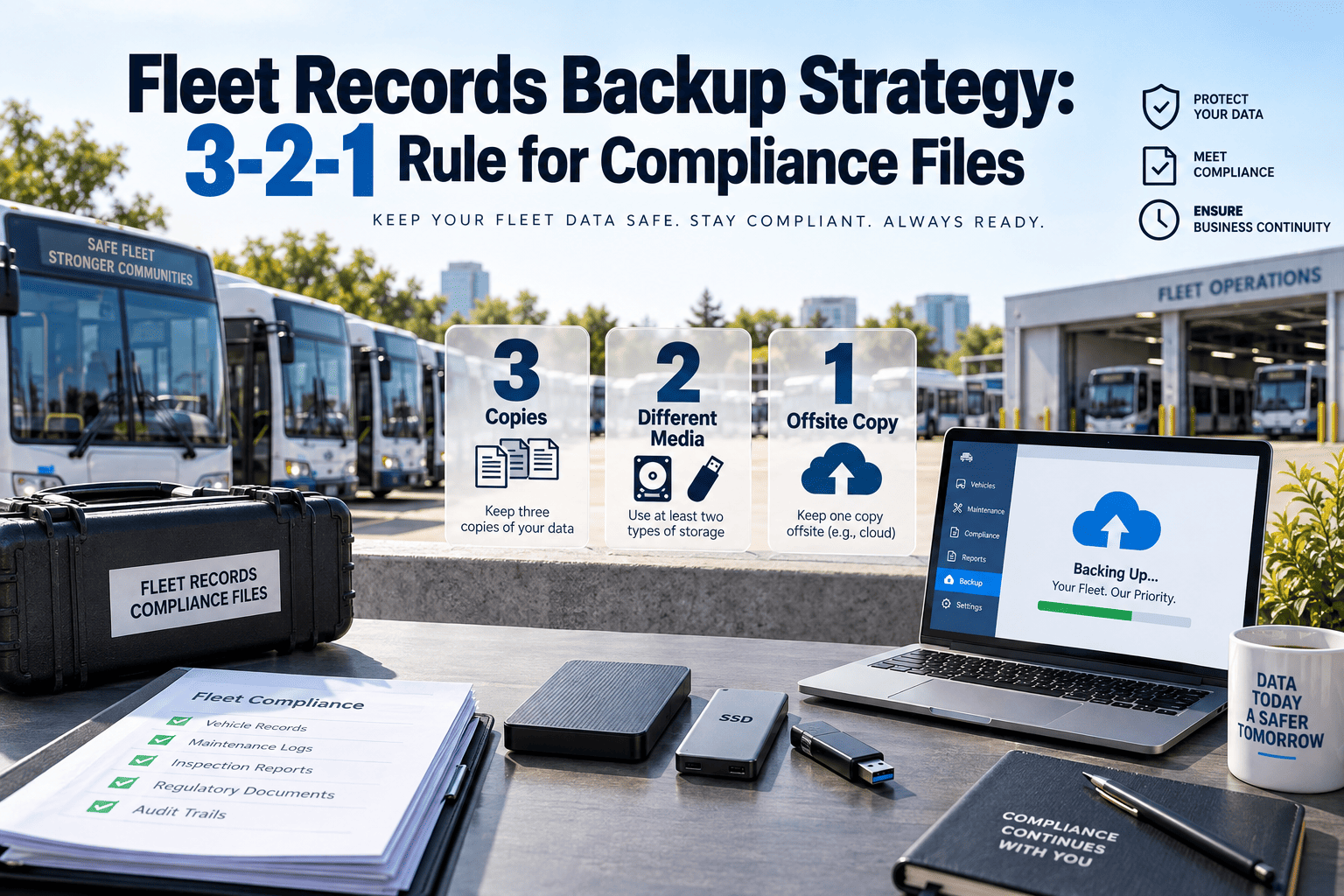
Every fleet manager has a folder somewhere labeled "inspection reports" or "DOT files" — and for most operators, that folder lives on one laptop, one server, or one filing cabinet. When that laptop crashes, that server gets hit by ransomware, or that cabinet floods, years of maintenance history, inspection records, and audit trails disappear with it, and there is no polite way to explain that to an auditor. Regulatory bodies do not accept a missing file as an excuse, and insurers treat a record that cannot be produced the same way they treat a record that never existed in the first place. The 3-2-1 backup rule — three copies of every file, stored on two different types of media, with one copy kept offsite — was built for exactly this kind of single-point-of-failure risk, and fleet compliance data is one of the clearest cases where it applies. If your fleet records currently live in one place and one place only, start a free trial with OxMaint to see what redundant, automatic record-keeping looks like day to day.
Fleet Compliance · Data Protection · 2026 Guide
The 3-2-1 Backup Rule, Rebuilt for Fleet Compliance Files
Why single-location record storage fails fleets during audits, accidents, and hardware loss — and how three copies, two media types, and one offsite backup close that gap for good, without adding extra work to anyone's daily routine.
68%
Fleets that store compliance records in a single, non-redundant location
5 Years
Typical retention window recommended for fleet maintenance and inspection files
100%
Of audit findings that a requested record could not be produced end unfavorably
3-2-1
The exact backup ratio built for irreplaceable compliance data
Why One Lost File Can Undo Years of Compliance Work
Fleet compliance records are unusual among business documents because they cannot simply be recreated after the fact. A missed inspection can be rescheduled and a policy can be rewritten, but an inspection record from eighteen months ago either exists or it does not — there is no way to retroactively prove a vehicle was checked on a specific date. That makes the way a fleet stores these files a genuine operational risk, not a minor IT housekeeping question left for whoever has time to think about it.
Hardware Failure
Laptops crash, hard drives fail, and servers age out of warranty every single day. When compliance files exist only on one physical device, a single mechanical failure erases years of DVIR, maintenance, and credential history with no recovery path available.
Ransomware and Cyber Incidents
Fleet back-office systems are increasingly targeted because compliance and payroll data is time sensitive and valuable to attackers. One infected attachment can encrypt an entire records archive within hours, and paying a ransom never guarantees the files return usable.
Staff Turnover and Deletion
Records stored in a personal folder or an individual inbox disappear the moment the employee managing them leaves the company. Even careful staff delete or misplace files during routine cleanup without realizing that copy was the only one that existed, and offboarding checklists rarely include a step to verify what records that person was quietly holding.
Physical Degradation
Paper DVIRs, printed inspection logs, and filing cabinet archives degrade, get misfiled, or get destroyed in floods and fires. Physical storage was never designed to survive a decade of daily handling, and most retention rules require exactly that kind of durability.
The 3-2-1 Rule, Adapted for Fleet Compliance Files
The 3-2-1 backup rule started in enterprise IT departments, but it maps almost perfectly onto fleet compliance requirements. The structure is simple enough to explain to a safety manager in one sentence, yet rigorous enough to survive an audit, a lawsuit, or a total office loss without a gap in the record.
01
Three Total Copies
Every compliance file — DVIR, maintenance record, driver credential, accident report — should exist in at least three places at once. One working copy is not a backup, it is a single point of failure with an official-sounding name attached to it.
02
Two Different Media Types
The three copies cannot all live on the same kind of storage. A cloud copy and a local device copy count as two different media types, while three printouts kept in three drawers do not, because one flood or fire risk applies equally to all three.
03
One Copy Offsite
At least one copy must live outside the physical location where your fleet operates. If a facility is damaged by fire, flood, or theft, the offsite copy is what allows operations and compliance reporting to continue without interruption.
Fleet Records · Backup Ready · OxMaint
Stop Treating Compliance Records Like a Single Point of Failure
OxMaint stores every DVIR, maintenance record, and driver credential file across redundant cloud infrastructure automatically, the moment it is created — no manual backup step, no forgotten export, no single laptop holding your entire audit trail.
What Fleet Records Actually Require Under 3-2-1 Retention
Not every fleet document carries the same retention rules or the same risk if it disappears. The table below maps common compliance file types to their typical minimum retention, the 3-2-1 copy setup that satisfies it, and what actually happens operationally when that record cannot be located.
Common Mistakes That Quietly Break the 3-2-1 Rule
Most fleets that lose a critical record were not ignoring backups entirely — they were running a version of 3-2-1 with a hidden gap that nobody noticed until the moment it mattered. These are the mistakes that show up most often when a records archive is reviewed after a loss.
Counting Two Cloud Accounts as Two Media Types
Storing a file in two different cloud services still counts as one media type under the 3-2-1 rule, because both copies depend on internet access, account credentials, and provider uptime. A locked account or a shared login failure can take out both copies at once.
Offsite Copy Living in the Same City
A backup stored at a second facility across town is not truly offsite if a regional event such as a hurricane, wildfire, or widespread power outage can reasonably affect both locations at the same time. Genuine offsite storage assumes independent risk exposure, which is why cloud infrastructure spread across separate physical regions tends to outperform a second on-site drawer or drive.
Backups That Are Never Tested
A backup that has never been opened, restored, or verified is a guess, not a safeguard. Corrupted exports, incomplete syncs, and silently failed uploads are common, and they are only discovered during a real emergency unless someone checks in advance.
One Person Holding the Only Login
Redundant storage does not help if only one employee knows where the backups live or has the credentials to access them. When that person is unavailable during an audit or emergency, three technically existing copies can still be functionally unreachable.
How OxMaint Builds 3-2-1 Redundancy Into Daily Fleet Operations
A backup strategy only works if nobody has to remember to run it. OxMaint builds the 3-2-1 structure into the normal act of creating a record, so the redundancy exists automatically rather than depending on a technician or office manager performing an extra step at the end of a long shift.
01
Automatic Cloud Sync
Every record created in OxMaint — a photo, a signature, a completed form — syncs to redundant cloud storage the instant it is saved, with no manual export step for anyone on the team to remember or forget.
02
Local Device Caching
Mobile and desktop apps keep an encrypted local cache of recent records so field teams can still access DVIRs and work orders during a connectivity outage, satisfying the two-media-type requirement without any extra setup.
03
Geographically Separated Data Centers
The offsite copy of every record lives in a data center physically separated from your operating locations, so a regional outage, fire, or flood at your facility has zero effect on your compliance archive.
04
Full Version History and Audit Trail
Every edit to a record is logged with a timestamp and a user ID, so auditors and insurers see not just that a record exists but its complete history — a chain of custody that a simple file backup can never provide on its own.
Who Should Actually Own the 3-2-1 Backup Process
A backup strategy without a named owner tends to fail quietly, because everyone assumes someone else is checking that it still works. In most fleets, the safety or compliance manager is the natural owner of the policy — deciding what gets backed up, how long it is retained, and who can access it — while day-to-day execution should not depend on any single person remembering to run an export.
The healthiest setup treats backup as infrastructure rather than a task on someone's to-do list, the same way electricity or internet access is infrastructure nobody has to think about daily. That means the system itself creates the three copies automatically as records are generated, the compliance owner periodically confirms the offsite copy is current and restorable, and access to every copy is shared across at least two people so a single absence never becomes a single point of failure. Fleets that reach this point stop thinking about backups entirely and simply trust that the records will be there when an auditor, insurer, or attorney asks for them.
Redundant By Default · No Manual Backups
Your Records Should Survive a Bad Day, Not Depend On One Going Well
See exactly how OxMaint structures cloud, local, and offsite copies of every fleet document without adding a single extra task to your team's day — book time with a specialist or explore it yourself first.
Fleet Backup Questions — Answered Before Your Next Audit
Does the 3-2-1 backup rule actually apply to compliance files, or just general IT data?
+
Yes — compliance files are arguably a better fit for 3-2-1 than typical IT data because they cannot be recreated once lost. A missing inspection record cannot be regenerated after the fact the way a deleted spreadsheet formula can be rebuilt, which is exactly why auditors and insurers treat the absence of a record as seriously as a bad one.
Start a free trial to see redundant storage applied specifically to fleet records.
How long should commercial fleet maintenance records actually be kept?
+
Most fleets should retain maintenance records for the life of the vehicle plus at least one year after disposal, since litigation and warranty disputes can surface well after a vehicle leaves the fleet. Driver qualification and accident files typically need three or more years, and some drug and alcohol testing records carry their own separate retention schedule entirely.
What actually happens during an audit if a requested record cannot be produced?
+
A missing record is treated as though the underlying activity never happened, which typically results in a citation, a fine, or an unfavorable finding on your safety rating. It also weakens your position in any related insurance or legal dispute, since the opposing side only needs to show the record cannot be produced, not that anything was actually done wrong.
Is cloud storage alone enough, or is the full 3-2-1 setup really necessary?
+
Cloud storage alone is one copy on one media type, so it does not satisfy 3-2-1 by itself. A cloud provider outage, a locked account, or an accidental bulk deletion can still leave a fleet with zero accessible copies without the local device layer and a genuinely separate offsite layer also in place.
How does OxMaint handle the 3-2-1 rule without adding extra work for my team?
+
Redundancy is built into how records are created rather than added as a separate step — every DVIR, work order, and credential file is synced to cloud and local storage automatically, with a geographically separate offsite copy maintained in the background.
Book a demo to see the full architecture and ask about your fleet's specific retention needs.
OxMaint · Fleet Records · Backup Ready
The Fleets That Pass Audits Are the Ones That Can Actually Find the File
OxMaint automatically builds three copies of every fleet compliance record, across two media types, with one copy stored offsite — so a lost laptop, a ransomware incident, or a flooded office never becomes a missing audit trail. The records exist because the system created the redundancy the moment the work was done, not because someone remembered to run a backup afterward.

-compliance-checklist.png)


