A driver snaps a photo of a cracked mudflap bracket, the file lands in the camera roll as IMG_4471.jpg, and three weeks later nobody can say which truck it belongs to. This is not a rare accident — it is the default state of photo evidence at most fleets, and it is the reason adjusters ask for records nobody can produce fast enough. Government fleets that switched from ad-hoc phone photos to a structured naming system cut claim resolution from roughly six weeks to three days, because the record was born organized instead of being reconstructed after the fact. A single naming standard — VIN, date, angle, sequence — turns thousands of loose images into a searchable, audit-ready archive. Fleets that build this discipline into their inspection workflow with a platform like Oxmaint stop losing claims and audit points to a filename nobody can decode.
The VIN-Date-Angle-Sequence Standard for Fleet Photos
A single naming convention that makes every inspection photo, damage record, and claim exhibit findable in seconds — instead of buried in a camera roll nobody can search.
The Retrieval Problem
Why "IMG_4471.jpg" Is Costing Your Fleet Money
A camera roll full of generic filenames feels harmless until the moment someone needs one specific photo under a deadline. An adjuster wants the pre-existing damage shot for Unit 214 from last Tuesday. An auditor wants the tire tread photo tied to a DVIR from six weeks ago. A subrogation letter needs the undercarriage image proving the pothole was already reported. None of that is retrievable from a folder of sequential numbers with no vehicle, date, or angle attached to the name itself.
This is not a small operational annoyance — it shows up directly in claim outcomes. Missing or incomplete documentation is the single largest reason freight and fleet claims get denied, and fleets running automated, timestamp-backed photo submissions see denial rates cut nearly in half compared with manual, unstructured filing. One documented government fleet case tracked the exact cost of disorganization: photos collected from two different phones, one set blurry, timestamps lost entirely, and a claim that stayed open for six weeks with a rental bill of 2,700 dollars and a settlement roughly 30 percent short of full recovery. The fleet that fixed its naming and capture process closed the identical category of claim in three days with full recovery. The difference was not effort. It was whether the record was structured the moment it was taken.
The same pattern shows up in commercial bus and trucking claims, where fleets running paper-based, unstructured evidence collection see resolution windows stretch to roughly 74 days on categories that structured digital fleets close in about 27. Multiply that gap across a fleet running dozens of open claims at any given time, and the cost is not just administrative frustration — it is extended rental spend, stalled repair reimbursement, and adjusters who default to the lowest defensible settlement because the fleet cannot prove otherwise. A photo that exists but cannot be found in time is functionally the same as a photo that was never taken.
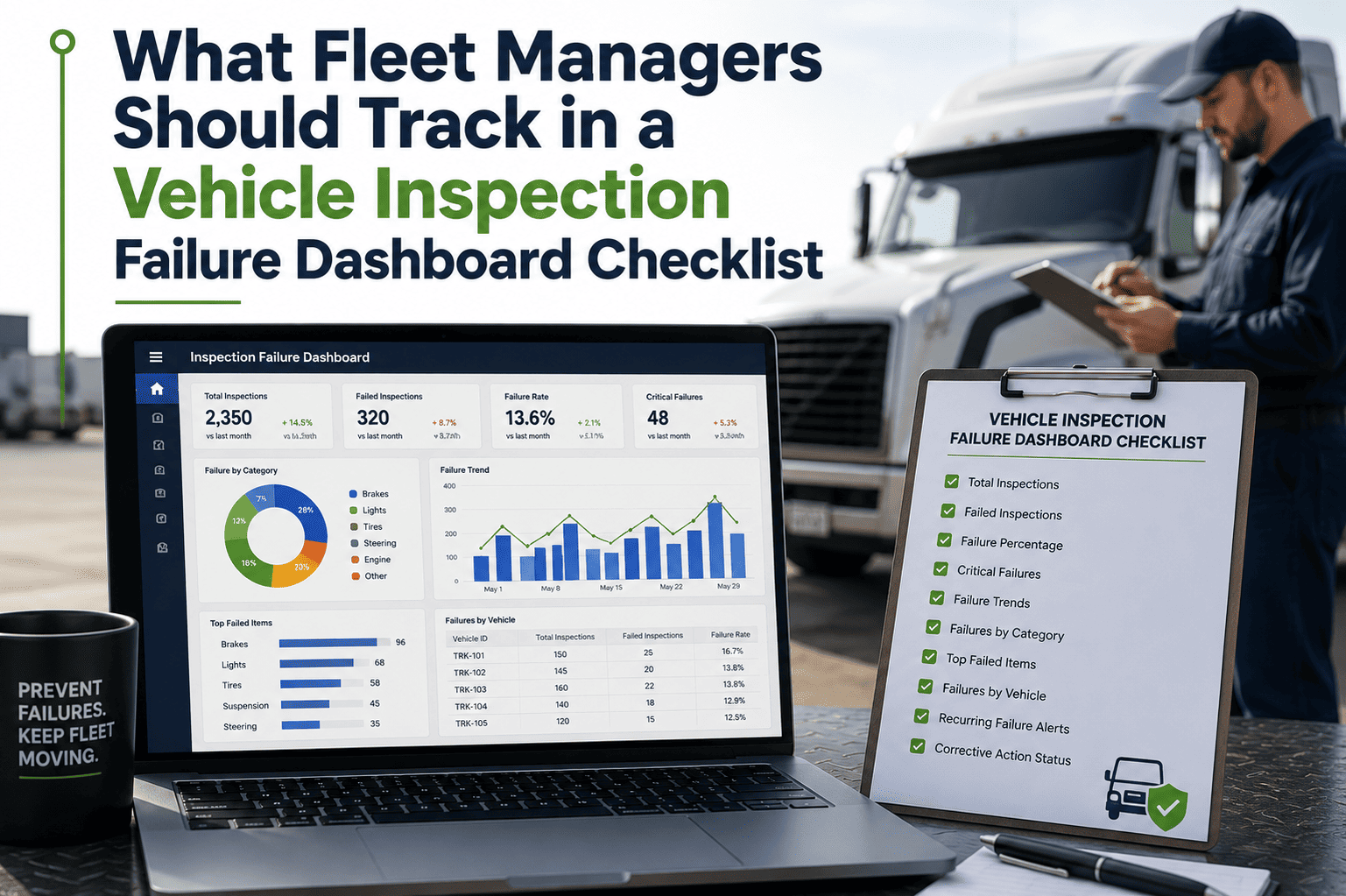
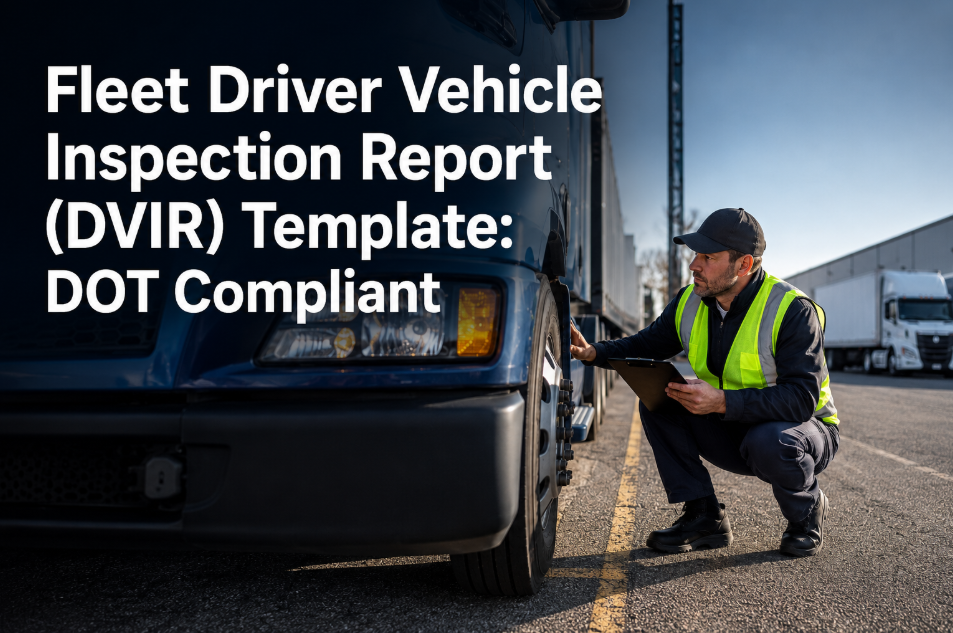
Compliance audits carry the identical risk. Under FMCSA offsite audit procedures, carriers can receive as little as 48 hours' notice to produce digital records, and DVIR photo evidence is one of the first things requested. A fleet manager who has to manually search through unlabeled camera roll exports to build that response is racing a clock that a structured naming convention removes entirely.
The Standard
Breaking Down the VIN-Date-Angle-Sequence Format
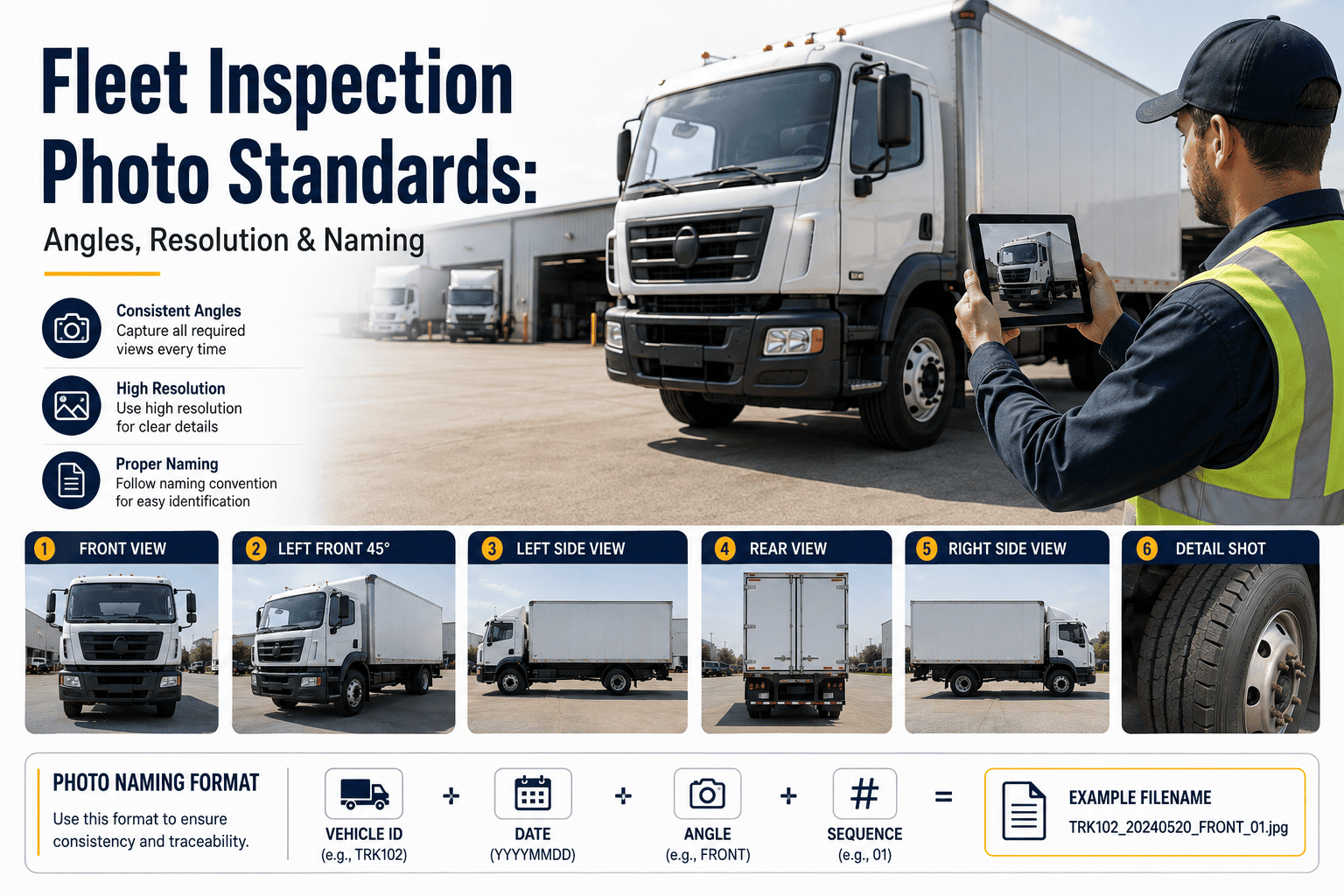
The convention itself is deliberately simple, because a naming system only works if every driver and technician can apply it without training refreshers. Four segments, each one answering a question an adjuster, auditor, or fleet manager will eventually ask: which vehicle, when, from where, and which one in the set. There is no software requirement to start using it — a fleet could apply this manually tomorrow — but the value compounds fastest when capture and renaming happen in the same motion, which is where a connected inspection app removes the last point of human error.
| Segment | Format | Example | What It Answers |
|---|---|---|---|
| VIN Segment | Last 8 characters of the VIN | LU12345 | Which exact unit this photo belongs to |
| Date Segment | YYYYMMDD, no separators | 20260903 | When the photo was captured |
| Angle Code | 2-3 letter fixed code | DMG, EB, UC | What part of the vehicle is shown |
| Sequence Number | Two-digit counter | 01, 02, 03 | Order within that angle or event |
| Full Filename | VIN-DATE-ANGLE-SEQ | LU12345-20260903-DMG-01.jpg | A record searchable by unit, date, or damage type instantly |
Every field in that string is something a spreadsheet, a support ticket search, or a folder search can filter on directly — no need to open the file to know what it contains. That is what turns a photo archive from a liability into an asset during an inspection or a dispute.
Angle Codes
The 8 Angle Codes Every Fleet Should Standardize
Angle codes are the piece most fleets skip, and the piece that matters most once a claim or audit is underway. A generic "damage photo" folder is far less useful than a filename that already states the shot is a damage close-up versus a full front profile versus an undercarriage view. The eight codes below cover the angles that DVIR inspections, insurance adjusters, and DOT auditors ask for most often, and keeping the list short is intentional — a driver choosing between eight fixed options applies the standard consistently, where a free-text description field invariably drifts into inconsistent shorthand within a few weeks.
DMG — Damage Close-Up
Tight, well-lit shots of the specific defect or impact point. This is the single most requested angle during any insurance claim or DOT audit, and the one most often missing or too blurry to use.
F / R — Front and Rear
Full-vehicle shots establishing overall condition before and after a trip. These frame every other close-up and are what an adjuster checks first for context.
LS / RS — Left and Right Side
Full side profiles capturing body panels, mirrors, and running boards. Required for pre-trip and post-trip DVIR comparisons under FMCSA 49 CFR 396.11.
EB — Engine Bay
Fluid levels, belt condition, and visible leaks. Pairs directly with preventive maintenance records to show the engine bay condition at each service interval.
UC — Undercarriage
Frame, suspension, and exhaust components. Frequently requested for subrogation claims involving road hazards or pothole damage.
TIR — Tire and Wheel
Tread depth, sidewall condition, and wheel damage per axle position. Ties directly to tire wear analytics and roadside inspection defense.
INT — Interior and Cab
Dashboard warning lights, seat condition, and cargo securement inside the cab. Useful for driver handoff records and cargo claim defense.
ODO — Odometer or Hour Meter
A timestamped reading that anchors mileage-based warranty claims and confirms the vehicle's usage at the moment of inspection.
Rollout
Putting the Convention to Work Across an Entire Fleet
A naming standard only earns its keep once every driver, technician, and inspection point applies it the same way, every time. Fleets that roll this out successfully tend to follow a short, repeatable sequence rather than trying to relabel years of historical photos in one pass.
Fix the VIN Segment First
Decide on the last six or eight VIN characters as the standard unit identifier and confirm it does not collide with another vehicle in the fleet before rolling it out.
Publish the Angle Code List
Give drivers a short, fixed list of angle codes — not a free-text field — so every photo lands in a predictable, searchable category.
Automate the Renaming Step
Manual renaming fails under time pressure. Capture through a mobile inspection app that writes the filename automatically the moment the photo is taken.
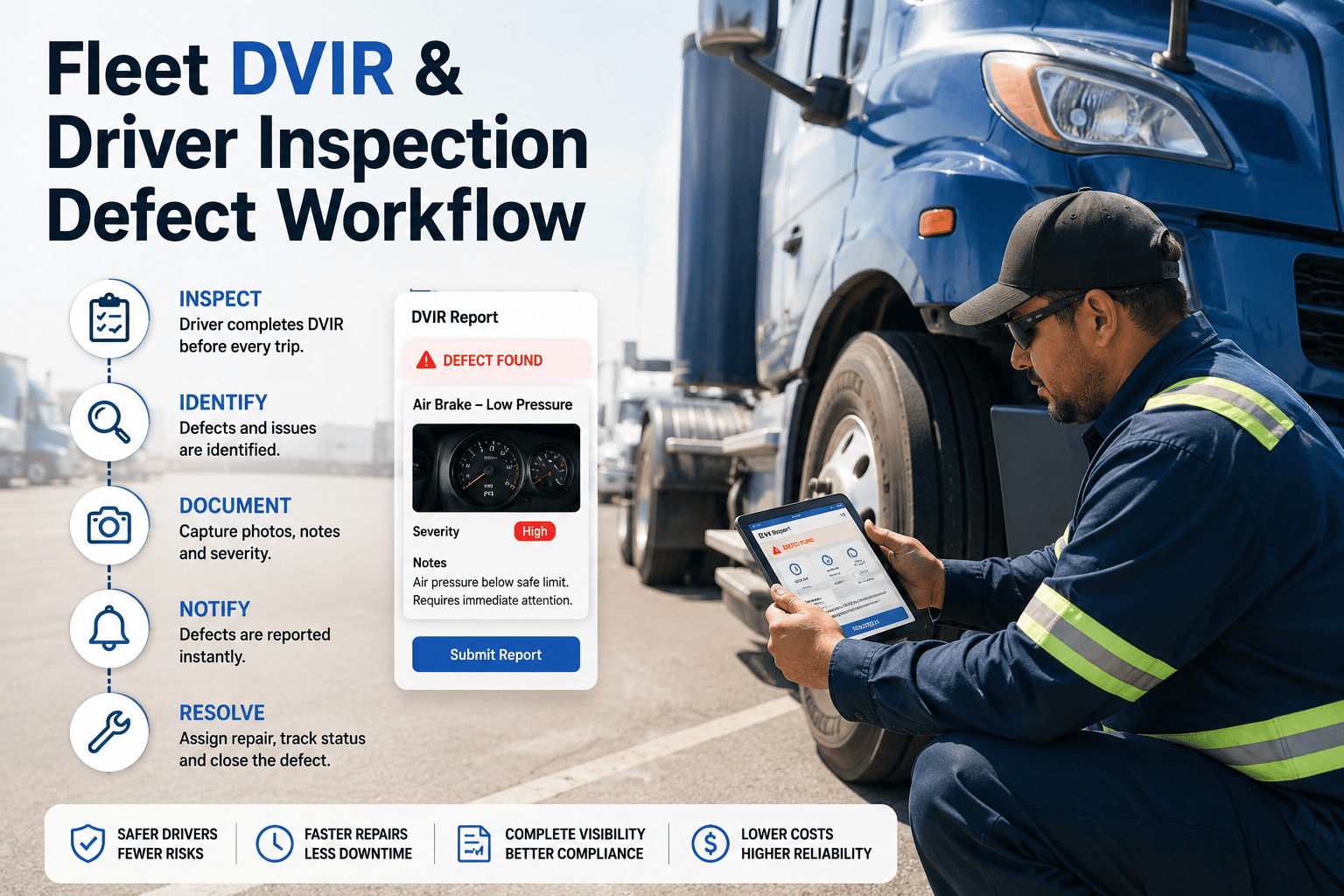
Attach Photos to the DVIR Record
A well-named file is still isolated if it sits outside the inspection record. Link every photo directly to its DVIR and work order so retrieval by unit number pulls everything at once.
Before vs After
Unstructured Photos vs a Named, Searchable Archive
Unstructured Camera Roll
Filenames: IMG_2047.jpg, sequential and meaningless
Retrieval: Manual scroll through hundreds of photos
Vehicle match: Guessed from memory or context
Claim response time: Days to weeks
Audit readiness: Reconstructed under pressure
VIN-Date-Angle-Sequence Archive
Filenames: LU12345-20260903-DMG-01.jpg
Retrieval: Filtered search by unit, date, or angle
Vehicle match: Encoded directly in the filename
Claim response time: Minutes to hours
Audit readiness: Complete on demand, no prep
The gap between these two columns is not about how many photos a fleet takes — most fleets already capture plenty of images per inspection. It is entirely about whether those images carry structure the moment they are saved. A fleet with a thousand well-named photos can answer an adjuster's question in the time it takes to type a filter. A fleet with ten thousand unstructured ones is, functionally, working with none of them until someone spends hours proving otherwise.
Stop Reconstructing Records — Build Them Correctly the First Time
Oxmaint applies the VIN-Date-Angle-Sequence structure automatically every time a driver or technician captures a photo, so the archive is organized from the first upload instead of cleaned up after a claim goes sideways.
Automation
How Oxmaint Applies the Naming Convention Automatically
Auto-Generated Filenames
Every photo captured through the mobile app is renamed instantly using the vehicle's VIN, the capture date, and the inspection angle selected by the driver — no manual renaming, ever.
GPS and Timestamp Embedding
Location and time metadata attach automatically to each image, adding a second, tamper-resistant layer of proof behind the filename itself.
DVIR-Linked Photo Storage
Photos attach directly to the relevant DVIR and work order record, so a single search by unit number pulls the inspection, the defect, and every related image together.
Instant Audit Export
Any date range, vehicle, or defect category exports as a complete, correctly labeled package in seconds — ready for a DOT auditor or an insurance adjuster without manual assembly.
Angle Checklist Prompts
The mobile capture flow prompts drivers through each required angle in order, so front, side, damage, and undercarriage shots are never skipped or duplicated.
Cross-Referenced Retention
Photos retain automatically alongside their DVIR and repair record for the full compliance window, well beyond the federal minimum, without a separate storage process to manage.
None of this asks a driver to think harder about file management — it asks the software to carry that weight instead. A technician photographing a brake defect selects "damage" from a short list, the app already knows the VIN and the date, and the resulting file lands in the correct place automatically, cross-referenced to the work order it will eventually justify.
Results
What a Structured Photo Archive Changes
These numbers describe the same underlying shift: evidence that used to depend on someone's memory of which folder held which photo now depends on nothing more than a filter. That is the entire value of a naming convention — it moves the work of organizing records from a stressful, reactive scramble to a quiet, automatic step that happens before anyone ever needs the file.
FAQ
Frequently Asked Questions
Do drivers have to rename photos manually to follow this convention?
No, not when capture happens inside a connected app. Oxmaint applies the VIN, date, angle, and sequence automatically the moment a photo is taken, so drivers only select the angle they're photographing. Start a free trial to see the capture flow.
How long should fleets retain inspection photos under this naming standard?
FMCSA requires DVIR records for a minimum of three months under 49 CFR 396.13, but most fleets keep photo evidence six to twelve months for warranty claims, litigation protection, and to build a historical maintenance pattern for each unit rather than just meeting the bare compliance floor.
Can this naming system work alongside our existing telematics or DVIR software?
Yes. The convention is filename logic, not a separate platform, so it layers onto existing DVIR and maintenance workflows. Book a demo to map it onto your current stack.
What if two photos of the same angle are taken minutes apart?
The sequence segment increments automatically, so the second shot becomes 02 instead of overwriting or duplicating the first, preserving a complete visual timeline of the inspection.
Does a consistent naming convention actually reduce claim denials?
Yes. Documentation gaps are the leading cause of denied freight and fleet claims industry-wide, accounting for roughly 35 to 40 percent of rejected filings, and fleets using structured, timestamp-backed photo evidence see denial rates cut nearly in half compared with unstructured filing.
Build an Audit-Ready Photo Archive From the First Click
Oxmaint names, tags, timestamps, and links every inspection photo to its DVIR and work order automatically — no filing cabinets, no blurry camera rolls, no scrambling when an adjuster calls.