Higher education facilities teams have always operated at the intersection of two very different worlds: the operational world of maintenance work orders, asset inspections, and technician dispatch, and the administrative world of financial approvals, procurement systems, and budget reporting. For most universities and colleges, these two worlds have lived in entirely separate systems — creating a persistent gap where maintenance decisions cannot access financial data, and financial systems cannot see the operational reality underneath budget variances. The five CMMS-ERP integrations covered here — Banner, Workday, Oracle, SAP, and Jenzabar — represent the most significant integration opportunities for higher education institutions in 2026. Universities that have completed these integrations report 30% faster purchase approvals, 25% reduction in deferred maintenance backlog, and finance teams that can actually trust the numbers in their maintenance cost reports. If you want to see how Oxmaint connects to your existing ERP, start a free trial and explore the integration layer, or book a demo to walk through your specific ERP environment.
Integration Guide · Higher Education · 2026
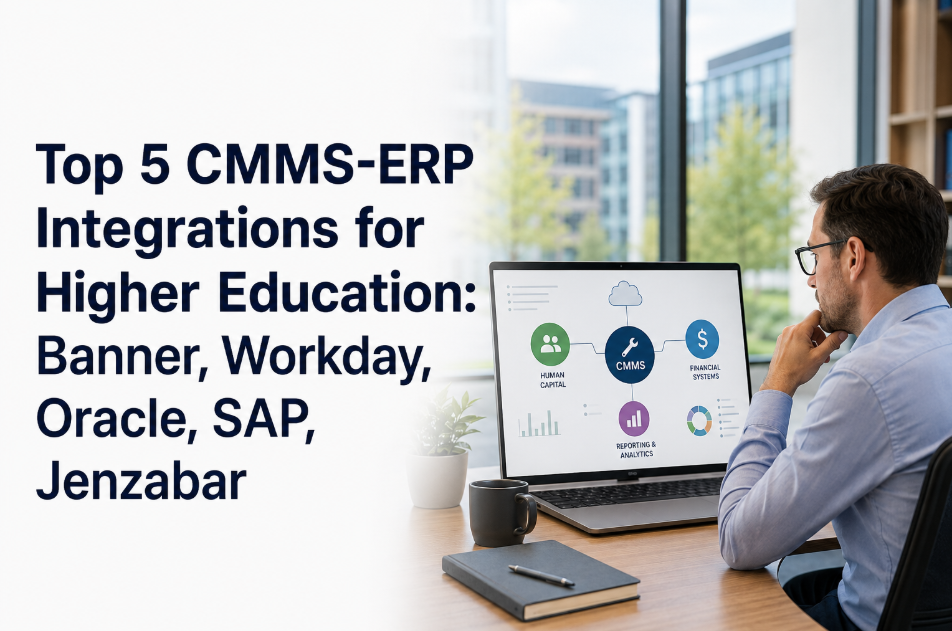
Top 5 CMMS-ERP Integrations for Higher Education: Banner, Workday, Oracle, SAP, Jenzabar
What each integration unlocks for university and college facilities teams — and how to scope the right connection for your institution's technology stack.
30%
Faster purchase approvals when CMMS connects to ERP procurement
62%
of higher ed institutions run CMMS and ERP as completely disconnected systems
25%
Reduction in deferred maintenance backlog after full CMMS-ERP integration
3x
Faster budget variance reporting with connected maintenance cost data
Why the CMMS-ERP Gap Is a Strategic Problem
When your CMMS and ERP do not talk to each other, the cost is not just administrative friction. It is strategic blindness. Facilities directors cannot get purchase orders approved without re-entering data from CMMS into the ERP. Finance cannot see whether a budget variance was caused by an emergency repair or a scheduled replacement. Capital planning teams make CapEx decisions without knowing the actual maintenance cost history of the assets they are replacing. Closing this gap is not a technology project — it is a decision-making infrastructure project.
01
Duplicate Data Entry
Work order costs entered in CMMS must be manually re-entered in the ERP. A single repair with parts, labor, and contractor costs requires 3–5 separate ERP transactions entered by hand.
02
Delayed Purchase Approvals
Parts requests from CMMS cannot automatically trigger purchase requisitions in the ERP. Technicians wait days for approvals while equipment sits down. Emergency bypass purchases inflate costs further.
03
Inaccurate Budget Reporting
Finance sees maintenance spend in the ERP but cannot attribute it to specific assets or buildings. Cost center allocations are estimated, not actual — producing budget reports that no one fully trusts.
04
CapEx Planning Without Data
Asset replacement decisions in the ERP have no connection to maintenance cost history in the CMMS. Assets are replaced based on age, not condition and cost data — resulting in premature replacements and delayed failures.
The 5 Key CMMS-ERP Integrations for Higher Education
Each of the five integrations below addresses a different segment of the higher education ERP market. Understanding which system your institution uses — and what specific data flows each integration enables — is the foundation of a successful scoping conversation.
What the Integration Unlocks
Work order costs pushed to Banner Finance cost centers automatically
Parts purchase requisitions created in Banner Procurement from CMMS work orders
Asset capitalization data synced between CMMS asset registry and Banner Fixed Assets
Budget encumbrance updated in real time as maintenance costs are committed
Vendor and contractor payment information accessible from work order records
Fund accounting codes mapped to CMMS work order types for automated allocation
Integration Architecture
Oxmaint connects via Banner's RESTful API (Banner 9+) or database view layer
Bi-directional: CMMS pushes costs, Banner pushes approved vendor lists and PO numbers
Fund, organization, account, program (FOAP) codes configurable per work order type
Typical implementation timeline: 4–8 weeks with Banner system administrator access
Outcome at Typical Banner Institution: Purchase requisition cycle reduced from 5–7 days to same-day for pre-approved maintenance categories. Finance reports maintenance spend by building and cost center without manual extraction.
What the Integration Unlocks
Supplier invoices from CMMS work orders matched to Workday supplier records
Spend categories in Workday Procurement aligned to CMMS work order types
Asset lifecycle tracking in Workday Assets synchronized with CMMS condition scores
Budget check against Workday operating budgets before high-cost work orders approved
Grant-funded maintenance charges allocated to correct Workday cost structures
Workday reporting pulls CMMS maintenance cost data directly for dashboard inclusion
Integration Architecture
Oxmaint connects via Workday's REST API and RAAS reporting layer
Workday Studio or Workday Extend used for custom integration where needed
Cost center and worktag mapping configured to match Workday financial structure
Typical implementation timeline: 6–10 weeks depending on Workday tenant configuration
Outcome at Typical Workday Institution: CFO can pull maintenance cost by school, department, or building from Workday dashboards without requesting manual extracts from facilities. Grant compliance reporting includes maintenance costs automatically.
What the Integration Unlocks
Oracle Fusion Procurement: purchase orders auto-generated from CMMS parts requests
Oracle Fixed Assets: asset additions, disposals, and depreciation synced with CMMS lifecycle data
Oracle Projects: maintenance costs allocated to capital improvement projects in real time
Oracle Analytics: CMMS KPIs surfaced in Oracle Fusion analytics dashboards
Multi-campus cost consolidation across the full university system in one Oracle view
Preventive maintenance costs separated from reactive maintenance in Oracle chart of accounts
Integration Architecture
Oxmaint connects via Oracle Integration Cloud (OIC) or direct REST APIs
Oracle's FBDI (File-Based Data Import) used for high-volume asset data sync
Segment values (company, cost center, account, project) mapped per CMMS work order type
Typical implementation timeline: 8–12 weeks for full Oracle Cloud ERP integration
Outcome at Typical Oracle Institution: University system CFO sees maintenance spend across all campuses consolidated in Oracle Cloud analytics. Capital project budget vs. actual includes real-time maintenance cost actuals from CMMS.
What the Integration Unlocks
SAP PM module integration: CMMS work orders mapped to SAP PM notification and order types
SAP Materials Management (MM): parts requisitions triggered from CMMS inventory shortfalls
SAP Asset Accounting (AA): CMMS asset lifecycle data populates SAP fixed asset records
SAP Controlling (CO): maintenance cost centers updated from CMMS work order completions
SAP S/4HANA Fiori dashboards: CMMS maintenance KPIs embedded in SAP user interface
Research grant compliance: maintenance costs traceable to sponsored project fund accounts
Integration Architecture
Oxmaint connects via SAP BTP (Business Technology Platform) integration suite
IDoc or REST API connection depending on SAP release version (ECC vs. S/4HANA)
SAP Plant Maintenance organizational structures mirrored in CMMS asset hierarchy
Typical implementation timeline: 10–16 weeks for SAP HER full integration
Outcome at Typical SAP Institution: Plant maintenance notifications and work order completions flow between CMMS and SAP PM without double entry. Research compliance teams can extract maintenance cost allocation by grant without manual reconciliation.
What the Integration Unlocks
Jenzabar Finance: maintenance cost transactions posted to general ledger from CMMS work orders
Jenzabar EX Purchasing: parts purchase orders created from CMMS without manual re-entry
Asset register in Jenzabar synchronized with CMMS condition and lifecycle data
Deferred maintenance liability data from CMMS visible in Jenzabar finance reporting
Capital project tracking aligned between CMMS CapEx forecast and Jenzabar project accounting
Vendor performance data from CMMS work orders visible to Jenzabar procurement team
Integration Architecture
Oxmaint connects via Jenzabar's ODBC database layer or REST API endpoints
Jenzabar's integration framework used for real-time or scheduled batch synchronization
GL account codes, fund codes, and department codes mapped per CMMS work type
Typical implementation timeline: 4–8 weeks — fastest of the five integrations
Outcome at Typical Jenzabar Institution: Small college business office sees facilities maintenance costs in Jenzabar Finance without waiting for monthly manual reconciliation. Deferred maintenance liability reported accurately for board presentations and accreditation reviews.
Integration Comparison: At a Glance
| ERP System |
Market Segment |
Key Data Flows |
API Method |
Timeline |
Complexity |
| Banner |
Public universities, community colleges |
Cost center sync, PO generation, FOAP mapping |
REST API / DB view |
4–8 weeks |
Medium |
| Workday |
Private universities, R1 research |
Supplier match, spend categories, grant allocation |
REST API / RAAS |
6–10 weeks |
Medium-High |
| Oracle Cloud |
Large public systems, multi-campus |
PO auto-gen, fixed assets, project costing |
OIC / REST / FBDI |
8–12 weeks |
High |
| SAP HER |
Research universities, European HE |
PM notifications, MM requisitions, CO cost centers |
BTP / IDoc / REST |
10–16 weeks |
High |
| Jenzabar |
Small private, community, faith-based |
GL posting, PO creation, deferred maintenance |
ODBC / REST |
4–8 weeks |
Low-Medium |
What Data Flows in a Complete CMMS-ERP Integration
The data flows below are common to all five integrations — the specific field names and API methods differ by ERP, but the underlying data exchange pattern is consistent across higher education implementations.
CMMS to ERP
Work Order Costs
Labor hours, parts costs, and contractor invoices from completed work orders posted to ERP cost centers and GL accounts automatically.
CMMS to ERP
Purchase Requisitions
Parts requests from CMMS inventory shortfalls trigger purchase requisitions in ERP procurement — no manual re-entry, no approval delays.
CMMS to ERP
Asset Lifecycle Data
CMMS condition scores, replacement forecasts, and maintenance cost history inform ERP fixed asset records and depreciation schedules.
CMMS to ERP
Deferred Maintenance Liability
Total deferred maintenance value from CMMS asset condition data feeds into ERP financial reporting for board presentations and audits.
ERP to CMMS
Approved Vendor Lists
Approved vendor and contractor lists from ERP procurement available in CMMS work orders — no manual lookup of approved supplier status.
ERP to CMMS
Budget Availability
Real-time budget check from ERP before high-cost work orders are approved in CMMS — prevents overspend without delaying emergency repairs.
ERP to CMMS
PO Confirmation Numbers
Purchase order numbers generated in ERP flow back to CMMS work orders — technicians see PO status without leaving the CMMS interface.
ERP to CMMS
New Asset Capitalization
Capital purchases approved and capitalized in ERP automatically create new asset records in CMMS — ready for PM scheduling from day one.
30%
Faster purchase approvals
CMMS-to-ERP requisition automation eliminates manual re-entry
8hrs
Saved per week per analyst
No more manual cost reconciliation between CMMS and ERP
±3%
Budget variance accuracy
vs. ±20–30% with disconnected systems and manual estimates
100%
Asset cost traceability
Every maintenance dollar attributed to a specific asset and building
How to Scope Your CMMS-ERP Integration
Integration scoping is where most higher education projects stall. The questions below define the scope boundaries and prevent the most common implementation delays. Bring these to your first discussion with Oxmaint's integration team.
Q1
What is your ERP version?
Banner 8 vs. Banner 9, SAP ECC vs. S/4HANA, and Oracle on-premise vs. Cloud each use different API methods. Version determines the integration architecture before any other decision.
Q2
Which data flows are priority one?
Cost center posting and PO generation typically deliver the fastest ROI. Start with two or three high-value flows rather than attempting a full bidirectional integration in phase one.
Q3
Who owns the ERP tenant?
Integration requires ERP system administrator access for API credentials and configuration. Identifying the ERP admin and their availability is the single biggest scheduling factor.
Q4
What is your chart of accounts structure?
CMMS work order types must map to specific GL account codes. Bringing your chart of accounts to the scoping discussion accelerates mapping by 2–3 weeks.
Frequently Asked Questions
Does Oxmaint replace the ERP for facilities operations, or work alongside it?
Oxmaint works alongside your ERP — it does not replace it. The CMMS handles operational maintenance workflows: work orders, asset records, inspections, technician dispatch, PM scheduling, and inventory. The ERP handles financial processing: general ledger, procurement approvals, accounts payable, and fixed asset accounting. Each system does what it is built for, connected by data flows that eliminate manual handoff between the two.
Can we start with one integration data flow and expand later?
Yes — and this is the recommended approach. Most institutions start with cost center posting (CMMS costs flow to ERP) and purchase requisition generation (CMMS parts requests trigger ERP POs). These two flows deliver the highest immediate ROI and establish the integration architecture for additional flows. Asset lifecycle sync and budget availability checks are typically added in a second phase once the foundational data flows are stable.
How does Oxmaint handle institutions that have customized their ERP?
Significant ERP customization is common in higher education — particularly in Banner and SAP environments. Oxmaint's integration team conducts a technical discovery session to map your specific ERP field structure before building the connection. Custom fields, additional approval workflows, and non-standard GL structures are accommodated in the integration configuration. The discovery session typically takes 2–3 hours with your ERP administrator.
What happens to the integration when we upgrade our ERP?
ERP upgrades — particularly major version changes like Banner 8 to Banner 9 or SAP ECC to S/4HANA — may require integration reconfiguration. Oxmaint maintains integration compatibility documentation for each major ERP version and provides upgrade support as part of the customer success relationship. Integration reconfiguration for a major ERP upgrade typically takes 2–4 weeks and does not require re-scoping the data flows from scratch.
CMMS-ERP Integration Specialists
Connect Your Maintenance Operations to Your Financial Systems
Oxmaint's integration team has scoped and implemented CMMS-ERP connections across Banner, Workday, Oracle, SAP, and Jenzabar environments. In a 30-minute session, we can walk through your specific ERP version, identify the two or three highest-value data flows for your institution, and give you a realistic implementation timeline. No pressure — just a practical technical conversation. Ready to eliminate the gap between your CMMS and your ERP? Start a free trial and explore the integration layer, or book a demo with our integration team today.



.png)