![campus-construction-site-coordination-bim-cobie-cmms-asset-onboarding[1]](./manage-post-2k26/uploads/campus-construction-site-coordination-bim-cobie-cmms-asset-onboarding[1].png)
University capital projects represent some of the most complex construction handoffs in the built environment — a single academic building can contain 2,000 to 8,000 individual maintainable assets spanning mechanical, electrical, plumbing, fire protection, building automation, and specialty laboratory systems. When that building reaches substantial completion and the keys transfer from the construction manager to the facilities team, the question is never whether the asset data exists — it exists in the BIM model, the COBie spreadsheet, the commissioning agent's report, and the contractor's O&M binders. The question is whether any of that data reaches the CMMS in a form that facilities staff can actually use to schedule preventive maintenance, respond to failures, and plan capital replacements from day one of occupancy. Research from the Construction Industry Institute shows that 73% of university facilities teams report receiving incomplete or unusable asset data at project handover, forcing them to rebuild equipment records manually from O&M manuals and field surveys — a process that takes 6 to 18 months and costs $8,000 to $45,000 per building in staff time. The result is a facility that enters service with no PM schedules, no warranty tracking, no parts inventory alignment, and no baseline condition data — creating the deferred maintenance backlog that will cost three to five times more to address in years six through fifteen of the building's life. Oxmaint connects directly to BIM and COBie data exports, maps asset records to the CMMS hierarchy during commissioning, and generates PM schedules from manufacturer specifications before the first occupant walks through the door. If your institution's next capital project is approaching substantial completion, the time to establish the data handoff protocol is now — start a free trial or book a demo to see how the COBie-to-CMMS workflow operates for a building of your scope.
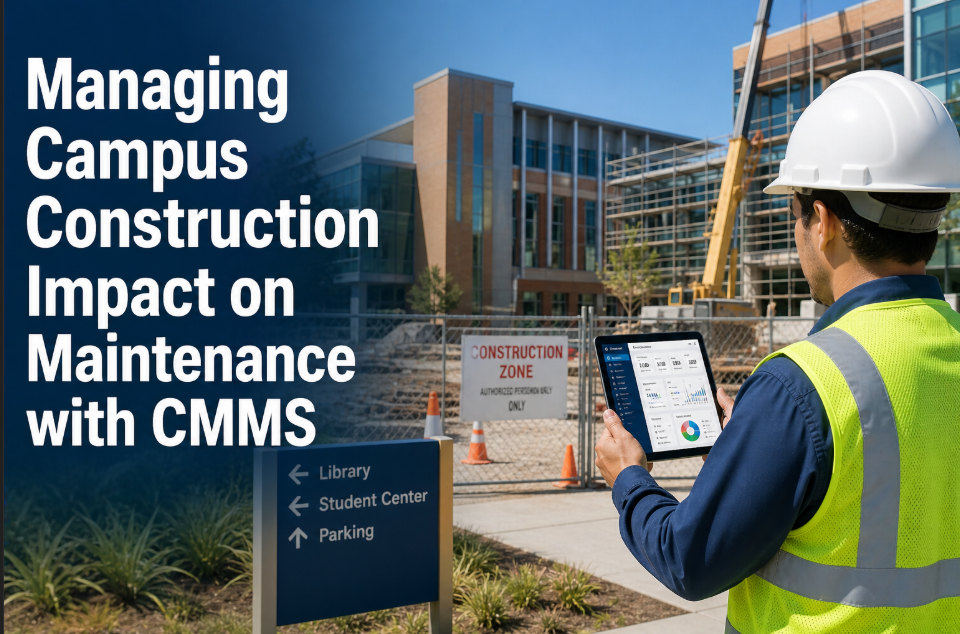
Campus Construction Site Coordination: BIM, COBie, and CMMS Asset Onboarding
73% of university facilities teams receive incomplete asset data at project handover. BIM-to-COBie-to-CMMS workflows eliminate the rebuild gap — putting PM schedules, warranty records, and asset hierarchies into your maintenance platform before the building opens.
Your New Building Should Open with a Complete PM Schedule — Not a Data Gap
Every day a new facility operates without structured PM schedules is a day of warranty coverage running down, manufacturer service intervals being missed, and the deferred maintenance clock starting earlier than it should. Oxmaint's BIM-to-CMMS onboarding workflow means your facilities team inherits a fully structured asset register, linked PM schedules, and commissioning records — not a stack of O&M binders. Ready to see it applied to your next capital project? Start a free trial or book a demo and walk through the handoff workflow with your project team.
Understanding the BIM — COBie — CMMS Data Chain
Three distinct data systems must connect for a campus construction project to deliver usable facility management information at handover. Understanding what each system contains — and where the handoff gaps occur — is the starting point for designing a project closeout protocol that actually works.
Where the Handover Data Chain Breaks Down — and Why It Matters
The construction-to-operations handover is where the most expensive data loss in a building's lifecycle occurs. Each failure point below represents months of recovery work and years of compromised maintenance outcomes.
Design teams build BIM models for construction coordination, not facility management. Equipment objects in the model often lack manufacturer, model number, and serial number fields — making them geometrically complete but informationally empty for the facilities team receiving the handover package. 61% of BIM models delivered at project closeout are missing required FM data fields per NIBS research.
Unless the owner's project requirements (OPR) explicitly mandate COBie delivery as a contract deliverable with defined data fields, contractors have no obligation to produce it. Most US university capital projects do not include COBie requirements in the design-build or GMP contracts — resulting in a handover package consisting of PDF O&M binders and as-built drawings that facilities staff must manually interpret.
Commissioning agents produce detailed functional performance test reports for every major system — HVAC air balancing, controls programming verification, electrical distribution testing, fire protection flow tests. These reports establish the baseline condition of every system at handover. In 78% of projects, these records are stored as PDFs in a project close-out folder and never linked to the CMMS asset records they describe.
Equipment warranties are tracked — when they are tracked at all — on standalone spreadsheets managed by the project coordinator. When that person changes roles, the spreadsheet becomes inaccessible or outdated. Universities forfeit an estimated $2,400 to $18,000 per building in warranty repairs performed at their own expense because no system tracked the warranty expiry date against the failure work order.
Without structured asset data in the CMMS at handover, facilities teams cannot generate PM schedules until they manually build the asset register from field surveys and O&M manuals. This process takes 3 to 12 months per building — during which manufacturer-specified service intervals are missed, voiding equipment warranties and beginning the deferred maintenance accumulation cycle before the first academic term ends.
COBie Spare worksheets contain the manufacturer-recommended spare parts list for every piece of equipment — belts, filters, bearings, fuses, actuators. When this data never reaches the CMMS storeroom module, the first replacement parts are ordered reactively during the first failure, at emergency pricing, with no established vendor relationship. The average first-year reactive parts premium for a new academic building is $14,000 to $38,000 above planned cost.
How Oxmaint Handles the Full BIM-to-CMMS Onboarding Workflow
Oxmaint is built to receive structured asset data from construction handover packages and convert it into operational PM schedules, warranty tracking, and parts inventory from day one of occupancy. The workflow below maps to the standard university capital project closeout sequence — from commissioning through final punch list to facilities team activation. Your next capital project can use this workflow from the point of substantial completion forward. Start a free trial or book a demo to walk through the import configuration with your project coordinator.
Oxmaint imports COBie Component, Type, Space, and Spare worksheets directly — mapping each equipment instance to the asset hierarchy: Campus, Building, Floor, Space, System, Asset, Component. The import validates required fields and flags incomplete records for manual completion before activation. Import time for a 2,000-asset building: under 4 hours.
For equipment types with manufacturer PM specifications in the Oxmaint library, PM schedules generate automatically at import. Filter changes, belt inspections, lubrication intervals, controls calibration, and test procedures are scheduled from the equipment's installation date — not from the date the facilities team finally gets around to building the schedule manually.
COBie Warranty worksheet data — warranty start date, duration, contractor contact, and coverage terms — loads directly onto each asset record. Oxmaint sends configurable alerts at 90, 60, and 30 days before warranty expiry. When a failure work order is created for an asset still under warranty, the technician sees the warranty status before ordering any replacement parts.
Commissioning functional performance test reports upload as documents attached to the asset record they describe — establishing a digital baseline condition record that technicians reference for every future inspection and repair. The commissioning baseline becomes the "known good" reference point for condition scoring and lifecycle planning.
COBie Spare worksheet data — part name, part number, supplier, and recommended quantity — seeds the Oxmaint storeroom module for each building. Procurement can establish vendor relationships and initial stock orders before the first failure occurs — eliminating the reactive first-year parts premium that inflates maintenance cost on every new campus building.
Outstanding punch list items for mechanical and electrical systems load as pre-activation work orders in Oxmaint — assigned to the contractor and tracked to verified completion before the building's PM schedule activates. This ensures the CMMS asset register reflects the building's actual commissioned state, not its contracted design state, at the point of handover to facilities operations.
What to Require in Owner's Project Requirements for CMMS-Ready Handover
The single most effective intervention a university facilities team can make is to specify COBie and BIM data requirements in the owner's project requirements document before design begins. Retrofitting data requirements at substantial completion costs 3 to 8 times more than specifying them upfront. The following requirements, written into OPR and contract documents, produce a CMMS-ready handover package without requiring facilities staff to chase contractors for data after the fact. Teams that want Oxmaint's recommended OPR language and COBie field mapping templates can start a free trial or book a demo for a full project onboarding consultation.
Require COBie spreadsheet submissions at three project milestones — not just at closeout. This catches missing data fields while contractors still have access to subcontractor submittal records and allows the owner to validate data quality before the project team demobilizes.
The BIM Execution Plan must specify Level of Development requirements for FM-relevant elements — LOD 350 minimum for mechanical equipment, electrical panels, and controls — with required data fields including manufacturer, model, serial number, and installation date populated before the model is delivered.
Commissioning functional performance test reports must be delivered in a structured digital format — not just PDF — with equipment identifiers that match the COBie Component worksheet IDs. This enables direct attachment to CMMS asset records rather than manual cross-referencing of paper reports to equipment tags.
All equipment warranties must be documented in the COBie Warranty worksheet with: warranty type, start date, duration, applicable guarantee, point-of-contact name, and contact phone/email. Generic warranty statements in O&M binders are not acceptable as the sole warranty documentation deliverable.
Traditional Handover vs. BIM-COBie-CMMS Handover
What Universities Measure After CMMS-Ready Project Handover
COBie import replaces the 6–18 month manual survey and data entry process — complete, structured, and PM-ready from day one of occupancy
COBie Spare data enables planned procurement before the first failure — removing the reactive emergency ordering premium on every new building
Every asset warranty loaded at import with expiry alerts — no more forfeit repairs performed at owner expense during an active warranty period
Buildings with CMMS-managed PM from day one accumulate 5x less deferred maintenance cost by year fifteen than buildings where PM started 12+ months after occupancy
Frequently Asked Questions
What if our BIM model was not built with FM data fields populated?+
Does Oxmaint work with design-build projects that use IFC format instead of COBie? yes+
How should the commissioning agent be involved in the CMMS onboarding process?+
Can Oxmaint handle multi-phase campus construction projects with staggered building activations?+
Your Next Capital Project Should Hand Over a CMMS — Not a Stack of Binders
Every university capital project creates the opportunity to start a building's maintenance lifecycle correctly — with structured asset data, active PM schedules, warranty tracking, and commissioning baselines in place before the first occupant arrives. Oxmaint makes that standard achievable for every project in your capital program, regardless of BIM maturity or contractor data quality. No heavy implementation. First buildings onboarded in the same week as substantial completion.