Higher education facility directors manage some of the most complex built environments on the planet — 200+ buildings spanning classrooms, research labs, residence halls, athletic facilities, and historic structures, often with ages ranging from the 1890s to buildings still under construction. Yet 58% of university facility departments are still running maintenance on platforms that were designed for generic commercial buildings, not academic campuses. The result is predictable: PM schedules that ignore academic calendars, work request systems that frustrate faculty, deferred maintenance backlogs that grow invisibly, and compliance documentation assembled manually before every audit. The CMMS features listed in this guide are not nice-to-haves — they are the specific capabilities that separate platforms built for higher education from those that merely claim to serve it. Universities that have deployed platforms with these features — including Oxmaint's higher education CMMS — report 41% faster work order resolution, 28% higher PM compliance, and audit preparation reduced from weeks to hours. If your campus is evaluating CMMS platforms in 2026, use this as your RFP checklist. Want to see these features live? Book a demo or start a free trial.
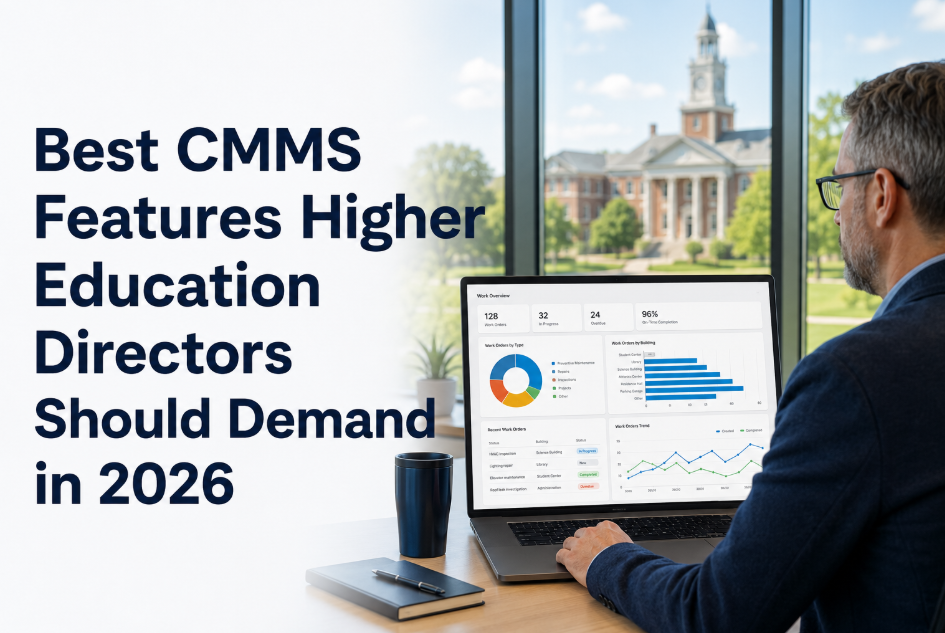
Best CMMS Features Higher Education Directors Should Demand in 2026
Mobile parity, academic calendar logic, GIS integration, ERP sync, deferred backlog dashboards, SSO, and 12 more must-have features — your RFP checklist for campus CMMS selection.
See Every Feature on This List Running Live
Bring your RFP checklist to a 30-minute working demo. We'll show you academic calendar scheduling, multi-building PM, deferred maintenance dashboards, and ERP integration on live screens — no slideware.
Why Generic CMMS Platforms Fail on Campus
A university is not a commercial office building. It is a small city with residential, laboratory, healthcare, athletic, dining, and classroom functions — each with different maintenance rhythms, compliance requirements, and stakeholder expectations. Generic CMMS platforms force academic operations into commercial templates, creating friction at every level. Faculty submit work requests through portals designed for tenants. PM schedules ignore finals weeks and commencement. Deferred maintenance grows in spreadsheets because the CMMS has no backlog quantification module. And when accreditation auditors ask for maintenance documentation, the facility team spends 200+ hours assembling it manually because the system was never built to produce it. The features below solve each of these failures specifically.
The Must-Have CMMS Features for Higher Ed in 2026
Organized by operational category. Use this as a direct RFP scoring matrix.
The CMMS must understand your academic calendar — finals, move-in, move-out, commencement, summer construction windows, and break periods. PM tasks should auto-reschedule around blackout dates without manual intervention. Generic CMMS platforms schedule a chiller PM during finals week because they don't know finals exist.
Maintenance technicians work in basements, mechanical rooms, and tunnels where cellular and Wi-Fi signals drop. The mobile app must deliver 100% of desktop functionality — work order completion, photo capture, barcode scanning, parts requests — and sync automatically when connectivity returns. Anything less means technicians revert to paper.
Universities run on Banner, Workday, PeopleSoft, or SAP. The CMMS must push purchase requisitions, receive invoices, and sync cost center codes bidirectionally with the ERP without custom development. If integration requires a $50,000 custom connector, it will never happen — and maintenance costs will remain invisible to finance.
The CMMS must quantify deferred maintenance in dollars — by building, by system, by asset class — and present it in a format that a VP of Finance or Board of Trustees can understand. This is how facility directors secure capital funding: with data that shows the $340 million backlog is growing at 8% per year and which buildings are at highest risk.
Universities use institutional SSO for everything. If the CMMS requires a separate login, adoption will suffer. The platform must integrate with Shibboleth, CAS, Azure AD, or Okta — and support role-based access that maps to university org structures: central facilities, zone managers, building coordinators, and department requestors.
Faculty, staff, and department administrators need to submit maintenance requests without training, without an app download, and without creating an account. The portal should accept photo uploads, auto-route to the correct zone team, and send status updates without facility staff intervention.
Campus assets exist in physical space. The CMMS should support GIS layers showing asset locations on campus maps and link to floor plans for indoor navigation. When a work order says "AHU-4 in Room 312B of the Science Building," the technician should see exactly where that is on a map — not guess.
Accreditation bodies, fire marshals, state agencies, and insurance carriers all require documented proof of maintenance. The CMMS must generate timestamped, digitally signed compliance reports filterable by asset type, building, date range, and regulatory category — exportable in minutes, not assembled over weeks.
APPA's Facilities Performance Indicators program is the gold standard for higher ed facility benchmarking. The CMMS must produce reports in APPA-compatible formats — cost per GSF, FCI by building, staffing ratios, energy cost per GSF — without manual data transformation.
Higher ed capital planning operates on 5–10 year horizons. The CMMS must produce rolling CapEx forecasts based on asset condition data, remaining useful life, and replacement cost estimates — not static spreadsheets that go stale the month after they're created.
Feature Gap: Generic CMMS vs Campus-Ready CMMS
Side-by-side comparison showing where generic platforms fall short on campus-specific requirements.
- PM schedules ignore academic calendar
- Work request portal requires account creation
- No deferred maintenance quantification
- ERP integration requires custom development
- Reports don't align with APPA benchmarks
- No SSO — separate login credentials
- PM auto-reschedules around finals and move-in
- One-click portal, no account needed
- Deferred backlog dashboard in real dollars
- Pre-built Banner, Workday, SAP connectors
- APPA FPI-compatible reports out of the box
- SSO via Azure AD, Shibboleth, Okta
Use this feature list as your CMMS evaluation scorecard. Then bring it to a live Oxmaint demo and score us against every line item. We answer each one with live screens, not marketing slides. Most universities are generating their first PM work orders within 14 days of signing.
Implementation Reality Check
Higher ed CMMS implementations have a reputation for taking 12–18 months with legacy vendors. Here's what a modern campus implementation timeline actually looks like.
Import building list, configure asset hierarchy (Campus > Building > Floor > Room > System > Asset), establish SSO connection, set up zone-based teams.
Build PM templates for top 50 critical assets, activate academic calendar blackout dates, launch faculty/staff work request portal across pilot buildings.
Activate APPA-compatible reporting, configure compliance templates for fire safety and elevator inspections, connect ERP for procurement automation.
Activate deferred maintenance dashboard, begin rolling CapEx forecasts, connect BAS/BMS sensor data for condition-triggered work orders.
ROI Metrics for Campus CMMS
Frequently Asked Questions
How long does a full campus CMMS implementation take with Oxmaint?
Can the CMMS handle both facilities and custodial operations?
Does the platform support multi-campus university systems?
How does the platform handle research lab maintenance requirements?
Your Campus Deserves a CMMS Built for Higher Education
Stop forcing academic operations into commercial CMMS templates. Oxmaint is built for the complexity of campus facility management — academic calendar scheduling, multi-building asset hierarchies, APPA-compatible reporting, and deferred maintenance dashboards that secure capital funding. See it running on your campus in a 30-minute demo.