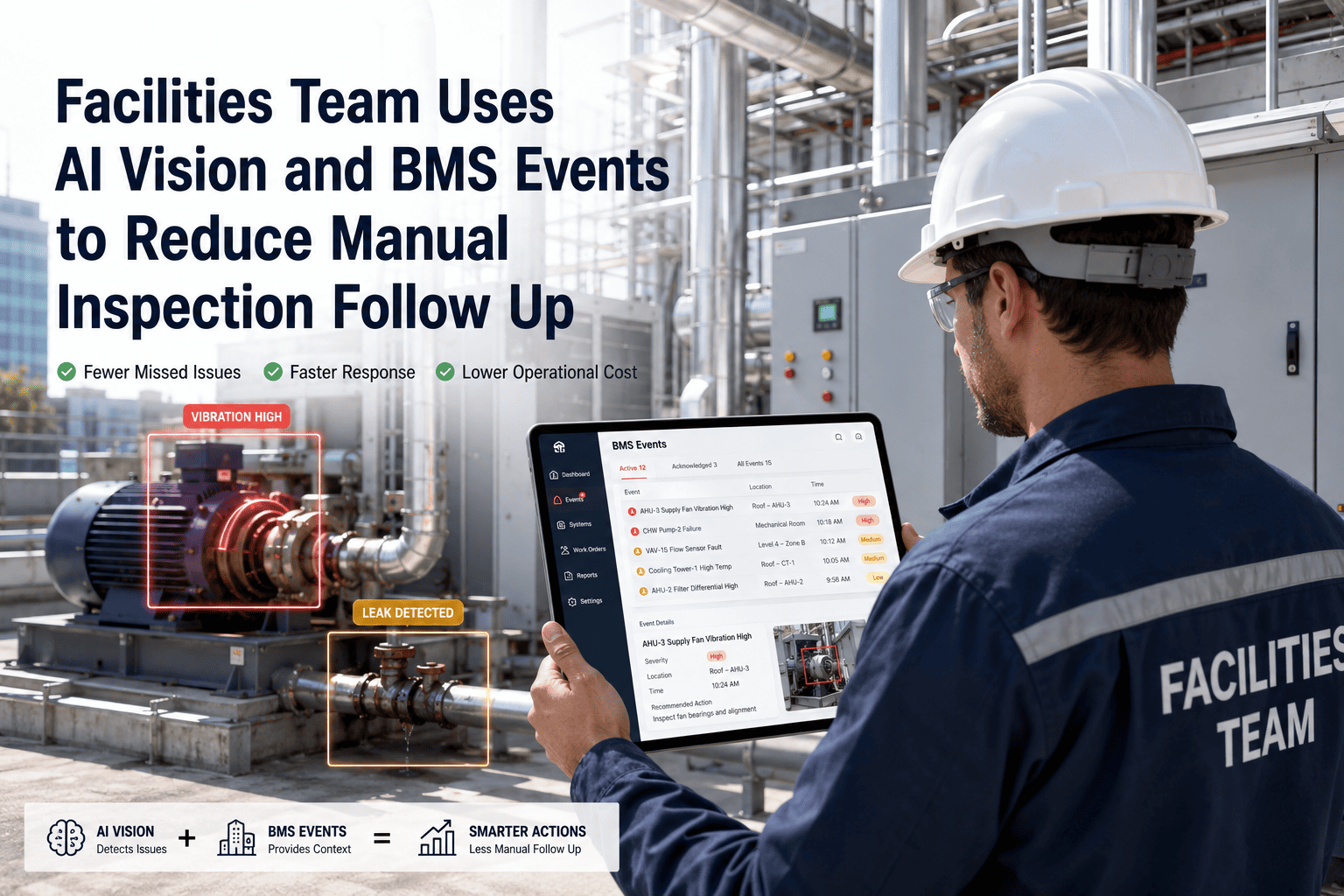
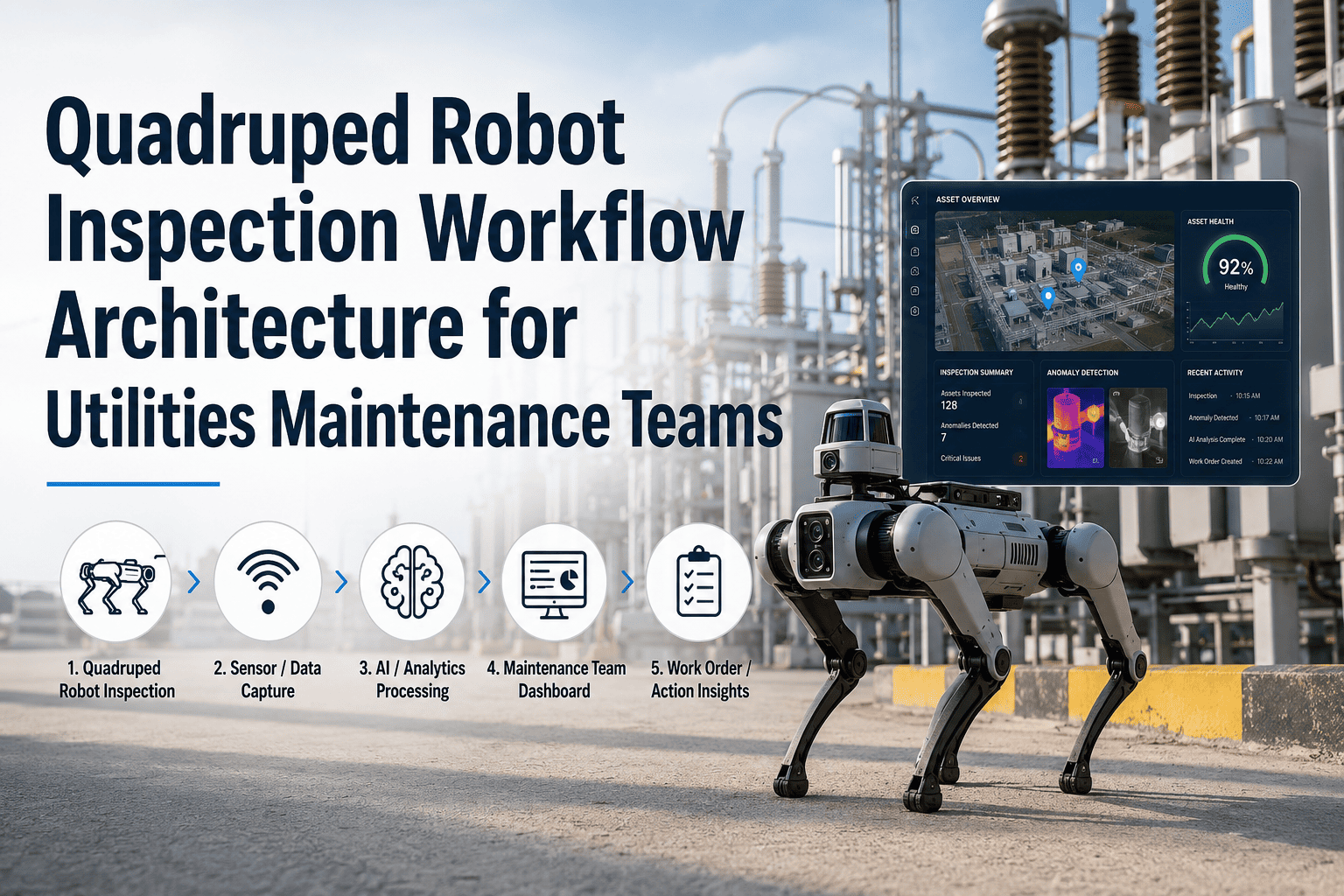
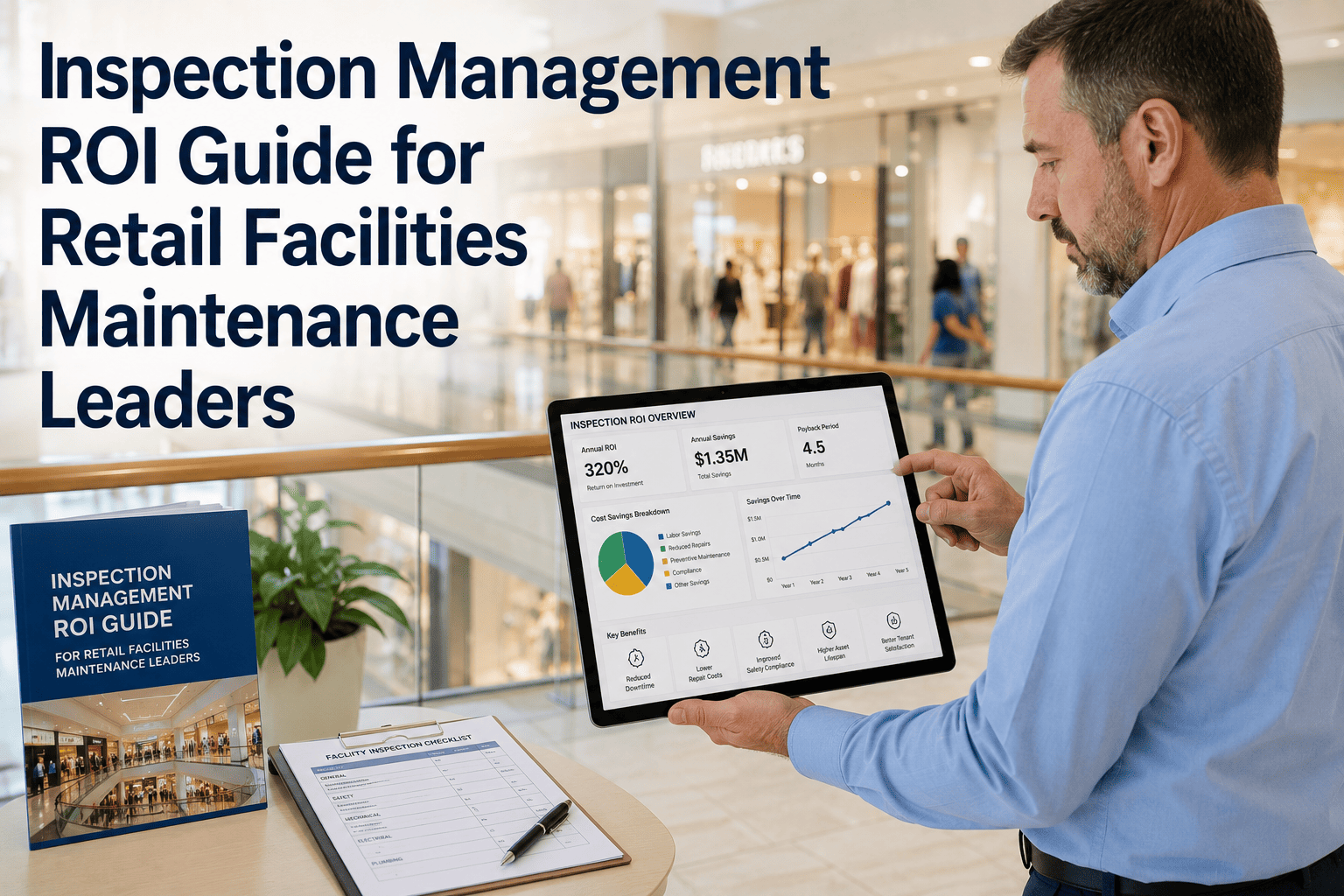
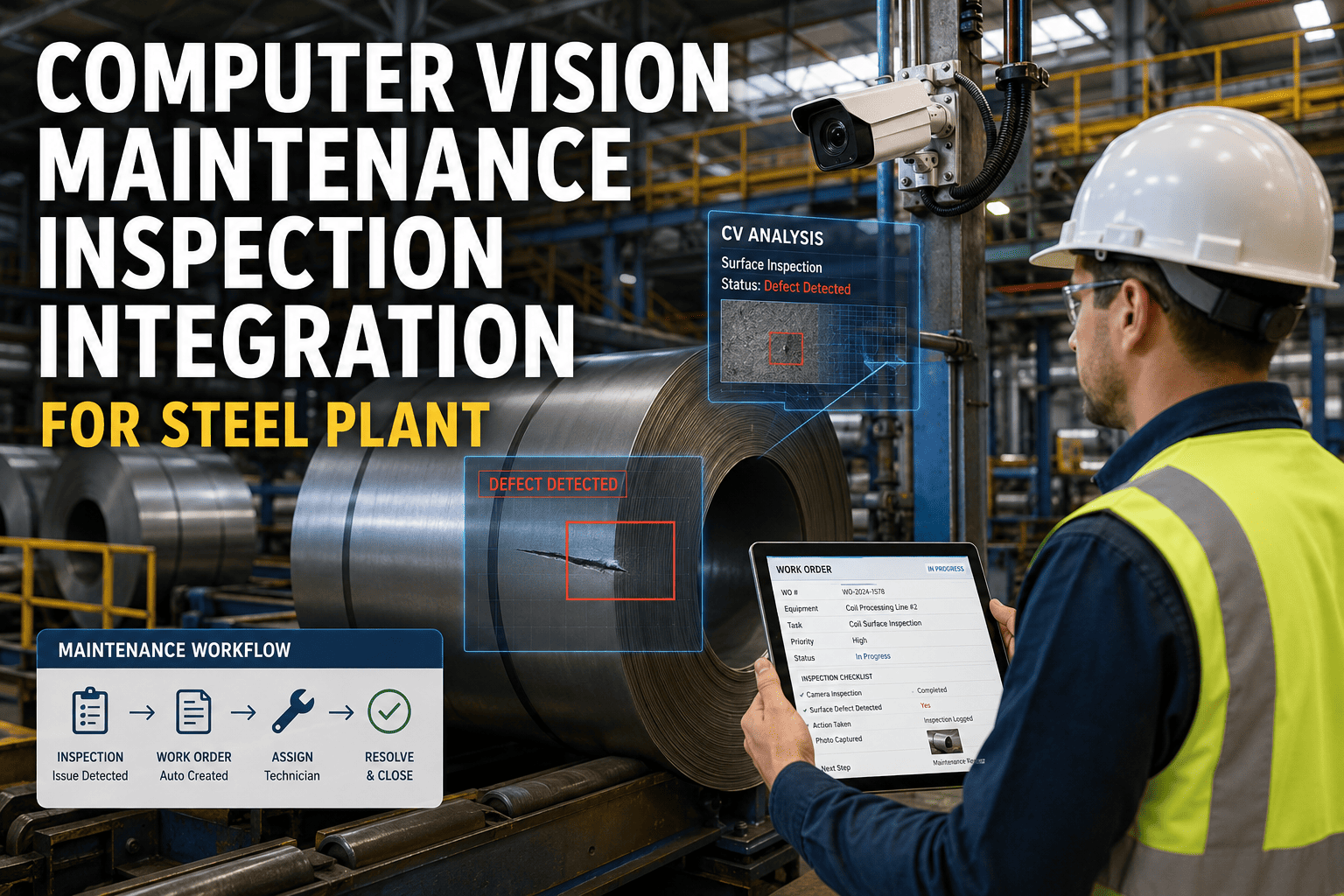
A building management system fires hundreds of fault events every week — HVAC alarms, chiller trip signals, AHU fault codes, and lighting circuit failures — each one theoretically requiring a facilities technician to physically inspect the affected asset, confirm the fault condition, and raise a work order manually. In practice, most teams can not keep up: follow-up inspections are delayed, fault conditions worsen while the work order sits on a paper log, and repeat-fault rates climb because corrective actions are never fully linked to root cause. OxMaint connects directly to BMS fault events and combines them with AI Vision photograph evidence so that every BMS alarm triggers a contextualised work order automatically — with the asset's most recent visual condition attached, the fault code pre-populated, and the right technician assigned before anyone picks up a radio. The smart building market is projected to exceed $127 billion by 2027 as facilities teams replace reactive manual processes with integrated inspection and alert workflows. Book a demo to see how OxMaint closes the loop between your BMS events and field maintenance execution.
300+
Average BMS fault events per week in a 100,000 sq ft commercial building — most requiring manual follow-up
47%
of BMS alarms go uninvestigated within 24 hours in facilities running manual work order processes
3.2×
Higher repeat-fault rate on assets where BMS alerts are not linked to visual inspection evidence in the work order
60 sec
Time for OxMaint to convert a BMS fault event into a structured work order with asset history and visual context
The Manual Follow-Up Gap — Where Facilities Teams Lose Time and Evidence
BMS Alert Fires
AHU fault, chiller alarm, or lighting circuit failure triggers in the BMS dashboard. An alert appears. Someone sees it — or does not.
Manual gap: Alert sits unacknowledged during busy periods. No automatic work order created.
Technician Dispatched
A facilities technician is dispatched verbally or by radio to inspect the asset. No structured brief. No asset history. No prior defect photographs.
Manual gap: Technician may misdiagnose, under-prioritise, or be sent to the wrong location.
Manual Work Order Written
If an issue is confirmed, the technician writes a paper work order or logs it manually in the CMMS — no link to the BMS event, no photo, no structured fault code.
Manual gap: Work order data is incomplete. Root cause is undocumented. Fault code lost.
Fault Repeats
Without root cause documentation or visual evidence, the same asset generates the same BMS alarm 6–8 weeks later. The cycle repeats indefinitely.
Outcome: 3.2× higher repeat-fault rate. Uncontrolled maintenance cost accumulation.
How OxMaint Closes Every Gap — BMS Event to Resolved Work Order
BMS Fault
Event Received by OxMaint
OxMaint receives the BMS fault event via BACnet, LonWorks, Modbus, or webhook. The fault code, asset reference, and alarm severity are captured automatically — no manual reading of BMS screens required.
Vision Match
AI Vision Evidence Attached
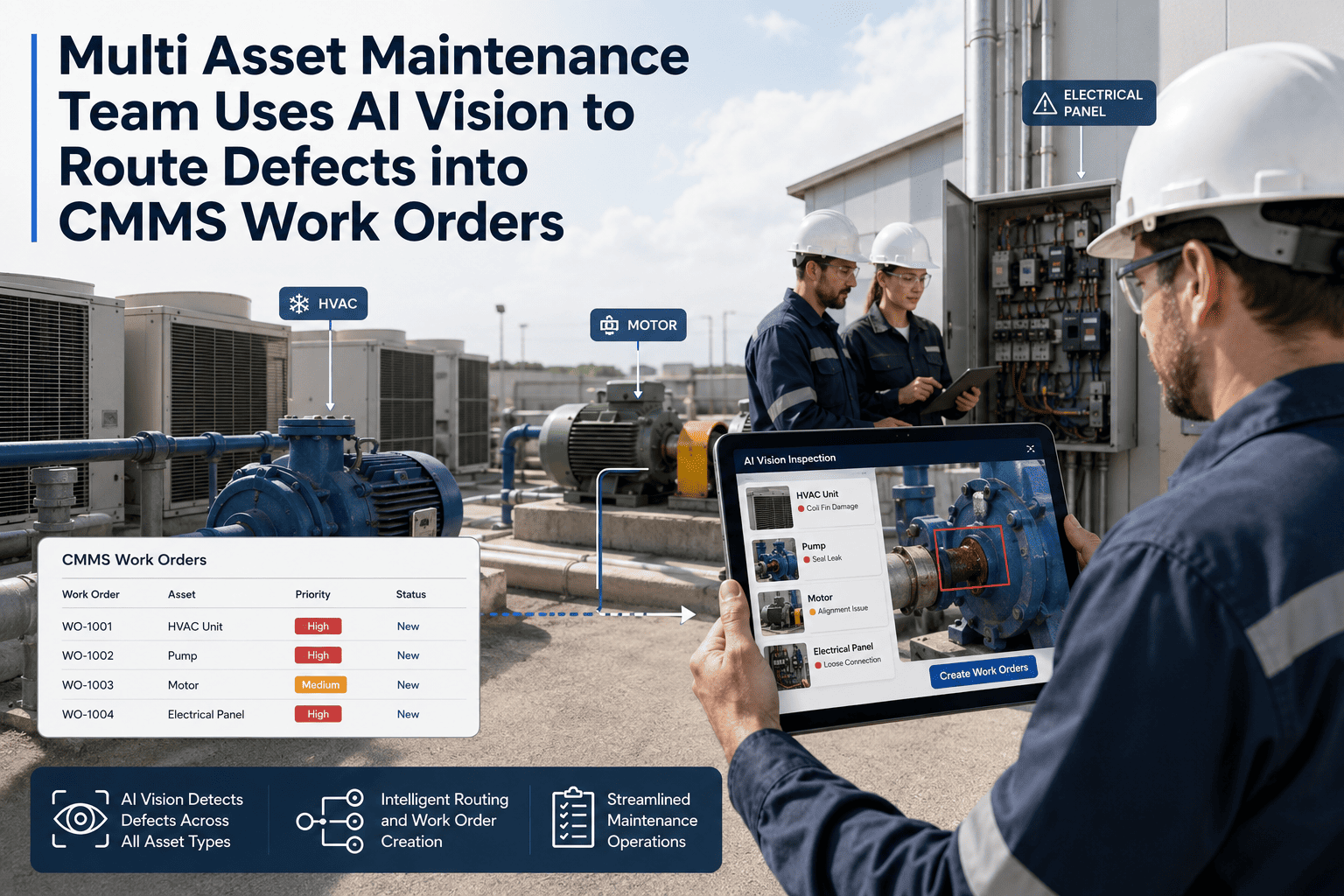
OxMaint pulls the most recent AI-analysed inspection photo for the faulting asset — annotated with any detected defects, severity scores, and the date of last inspection round — and attaches it to the new work order automatically.
Work Order
Structured WO Created in 60 Seconds
A complete work order is generated with the BMS fault code, asset location, asset history, AI Vision evidence, and technician assignment — all pre-populated. The technician receives a mobile notification immediately.
Resolution
Root Cause Documented on Closure
When the technician completes the work order, they capture a post-repair photograph, log the root cause, and confirm the repair. The full event chain — BMS alarm, visual evidence, repair action, outcome — is stored in the asset record permanently.
OxMaint · AI Vision + BMS Integration · Facility Management
Every BMS fault becomes a structured, visually-evidenced work order in 60 seconds. No manual follow-up. No lost alarm. No undocumented root cause.
Building Asset Types OxMaint Covers with BMS + AI Vision Integration
HVAC Systems
BMS monitors: supply/return air temp, static pressure, filter DP, economiser position
AI Vision adds: coil fouling photos, belt wear images, damper position evidence
Outcome: 45% fewer repeat HVAC alarms within 90 days of OxMaint deployment
Chillers
BMS monitors: leaving water temp, kW/ton efficiency, compressor amp draw, refrigerant pressure
AI Vision adds: insulation damage photos, leak staining evidence, gauge condition images
Outcome: Chiller efficiency issues caught and documented before performance penalty kicks in
Lighting & Electrical
BMS monitors: circuit trip events, panel voltage anomalies, emergency lighting test results
AI Vision adds: discolouration evidence, terminal condition photos, loose connection indicators
Outcome: Electrical follow-up inspection time reduced by 60% — evidence captured at fault, not after
Fire & Life Safety
BMS monitors: sprinkler tamper signals, smoke detector faults, suppression system pressure
AI Vision adds: panel condition photos, sprinkler head obstruction evidence, signage compliance images
Outcome: Compliance inspection records complete and audit-ready without manual photo filing
Water & Plumbing
BMS monitors: flow rate anomalies, pressure drop events, leak detection sensor alerts
AI Vision adds: pipe corrosion photos, joint staining evidence, valve condition images
Outcome: Water damage events prevented by combining BMS flow anomaly with visual leak evidence
Manual BMS Follow-Up vs. OxMaint AI Vision + BMS Integration
| Process Step |
Manual Follow-Up Process |
OxMaint Automated Process |
| Alert to work order time |
30 min to 24 hours — human acknowledgement required |
Under 60 seconds — automatic WO generation |
| Visual evidence in WO |
None — technician carries no prior photo context |
Most recent AI-analysed photo attached automatically |
| BMS fault code in WO |
Rarely captured — verbal relay loses accuracy |
Exact fault code embedded from BMS event data |
| Root cause documentation |
Infrequent — completion form rarely completed fully |
Mandatory closure field — root cause in asset record |
| Repeat-fault visibility |
No pattern detection — faults handled in isolation |
Asset fault trend dashboard — repeat patterns surfaced |
| Audit evidence |
Paper logs — difficult to retrieve, gaps common |
Complete timestamped record exportable by asset/date |
Expert Review
Kavitha Nair — Facilities Operations Director, commercial real estate portfolio, 15 years
The BMS is the most underused asset in most facilities operations. It generates an enormous amount of actionable fault data every single day — but without an automated workflow between the BMS alarm and the maintenance team, most of that data evaporates. Someone sees the alarm, makes a mental note, gets distracted, and the asset degrades for another three weeks. OxMaint's BMS integration and AI Vision combination completely changes the economics of facilities maintenance follow-up. The alarm creates the work order. The work order contains the evidence. The technician closes the loop and the root cause is permanently in the asset record. That is how repeat faults get eliminated — not by better BMS dashboards, but by closing the gap between the alert and the documented corrective action.
Frequently Asked Questions
Which BMS protocols and manufacturers does OxMaint integrate with?
OxMaint integrates with BMS systems using BACnet IP, BACnet MSTP, LonWorks, Modbus TCP, and OPC-UA protocols — covering the major BMS manufacturers including Siemens Desigo, Johnson Controls Metasys, Honeywell EBI, Schneider EcoStruxure, and Trend Controls. For systems without direct protocol support, OxMaint accepts webhook-based fault event pushes from BMS middleware platforms.
Book a demo to confirm compatibility with your specific BMS and discuss the integration scope.
Can OxMaint filter which BMS events generate work orders to avoid alert fatigue?
Yes. OxMaint's BMS event routing rules allow you to define exactly which fault codes and alarm categories generate automatic work orders — including minimum alarm priority thresholds, time-of-day filters, asset criticality tiers, and repeat-alarm suppression windows. Low-priority informational alarms can be logged without work order generation, while critical faults always generate immediate WOs.
Sign in to OxMaint to configure your BMS alarm routing rules and test the integration workflow.
How does OxMaint handle BMS events for assets that have not yet been photographed by AI Vision?
For assets with no prior AI Vision photograph, OxMaint generates the BMS-triggered work order with all available asset data — location, asset history, fault code, and previous work orders — without the visual attachment. The work order automatically includes a prompt for the responding technician to capture an AI Vision photograph on arrival, which initialises the visual baseline for that asset going forward.
Book a demo to see how OxMaint builds visual coverage progressively across a building's full asset register.
Does OxMaint support multi-building facilities portfolios with different BMS platforms across sites?
Yes. OxMaint supports unlimited buildings within a single account, with each building configured independently for its specific BMS integration, asset register, and alarm routing rules. Facilities managers at portfolio level see all BMS-triggered work orders across every building in a single dashboard, filtered by building, asset type, or alarm category. Individual site teams only see their own building's work orders and alerts.
Sign in to OxMaint to configure multi-building BMS integration for your portfolio.
OxMaint · AI Vision · BMS Integration · Facility Management
Your BMS is already detecting faults. OxMaint makes sure every one of them becomes a structured, visually-evidenced work order — automatically, in 60 seconds, with no manual follow-up step in between.
BACnet · LonWorks · Modbus · BMS fault-to-WO automation · AI Vision attachment · Root cause documentation · Multi-building