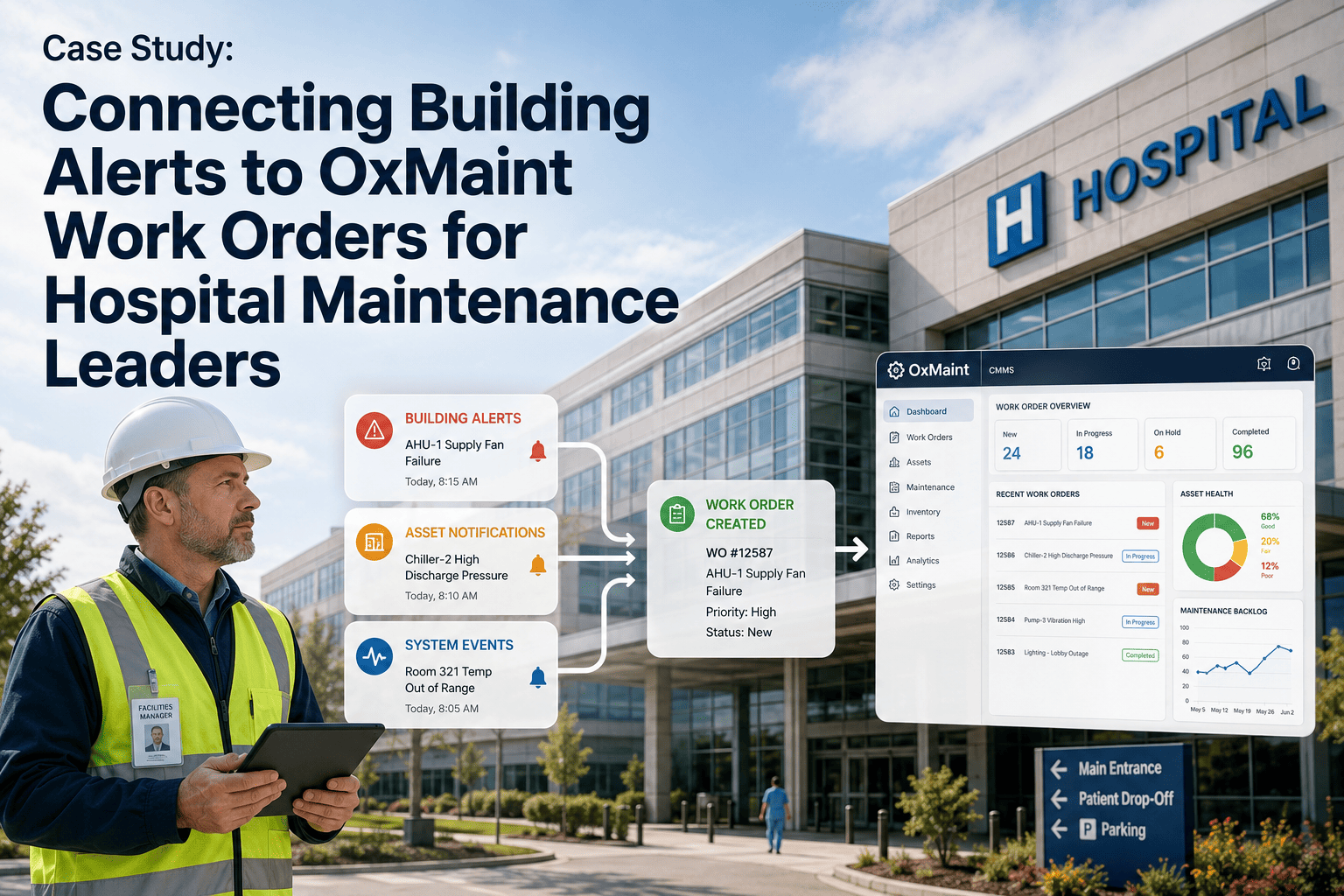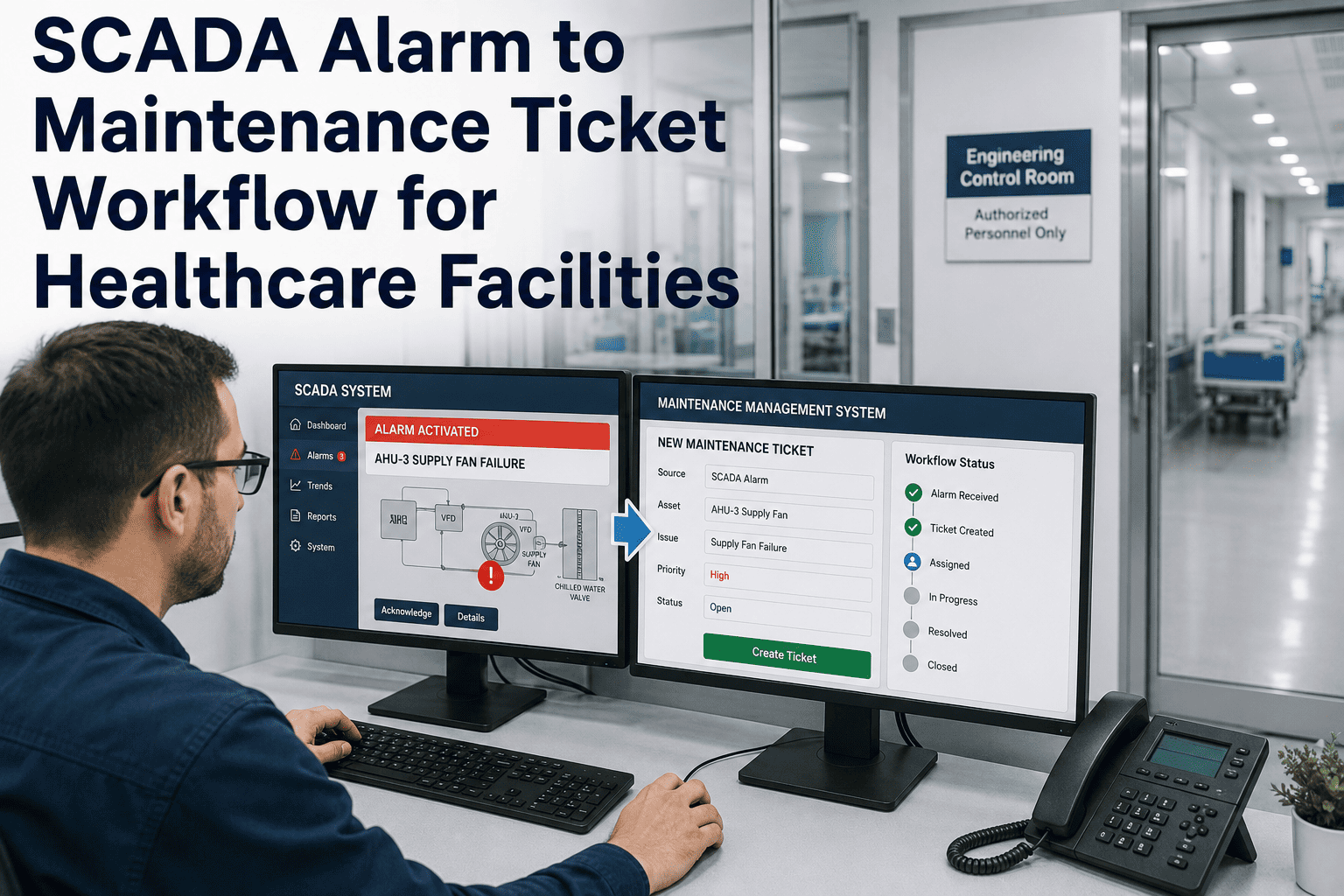
A hospital SCADA system that fires more than ten alarms in a ten-minute window has entered what ISA-18.2 formally defines as an alarm flood — and once an operator is inside one, the standard's own guidance says they can no longer be expected to respond effectively to any single alarm in the stream. Most healthcare facilities are not short on SCADA data; they are short on a system that turns a flood of raw alarms into a short, ranked list of tickets a technician can actually act on. Oxmaint's SCADA-to-ticket workflow applies alarm rationalization logic before anything reaches a technician's queue, so the signal that matters does not drown in the noise around it.
Ten Alarms in Ten Minutes Is Not a Ticket List. It's a Flood.
ISA-18.2 defines an alarm flood as more than ten alarms annunciating in a ten-minute period, and recommends no more than one alarm every ten minutes for an operator to respond to effectively. Most SCADA feeds in healthcare facilities blow past that limit routinely — not because equipment is failing more, but because alarms were never rationalized.
Why Healthcare SCADA Feeds Flood in the First Place
Alarm Rationalization Tiers — How Priority Maps to Response
| Tier | Alarm Type | Response Window | Ticket Behavior |
|---|---|---|---|
| P1 — Critical | Life-safety adjacent, electrical panel trip, medical gas alarm | Immediate | Auto-ticket, auto-dispatch, supervisor notified |
| P2 — High | Confirmed equipment fault, trend-verified deviation | Within shift | Auto-ticket, next available qualified tech |
| P3 — Medium | Early-stage drift, non-critical asset | Next PM cycle | Logged, bundled into scheduled maintenance |
| P4 — Informational | Chattering, expected during known maintenance window | No action required | Suppressed or logged only, no ticket |
From SCADA Alarm to Assigned Ticket — The Workflow
See Your Own Alarm Feed Rationalized, Not a Sample One.
Bring an export of your SCADA alarm log to the call. Oxmaint's team will show you what your queue looks like once rationalization tiers are applied.
Unmanaged SCADA Feed vs Rationalized Ticket Workflow
| Dimension | Unmanaged SCADA Feed | Rationalized Ticket Workflow |
|---|---|---|
| Alarm volume reaching staff | Every configured alarm, unfiltered | Only P1–P3 alarms convert to tickets |
| Operator response quality | Degrades sharply during flood conditions | Stays consistent — flood never reaches the queue |
| Priority clarity | All alarms look equally urgent on screen | Four clear tiers with defined response windows |
| Audit trail | Alarm log and repair log kept separately | Alarm-to-resolution history in one record |
KPIs an Engineering Director Should Track
Alarm Flood Occurrences
Number of ten-minute windows exceeding ten alarms. A recurring flood pattern means rationalization thresholds need revisiting.
High-Priority Alarm Share
Percentage of alarms configured as P1. Above the ISA-18.2 guideline dilutes the meaning of "critical" across the whole system.
Ticket Actionability Rate
Share of auto-generated tickets that reflect a real, resolvable issue rather than a nuisance or chattering alarm.
Expert Review — A Facilities Automation Engineer's Perspective
The first time I pulled a raw alarm log at a facility that had never rationalized its SCADA feed, we counted over two hundred alarms in a single shift. Nobody was responding to most of them — they had learned to scroll past. That is the real danger of an unmanaged feed: it does not just waste attention, it trains people to stop looking. Once we applied priority tiers and suppressed the known-noise alarms, the queue dropped to a handful of tickets a shift, and every one of them was real. The system did not get quieter because equipment improved. It got quieter because we finally told it what actually mattered.
Frequently Asked Questions
How does Oxmaint decide which alarms get suppressed versus ticketed?
Suppression rules are configured during onboarding based on each alarm's history — chattering patterns, known maintenance-window correlation, and confirmed false-positive rate — and can be adjusted at any time as patterns change. Book a demo to review rationalization rules against your own alarm log.
Does rationalizing alarms risk suppressing something that turns out to matter?
Suppressed alarms are logged, not deleted — supervisors can review the full suppressed history at any time, and any alarm crossing a critical threshold bypasses suppression rules entirely. Nothing is silently discarded.
Can this workflow apply to PLC-driven facility assets as well as SCADA systems?
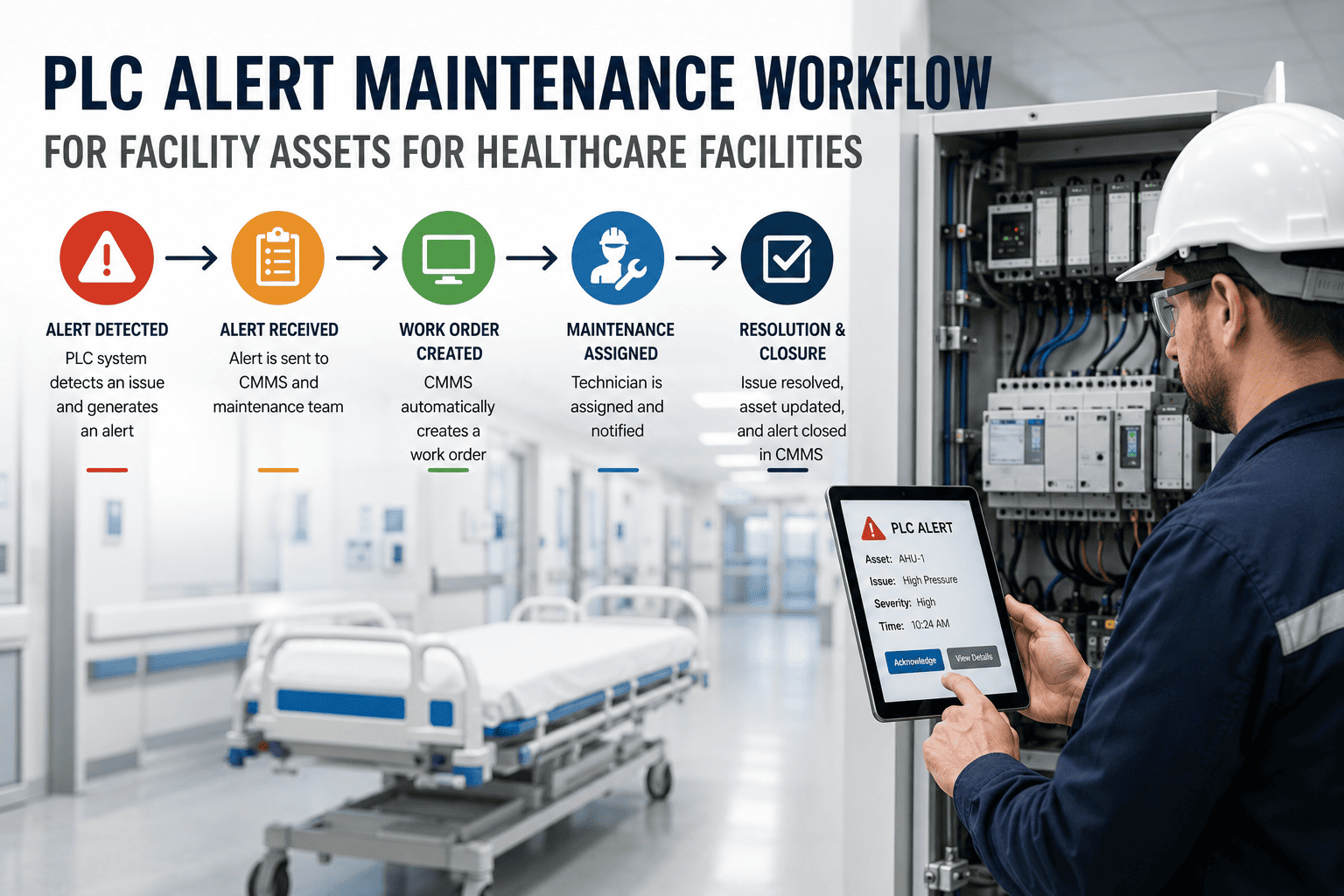
Yes — the same rationalization and ticketing logic applies to PLC-generated alerts. See the dedicated PLC alert maintenance workflow for facility assets.
How long does alarm rationalization take for a facility with years of unmanaged alarm history?
Initial rationalization typically takes two to four weeks — reviewing historical alarm frequency, assigning priority tiers, and setting suppression rules — with refinement continuing as real-world patterns emerge. Start free to begin the rationalization review with your own alarm export.
The Flood Isn't a Sign of More Failures. It's a Sign No One Rationalized the Alarms.
Oxmaint turns a raw SCADA alarm stream into a short, ranked, actionable ticket queue — so the alarm that matters never gets lost in the ones that don't.