Geofencing for Fleet Management: Use Cases Beyond Basic Location Tracking
By Alex Jordan on March 30, 2026
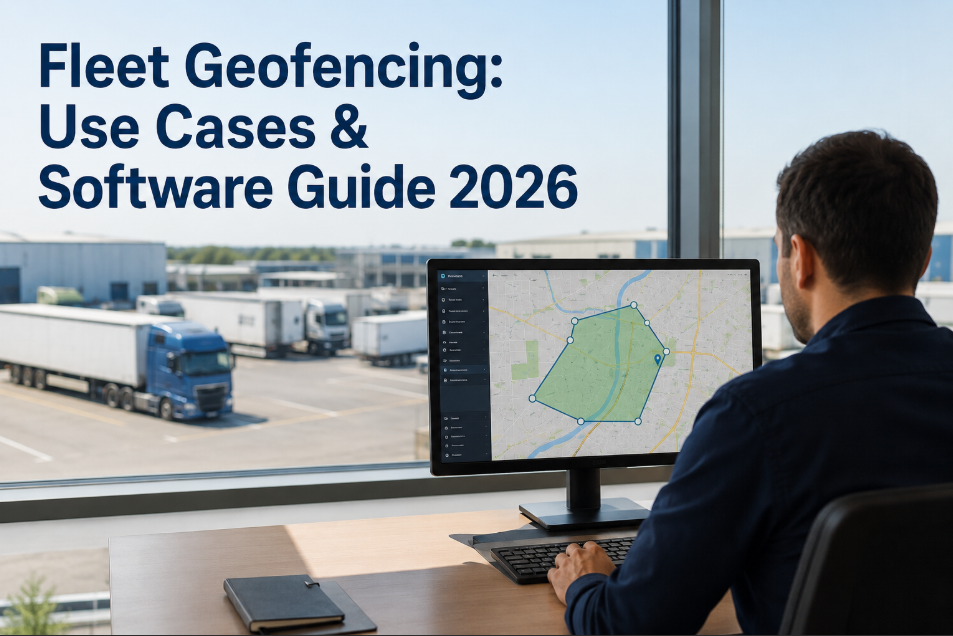
Geofencing in fleet management has outgrown its original use case — knowing whether a vehicle is inside or outside a boundary. Modern geofencing, integrated with a CMMS, triggers specific operational actions: a vehicle entering the maintenance depot automatically opens a PM work order, a truck departing a customer site time-stamps job completion for invoicing, a vehicle entering a compliance zone activates the relevant regulatory monitoring checklist. OxMaint integrates geofencing triggers directly into the CMMS work order engine — converting location events into maintenance actions, compliance records, and customer notifications without dispatcher involvement.
Fleet Technology · Article · 2026
Geofencing for Fleet Management: Use Cases Beyond Basic Location Tracking
Job site arrival logging, unauthorised use detection, maintenance zone triggers, compliance zone monitoring, and customer service notifications — the operations director's guide to geofencing intelligence with CMMS integration.
8High-value geofence use cases beyond basic location tracking
−74%Unauthorised vehicle use events with active geofence alerting
18 minAverage saved per job — automated arrival/departure logging vs. manual timesheet
94%PM trigger accuracy — maintenance zone geofence vs. manual depot check-in
8 Geofencing Use Cases — Beyond "Is My Vehicle There?"
Most fleet operators use geofencing for one purpose: knowing where their vehicles are and whether they've gone somewhere unexpected. The eight use cases below represent the operational intelligence available when geofencing is connected to a CMMS — each one converting a location event into a meaningful operational action that reduces manual work, improves compliance, and generates data that the business can act on. OxMaint configures each geofence trigger type per vehicle, per zone, and per operational context — no code required.
PM Work Order
Opens due PM work orders automatically — technician receives job on mobile before vehicle parks.
Unauthorised Use Alert
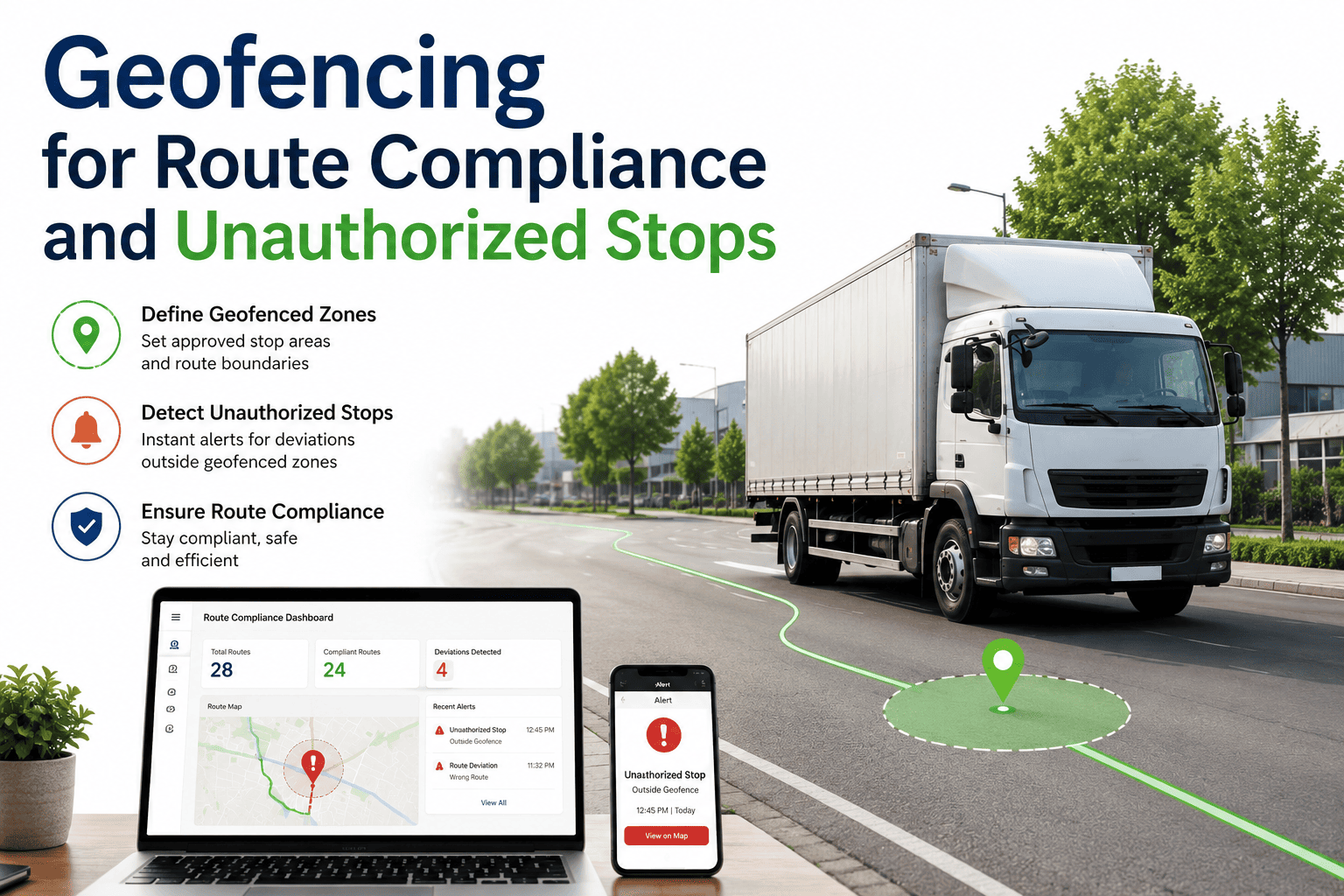
Trigger: Vehicle moves outside authorised hours or zone
Instant Alert
Sends immediate notification to fleet manager — reduces unauthorised use by 74% within first month.
Compliance Zone Monitoring
Trigger: Vehicle enters emissions / restricted zone
Compliance Log
Auto-records ULEZ / LEZ entry with timestamp and vehicle spec — ready for regulatory audit.
Customer ETA Notification
Trigger: Vehicle within 10 miles of delivery destination
Auto-notify
Customer receives automated ETA SMS — no dispatcher call required. Reduces inbound enquiries 60%.
Fuel Zone Tracking
Trigger: Vehicle exits / enters fuel station zone
Auto-log
Logs fuel stop event with mileage context — cross-references against fuel card data for exception reporting.
Idle Zone Detection
Trigger: Vehicle stationary >20 min outside depot
Alert
Flags extended idle events for fuel waste and driver conduct review. Reduces idle time fuel cost 18%.
Multi-Depot Route Validation
Trigger: Vehicle visits / skips planned depot zone
Route log
Validates planned vs. actual route sequence — flags deviations for ops review without driver self-reporting.
Without vs. With Geofencing CMMS Integration — 6 Operational Comparisons
The gap between a fleet running geofencing as a standalone location system and one with geofencing integrated into its CMMS is visible in every operational metric — from how long it takes to document a job, to how quickly an unauthorised use event is detected and responded to. The comparison table below shows six fleet operations side-by-side: the manual-management baseline versus the CMMS-integrated geofencing result. Every row is a direct cost or compliance impact, not a theoretical benefit.
Operation Area
No Geofencing CMMS
Geofencing + CMMS (OxMaint)
Job time recording
Manual driver timesheet — average 14% error rate and 2-day invoicing lag
Auto-logged on zone entry/exit — invoice raised same day, zero manual entry
PM work order creation
Dispatcher phones workshop when vehicle arrives — 30–60 min delay before job starts
Depot geofence triggers CMMS work order — tech receives job before vehicle parks
Unauthorised use detection
Discovered next day on mileage review — vehicle may have been used for hours undetected
Alert fires within 2 minutes of zone departure outside authorised hours
Monthly fuel exception report — events already 4 weeks old before review
Real-time idle alert at 20-min threshold — driver coaching opportunity same day
Geofencing Readiness Scoring — How Advanced Is Your Current Setup?
Geofencing capability in fleet management exists on a spectrum from basic boundary alerts to fully integrated CMMS triggers that automate work order creation, compliance logging, and customer notification simultaneously. The scoring framework below lets operations and technology directors assess their current geofencing maturity — identifying the integration gaps that are costing operational efficiency and compliance accuracy right now.
Fleet Geofencing Maturity Scoring
Score 5 = full CMMS-integrated intelligence · Score 1 = no geofencing deployed
5
CMMS-Integrated · Multi-Zone · Automated
Maintenance triggers, job logging, compliance recording, customer notification, and unauthorised use detection all operating from geofence events. Zero manual intervention.
Profile: Maximum operational efficiency. Every zone event produces a documented action. Competitors are 2–3 years behind this capability.
4
Partial Integration · Key Zones Active
Maintenance depot trigger and unauthorised use alerting active. Job logging or compliance recording still manual. Customer notification not yet automated.
Action: Add job site and compliance zones. Full integration is a configuration task in OxMaint — no additional hardware.
3
Alert-Only · No CMMS Connection
Geofence alerts firing to dispatcher email or phone. Actions taken manually in response. No automatic CMMS work order, log entry, or customer notification generated.
Gap: CMMS integration is the missing piece. Alerts without automatic action create alert fatigue — 60% of email alerts go unread within 2 hours.
2
Basic Location Only · No Zones Configured
Telematics platform shows vehicle locations. No geofence zones configured. Alerts not set up. Location data reviewed manually and periodically.
Risk: Significant operational intelligence being wasted. Configure 3 priority zones (depot, top customer, city centre) as a 30-minute first step.
1
No Geofencing Deployed
Fleet location tracked but no zone intelligence in use. All operational events — job arrival, depot entry, zone breach — manually reported or undocumented.
Risk: Compliance zone exposure (ULEZ/LEZ), unauthorised use undetected, and manual job recording creating invoicing inaccuracies daily.
Technology Stack: AI Digital Twin, OBD, AI Camera, SAP, and PLC
Geofencing is the spatial trigger layer — the intelligence that determines when a specific action should be taken based on where a vehicle is. The technology stack that amplifies geofencing value connects location events to the full maintenance and operational intelligence platform. AI Digital Twin models use geofence arrival data to update vehicle availability predictions — a vehicle entering the depot zone triggers an immediate health status recalculation, updating its dispatch availability window for the next 48 hours. OBD telematics supplement geofencing with vehicle condition data at zone entry — a vehicle arriving at the depot with an active fault code triggers both a location-based PM work order and an OBD-based inspection work order simultaneously. AI Camera Vision activates on depot zone entry, triggering an automated undercarriage and exterior scan before any work order technician touches the vehicle. SAP and PLC integrations ensure that when a vehicle enters the maintenance zone, parts are confirmed as available and the workshop lift is unoccupied before the PM work order is opened — eliminating the vehicle-in-but-parts-not-here delay that inflates repair downtime.
Geofence + CMMS
Zone → Work Order
Location event triggers maintenance action
Depot entry opens PM work order. Job site exit closes job log. Compliance zone entry records timestamp. All automatic, all documented.
AI Digital Twin
Arrival = Update
Depot arrival refreshes availability prediction
Zone entry triggers immediate vehicle health recalculation. Dispatch availability window for next 48 hours updated before driver enters the workshop.
AI Camera Vision
Auto-scan on entry
Depot arrival activates undercarriage scan
Cameras triggered by depot geofence — vehicle scanned for fluid leaks, body damage, and tyre condition before technician assignment.
SAP / OBD / PLC
Parts + Condition
Parts confirmed + OBD faults surfaced on arrival
SAP confirms parts available. OBD adds fault codes to work order. PLC checks lift availability. All triggered by the single depot entry event.
"
We were getting 40–50 manual ETA enquiry calls per day from customers. We configured proximity geofences in OxMaint to send automated SMS when our drivers were 15 minutes from each customer. Enquiry calls dropped to 8 per day in week one. Our customer satisfaction score went up 22 points in the first quarter — from a software configuration that took one afternoon.
Operations Director — Temperature-controlled distribution, 34 vehicles, New South Wales, Australia
Frequently Asked Questions
Does OxMaint geofencing work with existing telematics hardware?
Yes — OxMaint integrates with Samsara, Geotab, Verizon Connect, and other major telematics providers. Geofence zones are configured in OxMaint using GPS coordinates from your existing devices. No new hardware required. Start free and configure your first geofence zone.
How does depot geofencing trigger a CMMS PM work order?
When a vehicle's GPS coordinates match the configured depot zone boundary, OxMaint checks the vehicle's PM schedule. Any due or overdue PM items generate a work order automatically and assign it to the available technician — before the driver has parked.
Can geofencing log ULEZ and LEZ compliance automatically?
Yes — configure ULEZ, CAZ, or any LEZ boundary as a geofence zone in OxMaint. Every entry generates a timestamped compliance record with vehicle VIN, emission standard, and time in zone — audit-ready without any driver reporting.
How many geofence zones can be configured per fleet?
OxMaint supports unlimited geofence zones per fleet — customer sites, depots, fuel stations, compliance zones, and restricted areas can all be configured independently with different trigger actions, alert recipients, and CMMS outcomes per zone type.
Turn Every Zone Event Into a Documented Action.
OxMaint connects geofencing to work orders, compliance logs, and customer notifications automatically. Free to start.