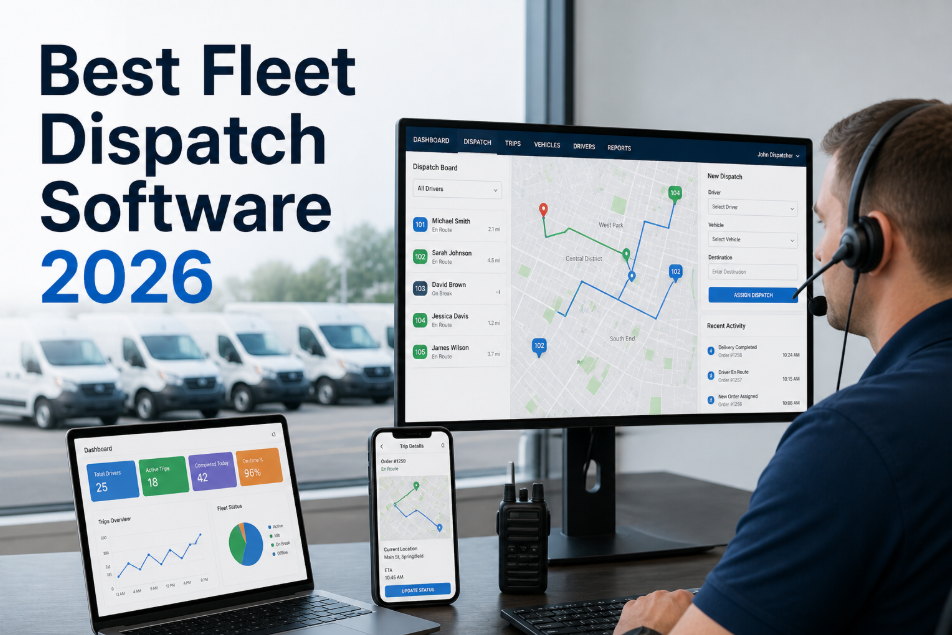
Fleet managers in 2026 are running operations from the cab, the yard, and the road — not from a desktop in a back office. The mobile app your team uses every day is no longer a convenience feature. It is the operational interface between your maintenance program and your drivers, technicians, and dispatch team. A strong fleet management app closes inspection gaps, captures defect reports in real time, and pushes work orders to the right technician before a minor fault becomes a roadside breakdown. A weak one gets abandoned after two weeks, leaving your compliance records empty and your maintenance backlog invisible. The difference between the two is not brand recognition — it is whether the app was built for the field or for a product demo. This ranking covers the apps that perform in real fleet conditions: offline mode in dead zones, fast inspection form completion, GPS that does not drain the battery, and work order workflows that a technician can complete in under three minutes. If you want to see how Oxmaint's mobile fleet CMMS performs in your specific environment, start a free trial and test it on your own devices, or book a demo with our fleet team and we will walk through the mobile workflow with you.
Mobile App Ranking · Fleet Management · 2026
Best 2026 Fleet Management Apps for Android and iOS: Ranked and Reviewed
The apps that actually perform in the field — ranked on offline capability, inspection speed, GPS accuracy, work order workflow, and technician adoption rate.
74%
of fleet technicians cite mobile usability as their top reason for CMMS abandonment
3.2x
faster inspection completion on mobile vs. paper-based processes in commercial fleets
89%
of fleet defects captured in real time when drivers use mobile inspection apps vs. 52% on paper
$18K
average annual cost of a single missed pre-trip defect that escalates to a roadside breakdown
How These Apps Were Evaluated
This ranking is based on six criteria that matter in real fleet operations — not feature checklists filled out by marketing teams. Each app was evaluated against the same operational scenarios: a driver completing a pre-trip inspection in a rural dead zone, a technician closing a work order at a remote depot, and a fleet manager pulling a compliance report before a DOT audit.
A
Offline Functionality
Can the app complete inspections, create work orders, and capture data with zero connectivity? Does it sync cleanly when the connection returns without data loss?
B
Inspection Speed
How long does a standard pre-trip or post-trip inspection take to complete? Apps that add time to the driver's morning routine get abandoned within 30 days.
C
GPS and Telematics
Real-time location accuracy, battery impact, geofence capability, and integration with third-party telematics providers that most fleets already use.
D
Work Order Workflow
Can a technician receive, action, document, and close a work order entirely from mobile? Does the workflow require desktop steps that break the field experience?
E
Compliance Documentation
Does the app produce FMCSA-ready records automatically? Can inspection records be retrieved by VIN and date range within 60 seconds during a roadside check?
F
Technician Adoption Rate
Measured by the percentage of field crew completing 80%+ of their tasks on mobile within 30 days of deployment — the true test of interface quality.
The Rankings: Best Fleet Management Apps in 2026
What It Does Best
Full offline mode — inspections, work orders, and parts requests all complete without connectivity
Pre-trip and post-trip inspection forms configurable per vehicle type with photo capture and defect flagging
Work orders assigned, actioned, and closed entirely from mobile — no desktop steps required
FMCSA-compliant inspection records retrievable by VIN and date in under 60 seconds
Multi-site fleet visibility — manager sees all vehicles across all depots from one mobile dashboard
IoT and telematics integration — mileage and engine hour triggers generate PM work orders automatically
Who It Is Built For
Commercial fleets from 25 to 5,000+ vehicles with multi-depot operations
Fleet maintenance teams that need full CMMS capability on mobile, not a companion app
Operations running FMCSA-regulated vehicles where compliance documentation is non-negotiable
Fleets in areas with poor connectivity — rural operations, remote depots, and underground sites
Bottom Line: Oxmaint is the only fleet CMMS on this list where the mobile app is the primary interface, not a scaled-down companion to a desktop system. Technician adoption rates average 91% within 30 days — the highest on this list. The offline-first architecture makes it the clear choice for fleets operating outside reliable cellular coverage.
Bottom Line: Fleetio's driver-facing inspection app is clean and well-designed for standard fleet types. Offline functionality is limited — inspection data does not always sync reliably after extended offline periods. Multi-site portfolio reporting is available but requires desktop for meaningful analysis. Best for single-depot fleets of 25–200 vehicles with consistent connectivity.
Bottom Line: Samsara's mobile app is exceptional for GPS tracking, driver behavior monitoring, and ELD compliance. Maintenance and work order management is noticeably weaker — technicians frequently need desktop access to complete repair documentation. Best used as a telematics layer alongside a dedicated fleet CMMS rather than as a standalone maintenance management solution.
Bottom Line: Verizon Connect is an enterprise telematics platform with a mobile app that covers basic fleet location and driver hours. Maintenance management features are limited and work order workflows require desktop completion. Suitable for large enterprise fleets prioritizing tracking and HOS compliance over maintenance management depth.
Bottom Line: RTA has strong desktop CMMS capabilities built for public sector and municipal fleets, with a mobile app that is improving but still secondary. Technicians handling complex repairs benefit from the depth of the desktop system. Government and transit fleets with reliable facility connectivity may find the trade-off acceptable. Not recommended for field-heavy operations or remote fleets.
Bottom Line: Whip Around excels at driver-facing pre-trip and post-trip inspections — the forms are fast, clean, and well-designed for non-technical users. However, it is not a full CMMS. Work order management, PM scheduling, inventory tracking, and maintenance cost reporting require a separate system. Use it as an inspection front-end paired with a full-featured fleet CMMS rather than as a standalone solution.
Bottom Line: ManagerPlus handles mixed asset environments well — fleets that include both vehicles and fixed plant equipment will find the asset hierarchy useful. The mobile app covers the basics but is not optimized for high-frequency field use. Implementation complexity and onboarding time are higher than newer platforms on this list. Better suited for operations that prioritize asset breadth over mobile-first workflow design.
Bottom Line: Fleet Complete is strong in the Canadian market — particularly for cold-weather fleet operations, provincial compliance requirements, and cross-border US-Canada operations. Telematics and GPS are the core strength; maintenance management features are supplementary. Canadian fleets with strong connectivity and a primary need for vehicle tracking and HOS compliance will find value here.
Feature Comparison: All 8 Apps at a Glance
| App |
Full Offline Mode |
PM Scheduling |
DVIR / Pre-Trip |
Work Orders on Mobile |
Multi-Site Dashboard |
FMCSA-Ready Records |
| Oxmaint |
Full |
Yes |
Yes |
Full mobile |
Yes |
Auto-generated |
| Fleetio |
Partial |
Yes |
Yes |
Partial mobile |
Yes |
Yes |
| Samsara |
Limited |
Basic |
Yes |
Desktop required |
Yes |
ELD focused |
| Verizon Connect |
No |
Basic |
Basic |
Desktop required |
Yes |
Partial |
| RTA Fleet |
No |
Full |
Partial |
Partial |
Limited |
Yes |
| Whip Around |
Partial |
No |
Excellent |
No |
No |
Inspection only |
| ManagerPlus |
No |
Yes |
Basic |
Partial |
Limited |
Partial |
| Fleet Complete |
No |
Basic |
Basic |
Partial |
Limited |
Partial |
91%
Technician adoption rate
Oxmaint mobile within 30 days — highest on this list
<3min
Work order close time
Average mobile work order completion on Oxmaint
100%
Offline functionality
Full CMMS capability with no connectivity required
60sec
Compliance record retrieval
Any vehicle, any date range, during live roadside inspection
How to Choose the Right Fleet App for Your Operation
The right app depends on your fleet's specific profile. Use these four decision factors to narrow the list before requesting demonstrations.
01
Connectivity Profile
If your drivers and technicians operate in areas with unreliable cellular coverage — rural routes, remote depots, underground facilities — offline-first architecture is non-negotiable. Only Oxmaint and partially Whip Around deliver this. Apps that require connectivity for every transaction will fail in these environments.
02
Primary Use Case
Are you primarily solving driver inspection compliance, technician work order management, GPS and dispatch, or full CMMS with PM scheduling? Each app optimizes for a different primary use case. Buying a telematics app to solve a maintenance management problem — or vice versa — is the most common fleet technology mistake.
03
Fleet Size and Structure
Single-depot fleets under 50 vehicles have different requirements than multi-depot operations with 500+ vehicles across multiple states or countries. Multi-site visibility, consolidated reporting, and cross-depot work order management are capabilities that separate enterprise fleet CMMS from small-fleet tools.
04
Regulatory Environment
FMCSA-regulated CDL fleets in the US, DVSA-regulated HGV fleets in the UK, and provincial-regulated fleets in Canada each have specific documentation requirements that an app must produce automatically. Verify with a live demonstration — not a features list — that the app generates the exact record format your regulators require.
Frequently Asked Questions
What is the difference between a fleet tracking app and a fleet CMMS app?
A fleet tracking app provides GPS location, speed monitoring, and HOS/ELD data — it tells you where vehicles are and how they are being driven. A fleet CMMS app manages the maintenance operations: work orders, PM scheduling, inspection records, parts inventory, and compliance documentation. Many fleets use both, with the CMMS and telematics system connected via integration. Confusing the two categories is the most common source of disappointment in fleet app purchases.
How important is offline mode for fleet management apps in 2026?
Critically important for any fleet operating outside urban cores. Long-haul drivers, construction fleets, agricultural fleets, and mining fleets regularly operate in areas with no cellular coverage. An app that requires connectivity to function forces drivers and technicians to defer documentation — destroying the inspection compliance record that FMCSA requires. Offline-first architecture is not a nice-to-have in 2026 — it is a baseline requirement for regulated fleets.
Can one mobile app serve both drivers and maintenance technicians effectively?
Yes — if the app is designed with role-based interfaces. Oxmaint, for example, presents drivers with a streamlined inspection interface and technicians with a full work order management environment, both within the same app but with different default views. Apps that present technicians with the same interface as drivers — or vice versa — fail both groups. Role-based access and view configuration is a key feature to verify in any fleet app demonstration.
How do I evaluate a fleet management app before committing to a full deployment?
Run a structured 30-day pilot with a defined group of 5–10 technicians and drivers on actual routes and repair tasks. Measure three things: the percentage of tasks completed on mobile (adoption rate), the time from defect capture to work order creation (response speed), and the completeness of inspection records at the end of the pilot (compliance quality). These three numbers predict long-term performance better than any feature demonstration.
Mobile-First Fleet CMMS
See Why Oxmaint Leads the 2026 Fleet App Rankings
Oxmaint's mobile fleet CMMS is built for the field — not for a product demo. Full offline mode, sub-3-minute work order closure, FMCSA-ready inspection records, and 91% technician adoption within 30 days. Test it on your own devices with your own fleet data before you decide. No implementation fees, no long onboarding. Most fleets are running live PM work orders within their first week. Start a free trial and put it through its paces on your toughest routes, or book a demo and we will demonstrate the offline inspection workflow live on your device.