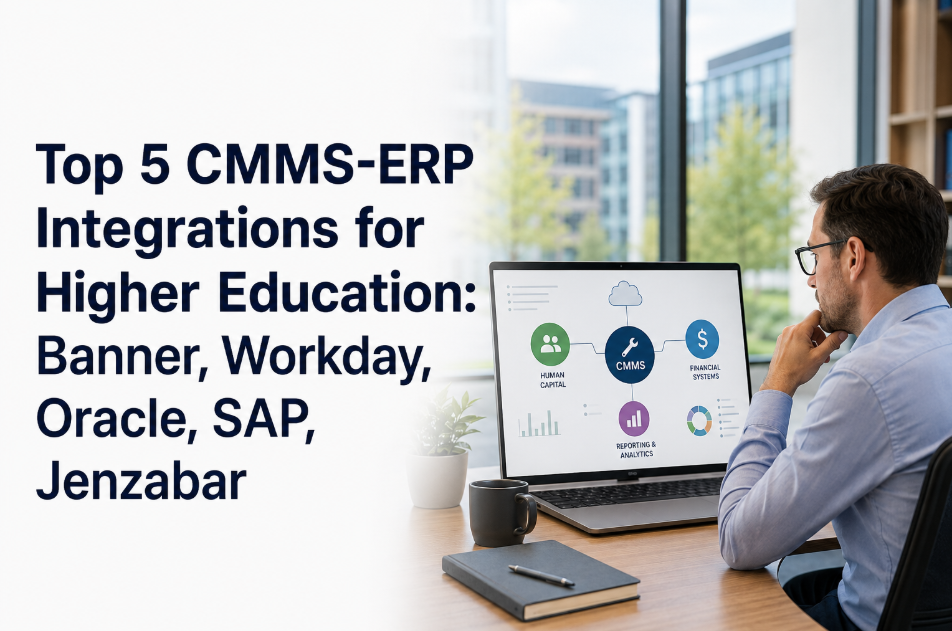
University facility management teams that have invested in a modern CMMS still find themselves re-entering purchase orders into Banner, reconciling labor costs between Jenzabar and their work order system, and running month-end budget reports that require manual data extraction from three disconnected platforms. The friction is not a technology problem — it is an integration architecture problem. Every major higher education ERP — Ellucian Banner, Workday Student, Oracle Higher Ed Cloud, Jenzabar — provides APIs and connector frameworks specifically designed for campus operations integrations. The barrier is that most CMMS vendors treat ERP connectivity as a custom professional services engagement rather than a standard platform capability, quoting $40,000–$120,000 integration projects that take six months and still require ongoing maintenance by IT staff who have no institutional knowledge of either system. Oxmaint takes a different approach: pre-built connector architecture for the four major higher education ERP platforms, configurable by the university's IT team without custom development, and designed to solve the three workflows that university facilities, finance, and HR teams actually need connected — purchase order creation, labor cost allocation, and asset depreciation. For university IT and finance teams evaluating CMMS-ERP integration options, start a free trial or book a demo to walk through the specific connector architecture for your ERP platform.
University ERP Integration: Banner, Workday Student, Oracle, and Jenzabar Connectors
Pre-built CMMS connectors for the four major higher education ERP platforms — eliminating manual data re-entry between facilities, finance, and HR without a custom integration project.
The Integration Your Finance Team Has Been Asking For
When a facilities technician closes a work order, the associated labor hours, parts costs, and vendor charges should flow automatically into the university's financial system — not wait for a weekly manual export and re-entry by a facilities administrator. Oxmaint's ERP connectors make this automatic for Banner, Workday, Oracle, and Jenzabar without a custom integration project. Start a free trial or book a demo with our integration team to map your current manual workflows to automated connector flows.
Three Core Workflows That CMMS-ERP Integration Automates
University facilities-finance data exchange concentrates in three workflow categories. Solving these three eliminates 90% of the manual re-entry between CMMS and ERP for most institutions — and these are exactly the workflows that Oxmaint's pre-built connectors address for each of the four major platforms.
When a work order in Oxmaint requires parts or contractor services above a configurable threshold, the system pushes a purchase requisition to the ERP procurement module automatically — with the work order number, account code, and cost center pre-populated. When the ERP approves the PO and marks the invoice paid, the status syncs back to Oxmaint and closes the procurement loop on the work order. Eliminates the manual purchase requisition process for the 40–60% of work orders that require external procurement.
When a technician closes a work order in Oxmaint, the logged labor hours, technician rate, and job classification push to the ERP's HR or payroll module mapped to the correct building account code and departmental cost center. Finance receives an automatic journal entry rather than waiting for a weekly spreadsheet export. Work orders that span multiple buildings or departments are split-allocated to the correct account codes automatically based on the Oxmaint asset hierarchy.
New capital equipment added in Oxmaint as a maintainable asset pushes to the ERP fixed asset module with purchase date, cost, useful life, and depreciation class — eliminating the dual-entry process between facilities and the controller's office. Conversely, disposal or write-off actions in the ERP flag the corresponding asset in Oxmaint as retired, keeping maintenance histories and asset lists synchronized. This is particularly valuable for universities with large asset registers across multiple campuses and budget cycles.
Connector Architecture for Each Major Higher Ed ERP
Workday's adoption in higher education has accelerated significantly since 2020, with large research universities and liberal arts institutions migrating from legacy ERPs to Workday's unified Finance-HR-Student platform. Oxmaint connects to Workday via its standard REST-based web services API — the same integration layer used by major campus systems including Salesforce and ServiceNow. The connector supports Workday Financial Management for purchase order and journal entry flows, and Workday HCM for labor costing and time tracking alignment. Workday's Prism Analytics layer is available for CMMS operational data reporting within the Workday analytics environment.
Oracle Higher Education Cloud and legacy PeopleSoft deployments serve a significant segment of large public universities, particularly in the US and Australia. Oxmaint connects to Oracle HE Cloud via Oracle Integration Cloud (OIC) adapters for REST and SOAP-based services, supporting Oracle Financials Cloud for procurement and general ledger, Oracle HCM Cloud for labor costing, and Oracle Assets for fixed asset management. For universities on PeopleSoft Campus Solutions, Oxmaint uses PeopleSoft's Integration Broker framework — a standard IT configuration rather than a custom development project.
What University IT and Finance Teams Say About CMMS-ERP Integration Challenges
Universities that commission custom CMMS-ERP integrations typically encounter scope expansion during development, timeline overruns averaging 40–60%, and post-launch maintenance requirements that tie up IT staff indefinitely. Pre-built connector architecture with documented configuration rather than custom code eliminates this unpredictability.
Budget cycles, reorganizations, and building transfers change the account code structure annually. Manual mapping tables between CMMS cost centers and ERP account codes require continuous maintenance by staff who typically leave within 2–3 years, creating institutional knowledge loss that breaks the integration without warning.
When labor and parts costs flow manually from the CMMS to the ERP through weekly spreadsheet exports, the finance team knows the data is 3–7 days old and potentially incomplete. Real-time integration makes CMMS cost data reliable enough for budget monitoring rather than just historical reporting — enabling proactive budget management instead of reactive variance analysis.
University controller offices maintain a fixed asset register in the ERP for depreciation and financial reporting. Facilities maintains an equipment asset list in the CMMS for maintenance management. These two records drift apart continuously — different asset names, different quantities, different values — creating annual reconciliation exercises that take weeks and still produce unresolved discrepancies.
How Oxmaint Connects to Your University ERP Without a Custom Project
Oxmaint's integration architecture is designed for university IT teams to deploy without CMMS vendor professional services or custom development. The configuration framework handles account code mapping, workflow triggers, and error handling — the IT team configures, not builds. Universities ready to explore integration options can start a free trial or book a demo to walk through the connector architecture for their specific ERP version.
Map Oxmaint cost centers to ERP account codes, fund codes, and organization codes through a UI-driven configuration table — no SQL, no scripting, no developer required. Account code updates propagate automatically when the ERP chart of accounts changes, eliminating the annual manual mapping refresh.
Every integration transaction logs to an error queue if the ERP API is unavailable or rejects the payload. Failed transactions retry automatically on a configurable schedule and alert the IT administrator with the specific error code and transaction detail — integration failures are visible immediately, not discovered during month-end reconciliation.
ERP API credentials are stored in Oxmaint's encrypted credential vault, not in configuration files or environment variables. All integration API calls log with timestamp, transaction ID, and payload summary — providing a complete audit trail for IT security reviews and for troubleshooting when ERP administrators ask which system made a specific API call.
Most universities complete connector configuration, account code mapping, and integration testing within 4–6 weeks — compared to 4–6 months for custom integration projects. The deployment follows a standard playbook: API credential setup (week 1), account code mapping (week 2), workflow configuration (week 3), testing in staging ERP environment (weeks 4–5), production go-live (week 6).
Pre-Built Connector vs Custom Integration Project
Integration ROI for University Facilities and Finance Teams
Average custom integration project cost avoided by using Oxmaint's pre-built connector architecture
Manual PO entry, labor reconciliation, and asset register updates automated — typically 8 hours/week across facilities and finance staff
Finance team has current maintenance cost data by building, department, and account code — not 3–7 day old spreadsheet exports
Bidirectional asset sync between Oxmaint and ERP fixed asset register eliminates the annual reconciliation exercise between facilities and the controller
Frequently Asked Questions
Does Oxmaint's Banner integration require Ellucian Professional Services?+
How does the connector handle Workday's tenant-specific API endpoint structure?+
What happens to the integration when the university upgrades its ERP to a new version?+
Can Oxmaint connect to both Banner Finance and Banner HR simultaneously?+
Connect Your CMMS to Banner, Workday, Oracle, or Jenzabar in 4–6 Weeks
University IT teams spend 4–6 months and $40,000–$120,000 on custom CMMS-ERP integrations that still require ongoing maintenance. Oxmaint's pre-built connectors for all four major higher education ERP platforms deliver the same three core workflows — PO creation, labor allocation, asset depreciation — in 4–6 weeks, included in the platform license, maintained by Oxmaint across ERP version changes.