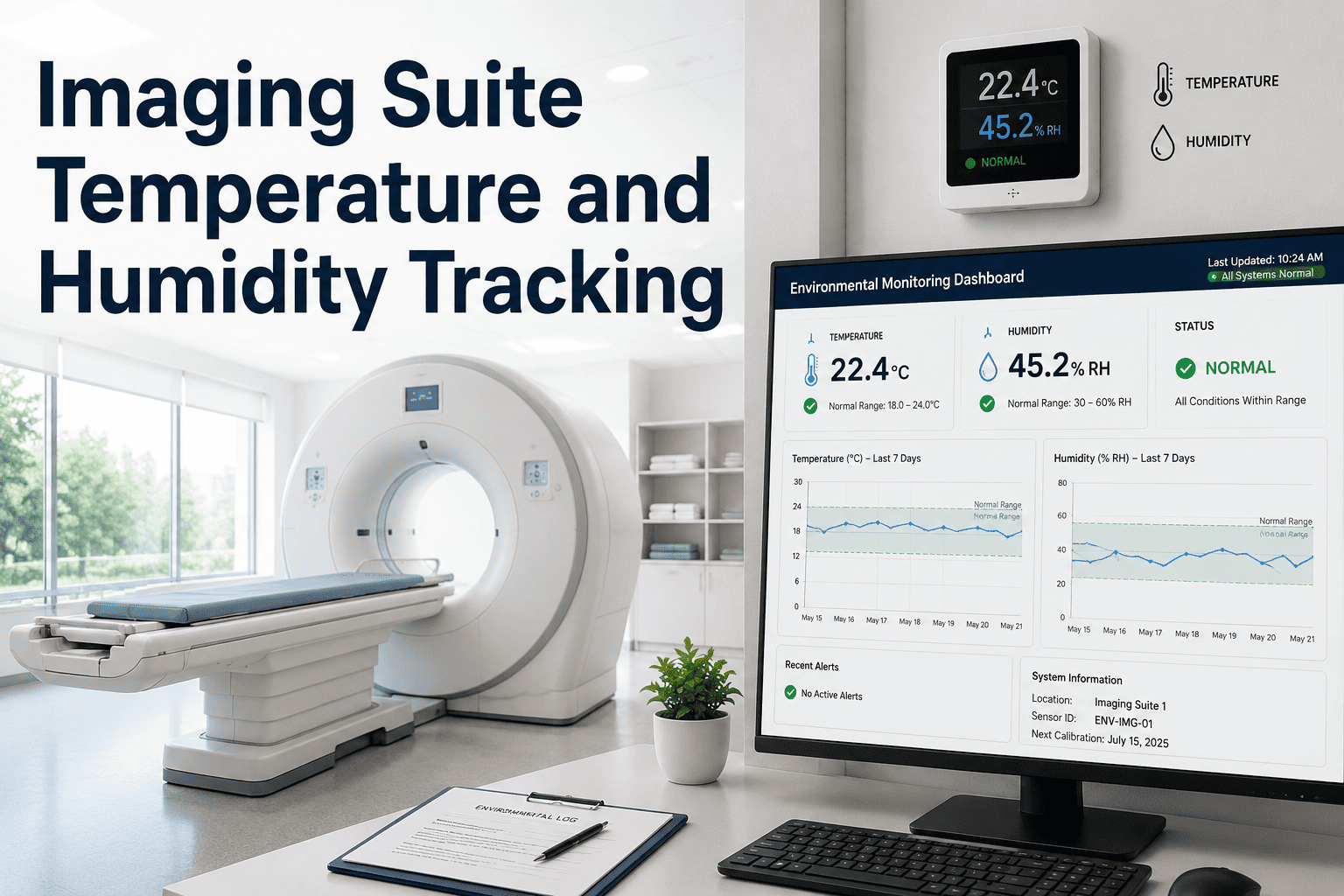
An MRI suite doesn't fail because of a software bug or an aging part — it fails because the room got too warm over a long weekend and nobody knew until Monday's first scan came back with artifact noise. Climate drift is one of the most preventable causes of imaging downtime, yet it's also one of the least monitored, because most radiology departments only check the thermostat when something already feels wrong. OxMaint logs every temperature and humidity reading against OEM specification, alerts your team the moment a suite drifts out of range, and links every HVAC issue directly to the imaging asset it threatens.
The Imaging Suite Temperature and Humidity Checklist Every Radiology Department Should Run
CT and MRI manufacturers publish exact climate tolerances for a reason — cross them and you risk overheating, condensation damage, or scan artifact that gets blamed on the machine instead of the room. This checklist gives facilities and biomedical teams a repeatable way to verify, log, and alert on suite conditions before they become a service ticket.
Seven Checks Before You Trust the Room
Don't wait for an artifact to find out the room failed first.
See how OxMaint logs climate readings against OEM tolerance and alerts your team before a drift becomes downtime.
OEM Climate Tolerances by Modality
| Modality | Temperature Range | Humidity Range | Primary Risk if Exceeded |
|---|---|---|---|
| CT Scanner | 64°F – 75°F (18°C – 24°C) | 30% – 70% | Overheating, internal component damage |
| MRI Magnet Room | Per OEM specification | Vendor tolerance, continuous | Cryogen system stress, electronics drift |
| General Imaging Suite | 59°F – 75°F (15°C – 24°C) | Below 70% to prevent condensation | Connector corrosion, board moisture damage |
What Imaging Service Engineers Say
Questions Radiology Teams Ask About Climate Monitoring
How does OxMaint track temperature and humidity for imaging suites?
Can climate excursions be connected to HVAC work orders automatically?
Why does humidity matter as much as temperature for imaging equipment?
Does climate need to be monitored outside of scan hours?
Protect the scanner before the scan ever shows the problem.
Set OEM-specific thresholds, log every reading, and connect climate events directly to your imaging asset records.