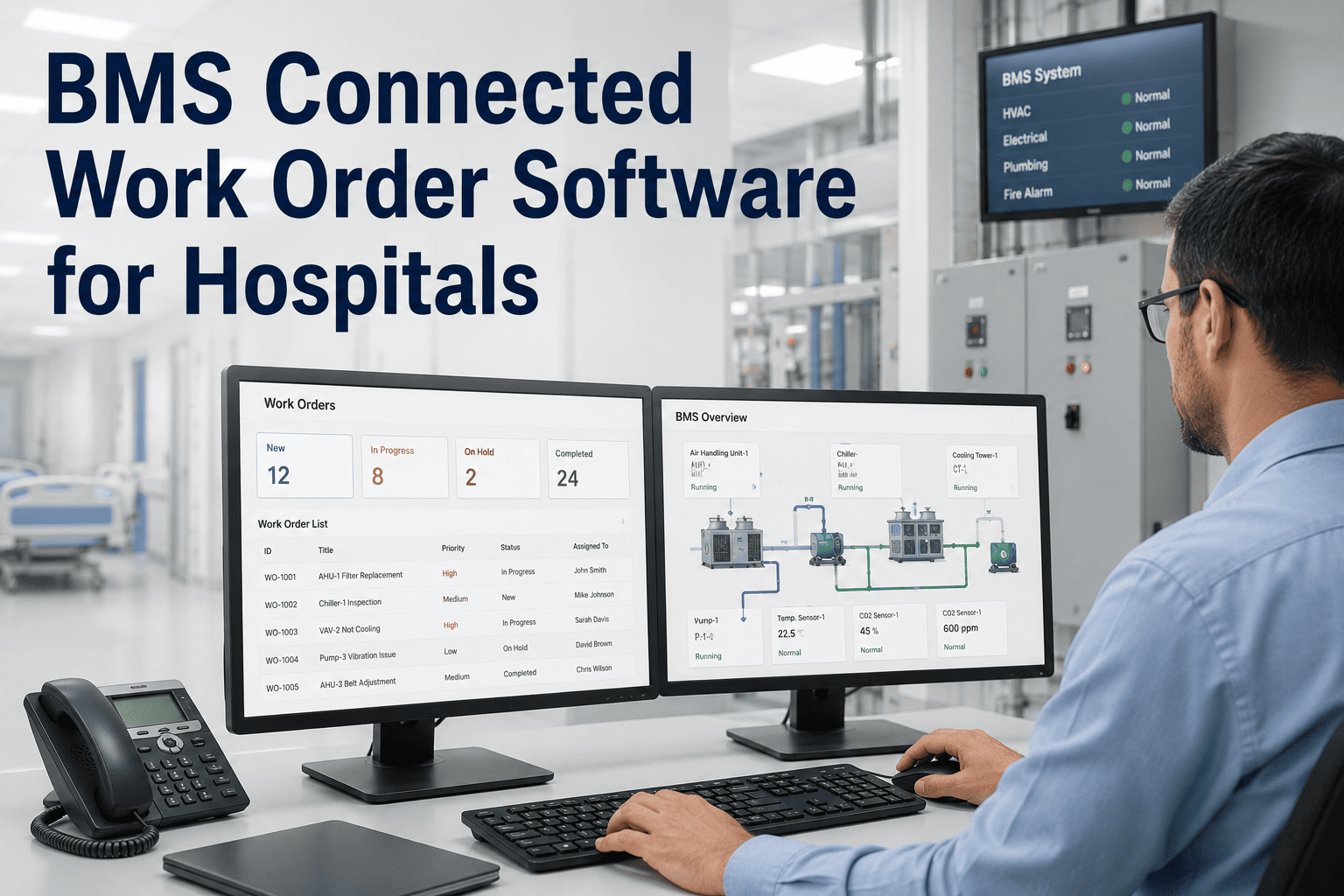
Most hospital building management systems generate anomaly data continuously — chiller pressure drift, air handler vibration, generator fuel level — but at most facilities that data feeds a dashboard nobody is watching, not a work order somebody has to act on. When a sensor reading indicating bearing wear or temperature drift does not automatically trigger a maintenance task, the value of the BMS investment approaches zero. Oxmaint connects directly to hospital building management systems so a threshold breach becomes an assigned, tracked work order in the same instant it becomes an alarm on the BMS screen — closing the gap between "the system knew" and "someone fixed it."
Your BMS Already Knows. Your Work Order Queue Just Doesn't Hear It Yet.
A building management system is excellent at detecting a problem and terrible at making sure a human closes the loop. Connecting it to a work order system removes the step where someone has to notice the dashboard, decide it's real, and manually type up a ticket.
Which BMS Points Are Actually Worth Connecting
Not every data point needs a work order — some just need a dashboard glance. The table below is a starting framework for deciding what should auto-generate a ticket versus what stays informational.
| System | Point Monitored | Trigger Type | Action |
|---|---|---|---|
| Chiller Plant | Condenser/evaporator pressure differential | Threshold breach | Auto work order |
| Air Handling Units | Filter differential pressure, vibration | Trend deviation | Auto work order |
| Emergency Generator | Fuel level, battery voltage, run-test failure | Threshold + scheduled test | Auto work order — critical tier |
| Medical Gas / Vacuum | Line pressure, alarm panel status | Threshold breach | Auto work order — critical tier |
| Lighting / General Electrical | Circuit load, panel temperature | Trend deviation | Dashboard alert, weekly review |
What Breaks When BMS and Work Orders Stay Siloed
Connect Your BMS Feed and Watch the First Auto-Generated Ticket Land.
Oxmaint's integration team will map your existing BMS points during the call and show you exactly which alerts convert into work orders on day one.
Dashboard-Only Alerts vs Connected Work Orders
| Dimension | Dashboard-Only BMS | BMS-Connected Work Orders |
|---|---|---|
| Alert-to-action gap | Depends on someone checking the dashboard | Ticket generated the moment threshold breaches |
| Asset context | Alarm shown with no repair history attached | Full PM and repair history linked automatically |
| Technician assignment | Manual triage after someone reads the alarm | Auto-dispatched by skill and criticality |
| Compliance documentation | Alarm log and repair log live separately | Single audit trail from alarm to closed ticket |
KPIs That Prove the Integration Is Working
Alarm-to-Ticket Time
Time between a BMS threshold breach and a work order existing in the system. A rising gap signals a broken or misconfigured integration.
Auto-Ticket Accuracy
Share of auto-generated tickets that reflect a genuine issue rather than a nuisance alarm. Low accuracy means thresholds need rationalizing.
Missed Alarm Rate
Threshold breaches that never resulted in a tracked work order. This is the number a Joint Commission utility-systems review will ask about directly.
Expert Review — A Facilities Systems Engineer's Perspective
We had a BMS that was, on paper, excellent — every chiller, every AHU, every generator wired in and reporting. What it did not do was stop a technician from having to open a separate dashboard, notice something was wrong, and then go type a work order in a different system. That extra step is where problems used to sit for a full shift before anyone acted. Connecting the two systems did not make our BMS smarter — it made the gap between detection and action disappear, which was the actual problem the whole time.
Frequently Asked Questions
Which BMS platforms does Oxmaint integrate with?
Oxmaint connects to major building automation platforms through standard protocols like BACnet and Modbus, as well as REST API feeds where a hospital's BMS vendor supports them. Book a demo to confirm compatibility with your specific BMS vendor.
Will every single BMS point create a work order, or can we control what triggers a ticket?
Facilities teams choose which points auto-generate tickets and which stay as dashboard-only alerts, so low-priority readings do not flood the queue. Most teams start with critical infrastructure only and expand from there.
How does this reduce nuisance tickets instead of just creating more of them?
Thresholds are set collaboratively during onboarding based on each asset's real operating range, and can be adjusted as false-positive patterns emerge — the goal is fewer, more accurate tickets, not more total alerts. See how alarm rationalization applies to SCADA feeds as well.
What happens to the historical alarm data our BMS has already logged?
Historical BMS data can be imported during onboarding to seed the failure-probability trend for each asset, so the connected work order system starts with context instead of a blank history. Start free to begin mapping your BMS points today.
The Alarm Already Fired. The Only Question Is Whether a Work Order Did Too.
Oxmaint closes the gap between BMS detection and technician action — so every threshold breach becomes a tracked, dispatched ticket, not a flag on a screen nobody's watching.
.png)

.jpg)

