Most fleets pay for warranty coverage on every vehicle and component they buy, yet a large share of that entitlement is never claimed back. Repairs get completed by an in-house technician before anyone checks the coverage window, paperwork goes missing between the shop floor and the claims desk, and expiry dates slip past unnoticed on a spreadsheet nobody opens daily. Fleets running structured tracking commonly recover most of what they are owed, while those without it routinely write off thousands every year without ever knowing it. A 50-vehicle fleet can be sitting on tens of thousands of dollars in unfiled reimbursements right now. See exactly which repairs on your roster are still covered by trying Oxmaint free.
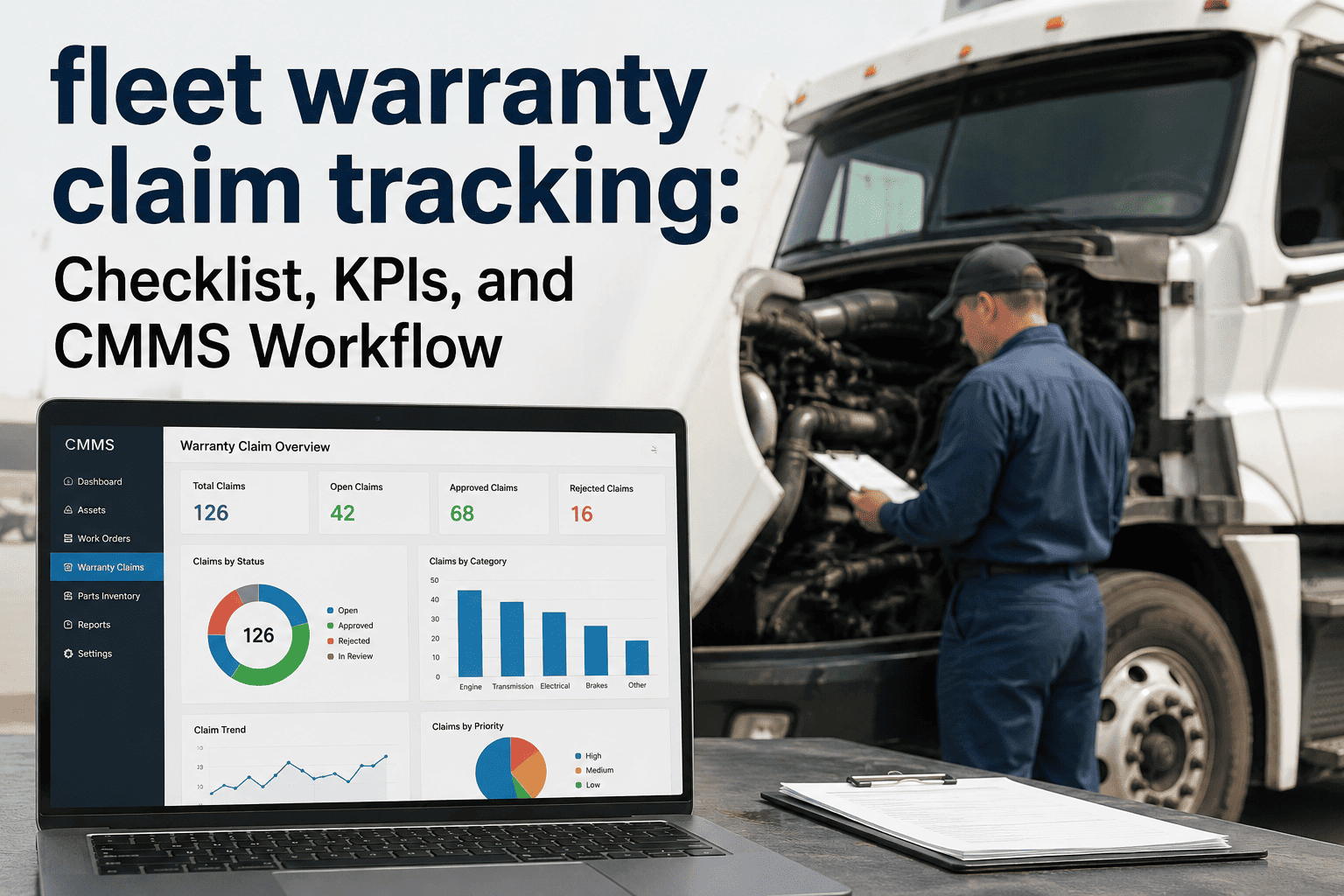
What Fleet Managers Should Track in a Warranty Claim Tracking Dashboard
The repairs, deadlines, and documentation a dashboard needs to capture so your fleet recovers every dollar of OEM and component coverage it already paid for.
Why Warranty Dollars Quietly Disappear
Warranty entitlement does not get lost in one dramatic event. It leaks out a few hundred dollars at a time, every time a coverage window passes unnoticed, a part gets scrapped before it's photographed, or a claim deadline expires while the paperwork sits in a folder. Across a full fleet and a full year, that leakage adds up to a meaningful chunk of the maintenance budget.
9 Data Points Every Warranty Claim Tracker Should Capture
A claim only gets paid if the dashboard behind it has the right information at the right moment, not reconstructed weeks later from memory.
Start and end date for every component, tracked by mileage and by calendar time together.
Odometer or engine-hour reading at the exact point coverage actually expires.
Serial and VIN linkage so a swapped component doesn't lose its own coverage history.
Cause of failure recorded in the terms the OEM claim form actually asks for.
Technician photos attached to the work order before the failed part is scrapped.
Correct labor and failure codes mapped per manufacturer, never guessed at submission time.
Approved hours and rate per repair type, checked against what was actually billed.
A live countdown to the filing window so a valid claim never ages out unsubmitted.
Amount claimed versus amount actually paid, with short-pays flagged for follow-up.
Where Warranty Coverage Hides on a Mixed Fleet
Coverage windows don't all expire the same way. Some run on mileage, some on calendar years, and some are buried in an upfitter contract nobody thinks to check.
| Component | Typical Coverage Window | Common Pitfall |
|---|---|---|
| Powertrain | 5 years / 100,000 mi, varies by OEM | Assumed expired once the lease ends, even when coverage is still active |
| Emissions System | 5-8 years / 100,000-110,000 mi | Confused with general engine warranty and never filed on its own |
| EV / Hybrid Battery | 8 years / 100,000 mi typical | Degradation claims missed because state-of-health isn't logged at PM |
| Frame and Corrosion | Often unlimited mileage, time-limited | Rust claims denied for a missing annual inspection record |
| Aftermarket Upfit | Set separately by the upfitter | Tracked nowhere because it isn't seen as "part of the vehicle" |
Stop Writing Off Eligible Warranty Repairs
Oxmaint checks coverage before a repair is authorized, builds the OEM claim packet automatically from the work order, and tracks every dollar from filing through payment.
From Failure to Reimbursement: The Claim Lifecycle
A warranty claim moves through five stages between the moment a part fails and the moment the reimbursement lands. Tracking only the first and last stage is how most fleets lose the middle.
A repair order opens and coverage status checks automatically against the asset record.
Dashboard confirms the component sits within its mileage, hour, or calendar window.
Technician attaches photos, notes, and the failed part tag to the work order.
The OEM claim form fills from the work order and goes out before the deadline.
Reimbursement is matched to the claim amount and any shortfall is flagged for dispute.
Top Reasons Warranty Claims Get Rejected
Most rejections trace back to one of four preventable gaps, all of which a connected dashboard closes automatically.
The failed part was scrapped before anyone photographed it, leaving the OEM nothing to verify the failure against.
The repair qualified, but the claim window closed while the paperwork sat in a queue.
A mismatched OEM code gets the whole claim kicked back, sometimes past the deadline to fix it.
The replaced part doesn't match the serial on file, so the claim can't be verified against the install.
How Oxmaint Automates Warranty Recovery
Every component carries its own warranty clock. The dashboard flags repairs approaching expiry before paid work is authorized.
Work order data, photos, and failure codes assemble into an OEM-ready claim packet without retyping anything.
Open recalls and service campaigns appear on the vehicle record the moment they're issued, matched by VIN.
Each OEM and component supplier gets its own coverage terms and labor codes stored once and reused fleet-wide.
Track every claim from filed to paid in one view, with short-pays and rejections routed back for resubmission.
Quarterly reports show claims filed, dollars recovered, and what's still sitting unfiled or expired.
Warranty Recovery, by the Numbers
Frequently Asked Questions
How much warranty money do fleets typically leave unclaimed?
Fleets without structured tracking commonly leave 12-18% of eligible repairs unclaimed each year, usually because documentation was never generated or the coverage window wasn't tracked. Start a free trial to see your own recovery gap.
Can a dashboard tell us before a repair starts whether a part is still covered?
Yes. Coverage status checks against the vehicle and component record the moment a work order opens, so technicians know immediately whether OEM coverage applies before labor is authorized.
Does it handle different OEM claim requirements across a mixed fleet?
Each manufacturer and supplier gets its own coverage terms, labor codes, and submission format stored against the asset, so a mixed fleet follows the correct claim path automatically. Book a demo to see a mixed-fleet setup.
What happens if a claim gets paid less than what was submitted?
Short-pays are flagged automatically by comparing the claim amount to the payment received, so the difference is never quietly written off without review.
How long does setup take for an existing fleet?
Most fleets load existing coverage terms and vehicle records within the first week and start catching expiring coverage immediately after. Start a free trial to begin your warranty register today.
Recover What Your Fleet Already Paid For
Join fleet teams who turned warranty tracking from a forgotten spreadsheet into a recovery engine. Start free with no credit card, or walk through your own coverage data on a live call.