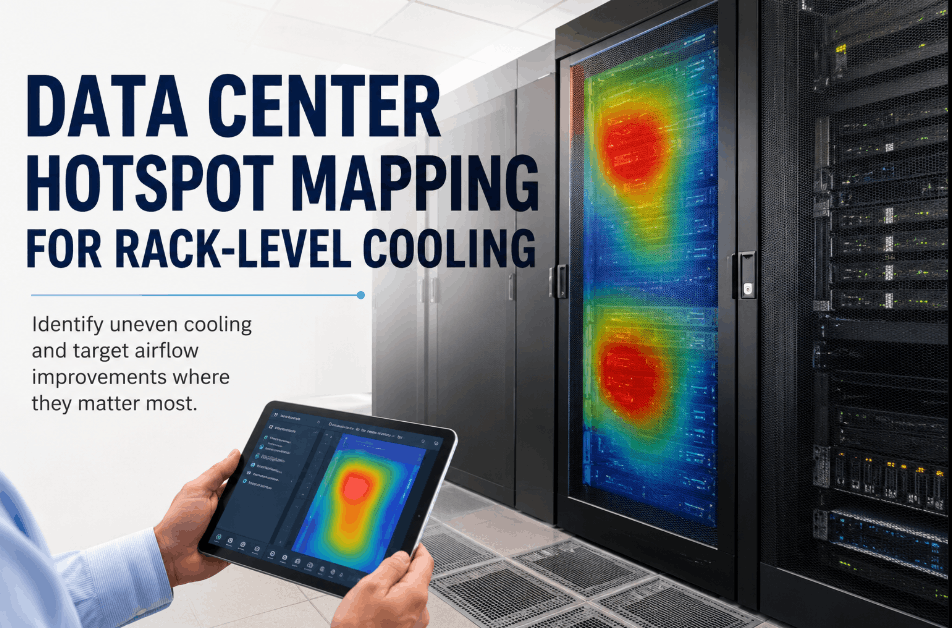
Data center hotspots rarely announce themselves before damage starts — a rack can run 8 to 12 degrees hotter than the row average for weeks while every CRAC unit reports normal operation, because airflow unevenness at the rack level doesn't show up in room-level temperature readings. By the time a hotspot triggers an alarm, electronics in that rack have already absorbed thermal stress that shortens hardware life. Sign Up Free to see how OxMaint maps rack-level temperature and airflow data so cooling problems are caught before they become equipment failures.
Find the Hotspot Before It Finds Your Hardware
OxMaint maps rack-level temperature and airflow data continuously, so uneven cooling gets flagged and routed to a technician before electronics see thermal stress.
Why Rack-Level Hotspot Mapping Matters for Data Center Cooling
Room-level cooling metrics average across an entire data hall, which means a single under-cooled row or a blocked floor tile can hide inside an otherwise healthy average reading. Rack-level sensors expose the unevenness directly, showing exactly which racks run hot relative to their neighbors instead of relative to the whole room. Facility teams that Book a Demo see how OxMaint turns rack-by-rack inlet temperature data into a live hotspot map across the data hall.
Inlet temperature and humidity sensors at the rack and row level expose unevenness that room-average readings cannot detect.
Pressure differential data across hot and cold aisles highlights where bypass air or blocked tiles are undermining cooling delivery.
Compressor, fan, and coil condition data from cooling units is tracked alongside rack readings to connect cause and effect.
Racks and cooling units tied to critical systems are flagged with higher response priority when a hotspot threshold is crossed.
A confirmed hotspot generates a work order automatically, with the rack ID, sensor history, and severity attached for the technician.
Every row and rack across one or more data halls is visible from a single live dashboard, with hotspot history tracked over time.
Data Center Hotspot Mapping: Step-by-Step for Rack-Level Cooling
Place temperature and humidity sensors at the rack inlet and outlet, not just the room level, so unevenness between racks in the same row is visible. Book a Demo to see how OxMaint connects to wireless rack sensors without major installation work.
Aggregate rack-level readings into a row-by-row map of the data hall, establishing which racks run consistently hotter than their neighbors under normal load.
Cross-check hotspot locations against floor tile placement, blanking panel gaps, and CRAC output to identify whether the cause is airflow distribution or unit capacity. Sign Up Free to run this diagnostic against your own hall layout.
Confirmed hotspots generate a work order automatically, prioritized by which racks are tagged mission-critical, with the relevant sensor history attached.
Every new rack installation or row reconfiguration shifts airflow patterns, so the hotspot map is refreshed continuously rather than treated as a one-time audit.
Data Center Hotspot Mapping Reference Table
| Mapping Phase | Primary Focus | Data Monitored | System Connected | Outcome |
|---|---|---|---|---|
| Phase 1 | Sensor deployment | Rack inlet/outlet temperature | Wireless IoT sensors | Rack-level visibility |
| Phase 2 | Hotspot baseline | Row-by-row temperature variance | OxMaint analytics | Confirmed hotspot map |
| Phase 3 | Airflow diagnostics | Tile placement, CRAC output | OxMaint fault models | Root cause identified |
| Phase 4 | Work order automation | Threshold breach events | OxMaint CMMS | Technician dispatch |
| Phase 5 | Continuous re-mapping | Post-change airflow shift | OxMaint dashboard | Updated hotspot map |
How OxMaint Supports Rack-Level Cooling Management
OxMaint connects rack-level sensors and CRAC/CRAH unit data into one platform, so cooling unevenness is visible before it produces a thermal event. Sign Up Free to begin mapping rack-level temperature variance across your own data hall.
Building a Hotspot Mapping Program: Implementation Steps
Audit Existing Sensor Coverage
Identify which racks and rows already have temperature monitoring and where coverage gaps leave blind spots in the hall.
Deploy Sensors at Priority Rows
Start rack-level sensor deployment on rows carrying the highest-density or most mission-critical equipment first.
Collect a Baseline Period
Run two to four weeks of rack-level data collection before setting hotspot thresholds, to avoid false alerts from normal load variation.
Set Row-Specific Thresholds
Configure hotspot thresholds relative to each row's own baseline rather than a single hall-wide number.
Pilot on One Row
Validate hotspot detection accuracy and work order routing on a single row before expanding across the full data hall.
Expand Hall-Wide
Apply the validated configuration to remaining rows and additional halls. Book a Demo to walk through a hall-wide rollout plan.
Map Every Rack Before the Next Thermal Event
OxMaint turns rack-level temperature and airflow data into an automatic hotspot map and work order pipeline — built for mission-critical data hall operations.
Frequently Asked Questions
Why do room-level sensors miss data center hotspots?
Room-level readings average across the whole hall, so one under-cooled rack can stay hidden inside an otherwise normal room temperature.
What usually causes rack-level cooling unevenness?
Blocked floor tiles, missing blanking panels, bypass airflow, and uneven CRAC output across the row are the most common causes.
Does hotspot mapping require new rack hardware?
No. Wireless rack-level sensors retrofit onto existing racks without major installation work or electrical modification.
How does OxMaint prioritize mission-critical racks?
Racks tagged mission-critical are escalated automatically ahead of lower-priority cooling issues when a hotspot threshold is crossed.
Can hotspot mapping scale across multiple data halls?
Yes. The same sensor network and dashboard extend across multiple halls or sites, with hotspot history tracked per location.
Start Mapping Rack-Level Hotspots Today
OxMaint connects rack sensors and cooling unit data into one hotspot map and work order pipeline — across one row or a full data hall network.