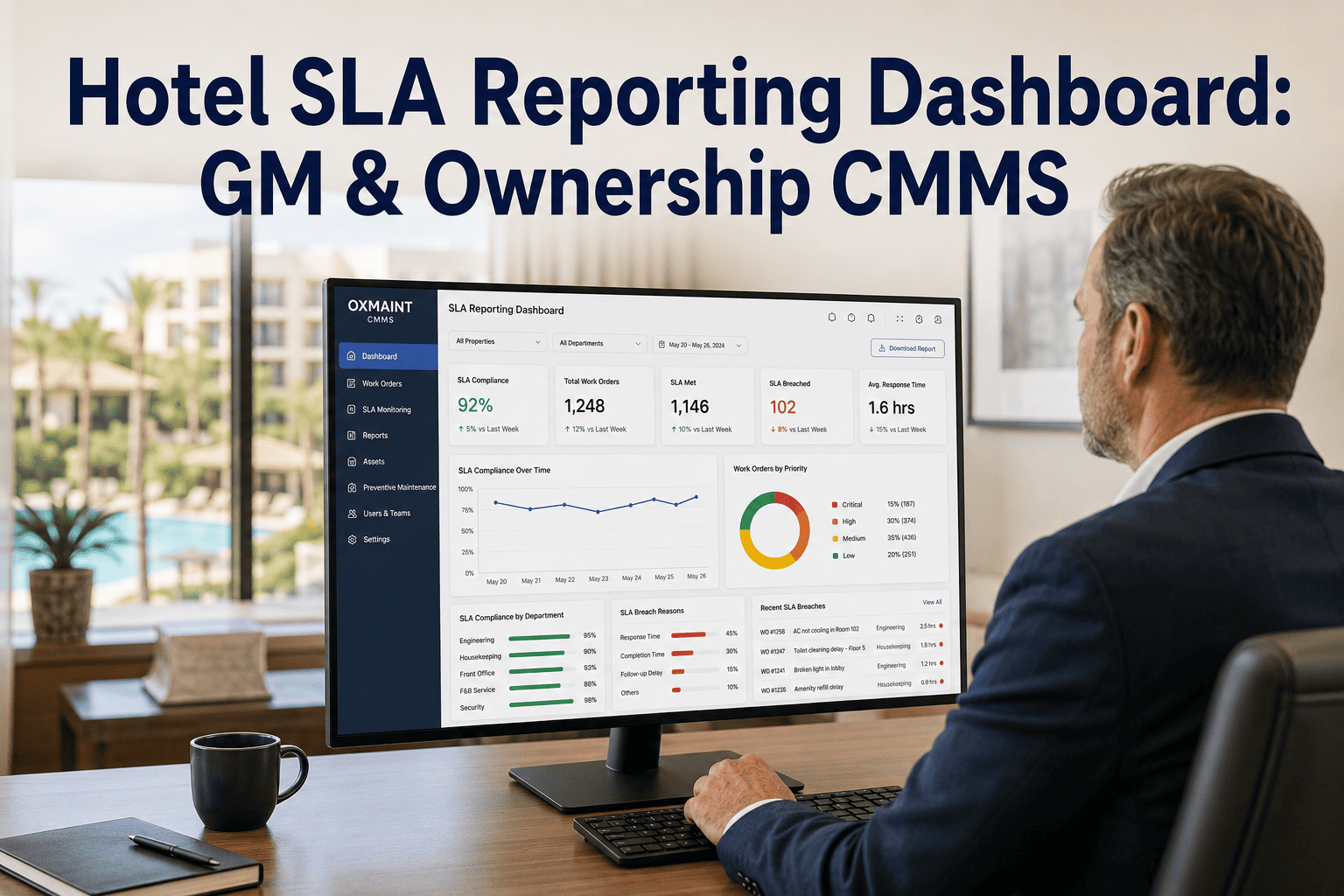
A hotel SLA reporting dashboard turns raw work order data into executive-level performance evidence — giving GMs and ownership a live view of response times, completion rates, and compliance without waiting for a monthly report build. The best GM ownership CMMS platforms automate this entirely: every work order carries an SLA timer, breaches trigger alerts, and a clean dashboard rolls it all up into the KPIs leadership actually cares about. This guide covers how to design a hotel SLA reporting dashboard for GM and ownership visibility — which KPIs to track, how to structure trend and drill-down views, and how CMMS-based automated SLA reporting replaces the manual spreadsheet grind. If you're still assembling owner reports by hand at month-end, Start Free Trial and see how OxMaint puts SLA performance in front of leadership automatically.
Hotel SLA Reporting Dashboard · GM & Ownership Guide 2026
Can your GM answer "are we hitting our SLAs?" in under 10 seconds?
Most hotel engineering teams can't — because SLA data lives in paper logs, inboxes, and a spreadsheet someone rebuilds every month. A CMMS SLA reporting dashboard closes that gap: live response and completion metrics, breach alerts, and owner-ready reporting with zero manual assembly.
Why It Matters
Why GMs and ownership need SLA visibility — not just work order counts
A completed work order count tells leadership almost nothing. What owners and asset managers actually need is performance against a promise: did engineering respond within the committed window, and did it resolve the issue before it hit the guest experience?
Owners fund what they can see
CapEx requests for HVAC, boilers, and PM staffing get approved faster when a GM can show a trend line — e.g., "response SLA attainment dropped from 94% to 81% as assets aged" — instead of an anecdote.
Guest impact is measurable
Industry benchmarks tie a 1-point drop in guest satisfaction scores to meaningful RevPAR pressure. Tracking guest-room work order SLAs (target: 30-min response, 2-hr resolution) connects engineering directly to revenue.
Brand & franchise audits demand proof
Brand standard audits and PIP timelines require documented response and completion evidence. A CMMS hotel SLA dashboard produces timestamped records on demand — no scrambling before the auditor arrives.
Monthly report builds hide problems
A spreadsheet assembled on the 30th shows you what went wrong three weeks ago. Live SLA visibility lets a GM intervene the same day a breach trend starts — before it becomes a guest complaint pattern.
KPI Selection
The 6 SLA KPIs every hotel GM dashboard should show
Keep the executive view to six metrics — enough to run the business, few enough to read in 60 seconds. Everything else belongs in the drill-down layer.
| KPI | What It Measures | Hotel Benchmark Target | Why Ownership Cares |
|---|---|---|---|
| SLA Attainment % | Share of work orders resolved within their SLA window | ≥ 95% guest-impact; ≥ 90% back-of-house | The single headline number for asset performance |
| Mean Response Time | Minutes from request to technician acknowledgment | ≤ 30 min guest rooms; ≤ 2 hrs BOH | Direct proxy for guest experience protection |
| Mean Time to Repair (MTTR) | Average hours from acknowledgment to completion | ≤ 4 hrs guest-impact; ≤ 24 hrs general | Shows crew efficiency and parts availability |
| Open Breaches | Work orders currently past their SLA deadline | 0 guest-impact; < 5 total | The GM's daily "act now" list |
| PM Compliance % | Preventive tasks completed on schedule | ≥ 95% (life-safety: 100%) | Protects asset value and audit readiness |
| Repeat-Issue Rate | % of assets with 2+ work orders in 30 days | < 8% | Flags assets needing CapEx, not more patches |
Dashboard Design
How to structure a CMMS hotel SLA dashboard: executive view → drill-down
The best GM SLA visibility dashboards work in three layers. Leadership stays on layer one; the chief engineer lives in layers two and three.
Executive summary — the 60-second view
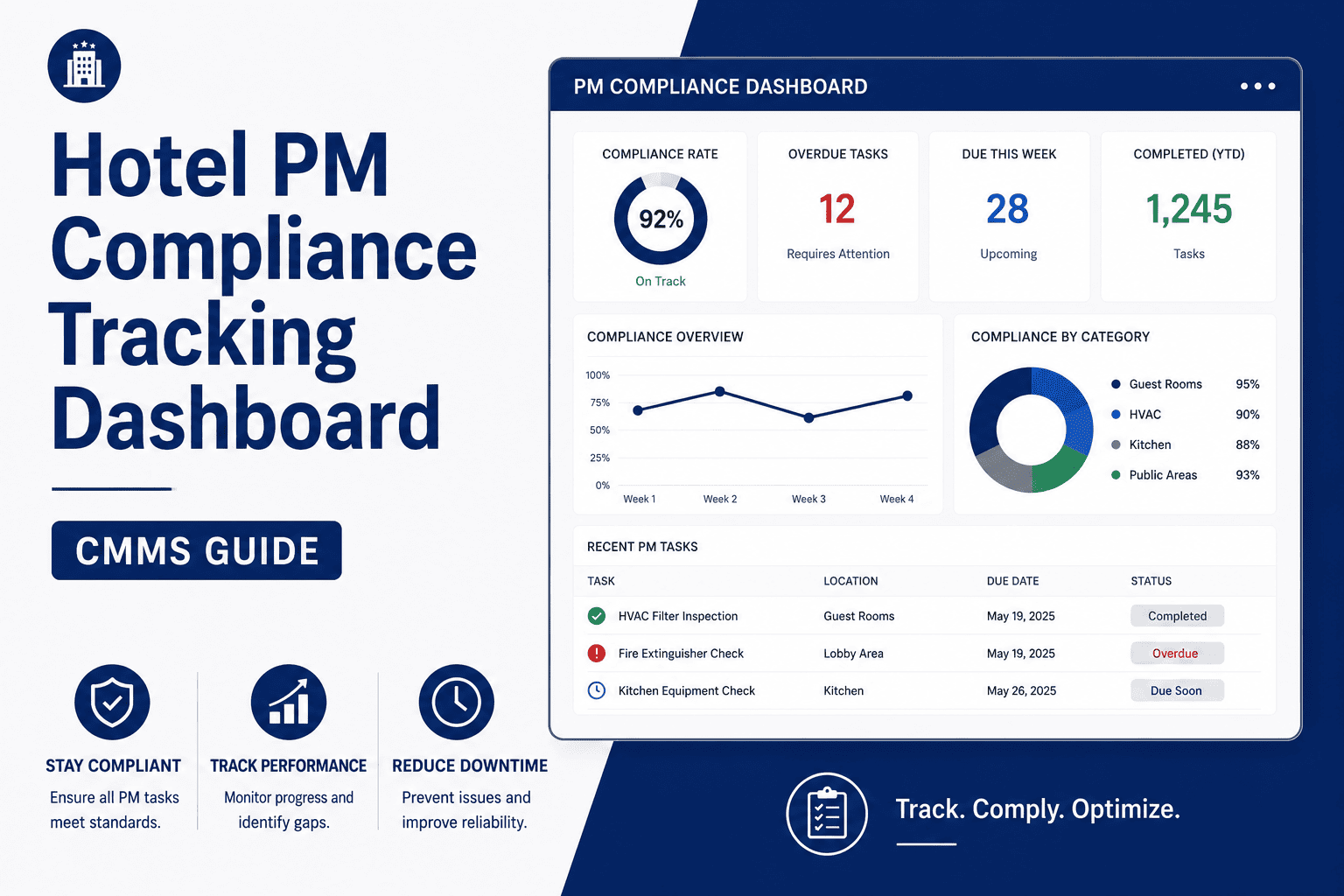
Six KPI tiles (from the table above), a 90-day SLA attainment trend line, and a red/amber/green status per department. This is the screen a GM opens before an owner call and the view that gets exported into the monthly ownership pack — automatically.
Trend & comparison — where performance is heading
Month-over-month SLA attainment, response time by shift, and breach volume by asset category (HVAC, plumbing, kitchen, life-safety). A 180-room property typically sees 350–500 work orders a month — trend views reveal whether a dip is a staffing issue, a parts issue, or an aging-asset issue.
Drill-down — the individual work order evidence
Every number clicks through to the underlying work orders: request timestamp, response timestamp, technician, parts used, photos, and completion notes. When an owner asks "why did room 1412 breach SLA twice?", the answer is two clicks away — not a week of digging through paper.
"We used to spend the first week of every month building the owner report. Now the GM opens the dashboard on the ownership call and answers questions live. The report builds itself."
Director of Engineering · 240-room full-service hotel
Worked Example
What automated SLA reporting is worth: a 220-room property scenario
Consider a 220-room hotel with a 4-person engineering team handling roughly 420 work orders per month on spreadsheets and radio calls.
Monthly cost of manual SLA reporting
6 hrs chief engineer time × $38/hr + 3 hrs GM review × $65/hr = $423/month in labor alone
…before counting the breaches nobody saw in time: 2–3 escalated guest complaints/month at $80–$150 in comps each, plus one missed PM cycle that turned a $400 bearing replacement into a $6,500 chiller repair.
How OxMaint Helps
How OxMaint delivers GM & ownership SLA visibility out of the box
OxMaint is an AI-powered CMMS + EAM platform built for exactly this: every work order carries an SLA clock, and every clock feeds a dashboard your GM and owners can read at a glance.
Automated SLA timers & breach alerts
Set SLA policies by priority and asset type (e.g., 30-min response for guest rooms). OxMaint timestamps every stage and alerts the chief engineer the moment a work order approaches breach — cutting missed SLAs by 40–60% in the first quarter.
Executive SLA dashboard, zero build time
Attainment %, MTTR, open breaches, and PM compliance render live on a GM-ready dashboard. The monthly ownership pack exports in one click — eliminating the 4–6 hour manual report build entirely.
Full drill-down to work order evidence
Every KPI clicks through to timestamped work orders with photos, parts, and technician notes — giving you audit-ready documentation for brand standards, franchise QA, and insurance reviews.
AI analytics that flag repeat offenders
OxMaint's maintenance analytics surface assets with recurring failures and predict likely SLA risks, so you can justify CapEx with data and fix root causes instead of patching the same AHU every month.
See your hotel's SLA dashboard live — book a 30-minute demo
We'll walk you through OxMaint's SLA reporting on a real hotel workflow: SLA policies, breach alerts, GM dashboard, and the one-click ownership report.
FAQ
Hotel SLA reporting dashboard: frequently asked questions
What is a hotel SLA reporting dashboard?
It's a live view — usually inside a CMMS — that shows how engineering performs against committed service-level agreements: response time, resolution time, attainment percentage, and open breaches. It replaces manual month-end spreadsheets with real-time visibility for GMs and ownership.
Which SLA metrics matter most to hotel ownership?
Ownership typically cares about three: SLA attainment % (target ≥95% for guest-impact work), PM compliance % (≥95%, life-safety at 100%), and repeat-issue rate (<8%). These three connect engineering performance to asset value, audit readiness, and guest satisfaction.
How does a CMMS automate SLA reporting for hotels?
A CMMS like OxMaint attaches an SLA timer to every work order based on its priority and asset type, timestamps each stage automatically, and rolls the results into dashboards and scheduled owner reports. Start Free Trial to see the automated reporting workflow on your own data.
How long does it take to set up SLA dashboards in a CMMS?
Most hotels configure SLA policies, import their asset list, and go live within 1–2 weeks. Cloud CMMS platforms require no servers or IT projects — technicians log work from mobile devices on day one, and the dashboard populates as data flows in.
Can a CMMS SLA dashboard support brand and franchise audits?
Yes — every work order carries timestamped request, response, and completion records with photos and notes, creating audit-ready evidence for brand standard reviews, PIP verification, and insurance documentation. Book a Demo and we'll show you the audit trail view.
Put SLA performance in front of ownership — automatically
OxMaint's AI-powered CMMS gives your GM a live SLA dashboard, your engineers mobile work orders, and your owners a report that builds itself.
Free 14-day trial · No credit card · Live in days, not months