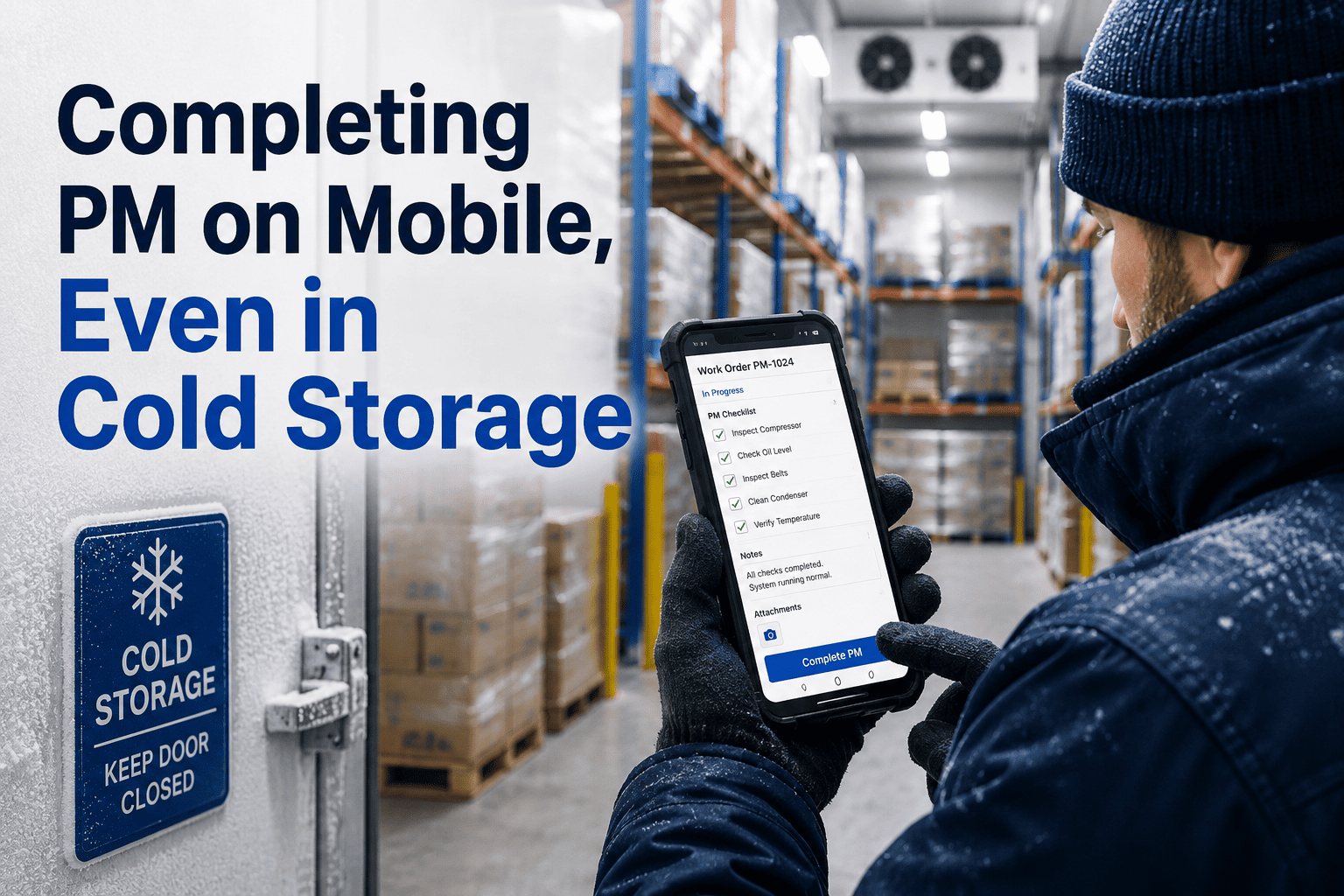
Inside a walk-in freezer running at minus twenty, a technician's gloved thumb can't unlock the tablet screen, and the plant wifi signal dies somewhere around the cooler door. The six-minute PM checklist that should have closed in the app turns into a paper form filled out an hour later in the break room, transcribed by someone who never stood in front of the compressor. Multiply that across every spiral freezer, dock cooler, and blast chiller in a twenty-four hour food plant, and PM completion on refrigeration assets quietly falls behind everything else on the floor. A mobile tool built for true offline capture lets the technician finish the checklist, attach photos, and collect a signature right there in the cold, then sync automatically the moment a signal returns — see how that works at OxMaint's mobile PM app.
Mobile PM Completion That Works Offline, Even in Cold Storage
Give technicians a checklist that finishes inside the freezer, not after it. Offline capture, photo evidence, and automatic sync the second a signal comes back.
Why PM Completion Drops the Moment Technicians Go Cold
A missed PM on a compressor or evaporator coil rarely comes from a technician skipping work. It comes from a device, a signal, or a screen that stops cooperating the moment the door closes behind them. Four factors account for most of the gap between what gets done on the floor and what shows up in the CMMS.
Four Things a True Offline Mobile PM Tool Must Do
Plenty of maintenance apps claim mobile support. Far fewer actually function with zero connection for the full length of a PM. These four capabilities separate a genuinely offline-first tool from one that just has a mobile-friendly login screen.
The entire PM form, every field and required step, is stored and completed locally on the device with no connection needed until sync.
Technicians photograph coils, gauges, and seals directly inside the app, timestamped instantly and attached to the work order.
The moment the device finds a signal again, queued records upload on their own, with no manual re-entry or file transfer step.
Offline edits merge safely into the live CMMS record, so two technicians working the same asset never overwrite each other's work.
Paper Backup vs Offline-First Mobile PM
A side-by-side look at what actually changes once the checklist can be finished without a signal, instead of reconstructed after the fact.
| Factor | Paper Backup Process | Offline-First Mobile PM | Impact |
|---|---|---|---|
| Data entry lag | 2 to 8 hours after shift end | Instant, synced in under 30 seconds | Real-time asset history |
| Photo evidence | Rarely attached to the record | Captured in-app, timestamped | Stronger audit trail |
| Checklist completeness | Skipped fields common | Required fields enforced | Fewer missed PM steps |
| Signature capture | Separate paper log | Digital, tied to the work order | Traceable accountability |
| Re-entry errors | High, manual transcription | None, single source of truth | Fewer data errors |
| Audit readiness | Reconstructed manually | Available on demand | Faster inspections |
Watch a PM Get Completed Inside a Freezer, With Zero Signal
OxMaint's mobile app stores the full checklist, photos, and signature locally, then syncs the instant a connection returns. Bring your own cold storage layout to the walkthrough.
How OxMaint Handles PM Completion in the Field
From opening the work order to the record landing on a supervisor's dashboard, every step is designed to work whether or not the device has a signal.
Paper-Based vs Offline-First Mobile — The Gap
Same plant, same technicians, same PM schedule — but a very different completion record depending on whether the device needs a live signal to save.
- 63%PM tasks delayed or skipped in cold storage dead zones
- 6 hrsAverage lag between completion and the system record
- HighManual re-entry error rate from transcribing paper logs
- 2 to 3Audit findings per year on incomplete PM documentation
- RarePhoto evidence actually attached to the PM history
- 98%PM completion rate across freezer and cold storage zones
- 30 secAverage sync time once the device reconnects
- ZeroManual re-entry, since the record syncs as originally logged
- ZeroAudit findings tied to missing PM documentation
- AutomaticPhoto and signature evidence attached to every record
Frequently Asked Questions
Stop Losing PM Data at the Cooler Door
OxMaint's mobile app captures the full PM checklist, photos, and signature offline, then syncs automatically the second a signal returns, so every freezer, cooler, and cold zone shows up in your maintenance history the same day it happens.