A fleet software requirements checklist is the single most reliable way to stop buying the demo and start buying the fit — it turns fleet software procurement from opinion into a defensible, written specification before any vendor gets a seat at the table. Most fleets do the opposite: they watch three polished demos, pick the slickest dashboard, and discover six months later that the platform can't handle their PM schedules, their telematics feed, or their DOT compliance reporting. Industry analysts estimate that 50–70% of software selections fail to deliver expected value, and the root cause is almost always missing or vague fleet software requirements definition, not bad software. This guide gives you the complete fleet software buying requirements framework — needs analysis, feature checklist, integration requirements, TCO modeling and RFP criteria — so your selection fits your operation, not the sales pitch. If you want a head start, Start Free Trial and see what a requirements-first fleet CMMS actually looks like in practice.
Write the requirements before you watch the demo — or the demo writes them for you
Fleets that document requirements first are 2–3x more likely to report a successful implementation. Here is the exact checklist structure that turns procurement from opinion into a defensible RFP.
Why fleets buy the demo and regret it within 6 months
A polished demo shows you the vendor's best day. Your requirements document forces them to show you your worst day — breakdowns at 2 a.m., a DOT audit, a telematics feed dropping mid-route. Fleets that skip fleet software requirement gathering typically discover the gaps after go-live, when switching costs are highest.
Worked example: a 120-vehicle mixed fleet chose a platform on demo polish alone. Post-launch they found no DVIR workflow, no API to their Samsara telematics, and PM triggers that couldn't fire on engine hours — only calendar dates. Re-procurement plus re-implementation cost them $85K and 14 months. A two-week fleet software needs analysis would have flagged all three gaps on page one of the RFP.
How to define fleet software needs before talking to vendors
Fleet software requirement analysis starts inside your operation, not in a vendor's deck. Interview each stakeholder group for 30–45 minutes and capture pain in their words — then translate it into testable requirements. Six groups must be heard or the spec will have blind spots.
Fleet & maintenance managers
What decisions do you make weekly that you lack data for? Typical output: PM compliance visibility, cost-per-mile by asset, technician workload balancing, warranty recovery tracking.
Technicians & shop leads
What slows a repair? Typical output: mobile work orders with photos, asset history at the point of work, parts availability check before starting a job, offline capability in dead zones.
Drivers & operators
How do defects get reported today? Typical output: 3-minute digital DVIR with photo capture, defect-to-work-order automation, FMCSA-compliant inspection records.
Parts & inventory staff
Where do stockouts or overstock hurt? Typical output: min/max reorder points, parts linked to PM kits, PO tracking, inventory valuation for finance.
Finance & procurement
What numbers must the system produce? Typical output: TCO per asset, depreciation-aligned lifecycle costing, GL-coded export, audit-ready approval trails.
IT & compliance
What are the non-negotiables? Typical output: SSO/SAML, role-based permissions, data residency, API rate limits, SOC 2, retention rules for DOT and OSHA records.
Fleet management software requirements: the must-have checklist
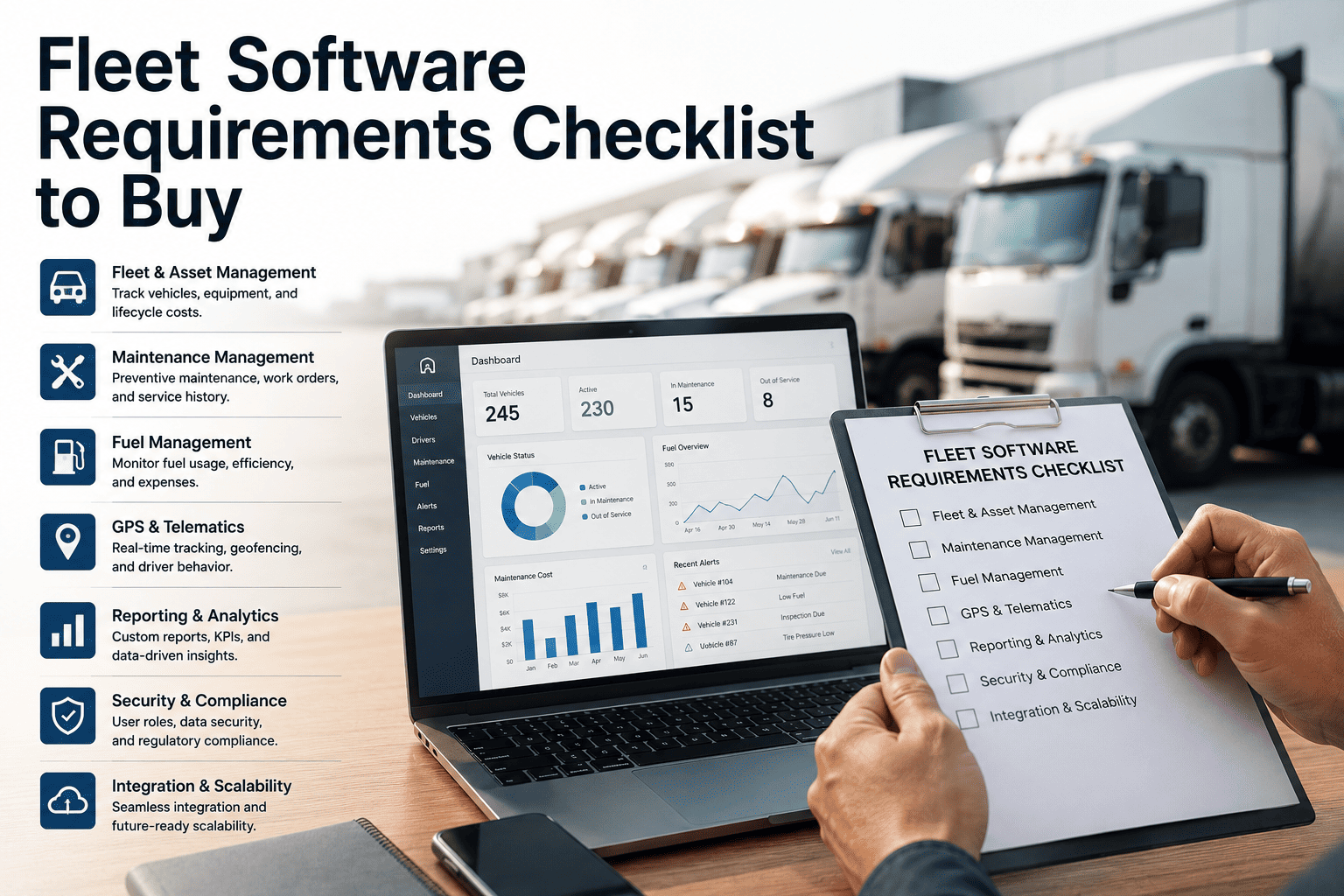
Score every candidate platform against these eight requirement categories. Anything marked "must" that a vendor fails is an automatic elimination — no exceptions for a nice UI. This is the heart of a defensible fleet software specification.
| Requirement area | What to demand in writing | Priority |
|---|---|---|
| Work order management | Create/assign/track on mobile, photo & signature capture, labor + parts costing per WO, priority and SLA fields | Must |
| Preventive maintenance | PM triggers on meter, engine hours AND calendar; auto-generation; compliance % dashboard; PM templates by asset class | Must |
| Asset & equipment registry | Full lifecycle record — acquisition, warranty, meter history, documents, depreciation, disposal per ISO 55000 principles | Must |
| Telematics integration | Native or API connection to your GPS/ELD (Samsara, Geotab, Motive); odometer & fault-code sync driving PM and alerts | Must |
| Compliance & inspections | Digital DVIR, defect-to-WO workflow, FMCSA/DOT record retention, audit-ready export in under 5 minutes | Must |
| Parts inventory | Min/max alerts, parts-to-asset linking, PO receiving, cycle counts, cost roll-up into work orders | Should |
| Analytics & reporting | Cost per mile/hour, PM compliance, MTBF/MTTR, downtime Pareto, scheduled reports to leadership | Should |
| Predictive / AI capability | Failure-pattern alerts from meter + work history, anomaly detection, recommended actions — not just dashboards | Could |
Fleet platform requirements beyond features: integrations and 5-year TCO
Two fleets can buy the same platform and pay wildly different prices — the difference is almost always integration scope and hidden cost lines. Build your fleet software buying needs around a written integration map and a 5-year total-cost model before you compare quotes.
Integration requirements to write down
- Telematics/ELD: odometer, engine hours, DTC fault codes syncing at least daily
- Fuel card import for cost-per-mile accuracy
- ERP/accounting export (GL-coded) for finance reconciliation
- SSO/SAML and role-based access for IT security sign-off
- Open REST API with documented rate limits — get it in the contract
Hidden cost lines to force into the open
- Per-asset vs per-user pricing — model both at your 3-year growth headcount
- Data migration of legacy spreadsheets and asset history
- Support tiers: is 24/7 included or a 20% uplift?
- Integration maintenance when a telematics API changes
- Internal admin time — budget 0.2–0.5 FTE for a 100+ vehicle fleet
Turn your fleet software criteria into a weighted scorecard
A requirements list without weights is still opinion. Assign each category a weight that reflects your operation, score every vendor 1–5 against written evidence (not demo impressions), and the decision defends itself in front of the CFO, legal, or an auditor.
Rule of thumb: any vendor scoring below 3/5 on a "must" category is eliminated regardless of total score. Require every score to cite evidence — a live test, a sandbox trial, or a written contractual commitment.
OxMaint: built to ace your fleet software requirements checklist
OxMaint is an AI-powered CMMS + EAM platform designed around exactly the requirements above — so your evaluation moves fast and your go-live sticks. Map each capability to a line on your scorecard.
PM engine that triggers on anything
Meter, engine-hour and calendar triggers with auto-generated work orders lift PM compliance from a typical 60–70% to 95%+ — the single biggest lever on unplanned breakdowns.
Mobile work orders technicians actually use
Photos, checklists, parts and labor capture at the asset — eliminating paper work orders and giving you true cost-per-vehicle data within the first 30 days.
Telematics + AI predictive alerts
Odometer and fault-code feeds drive PM automatically while AI flags failure patterns from work history — fleets cut unplanned downtime 30–50% in year one.
Audit-ready compliance & analytics
Digital DVIRs, defect-to-work-order workflows and one-click DOT/FMCSA exports, plus dashboards for cost per mile, MTTR and downtime Pareto — the evidence your scorecard demands.
See OxMaint against your requirements — line by line
Bring your checklist to a 30-minute demo and we'll walk every "must" on it with your fleet's real scenarios — or start a free trial and score it yourself.
Frequently asked questions
What should a fleet software requirements checklist include?
Eight categories minimum: work orders, preventive maintenance, asset registry, telematics integration, compliance/DVIR, parts inventory, analytics, and security/IT requirements. Each item should be written as a testable statement ("PM triggers on engine hours") and scored must/should/could — not a vague wish like "good reporting."
How do I gather fleet software requirements from my team?
Interview six stakeholder groups — managers, technicians, drivers, parts staff, finance and IT — for 30–45 minutes each, asking what decisions they can't make today for lack of data. Translate every pain point into a written, testable requirement. Most fleets complete a solid fleet software needs analysis in two to three weeks.
How long does fleet software selection take with written requirements?
Typically 8–12 weeks: 2–3 for needs analysis, 2 for RFP and shortlisting, 2–3 for scripted demos and trials, and 1–2 for scoring and contract. Fleets that skip requirements often "save" three weeks upfront — then lose 12–18 months replacing a mis-fit platform.
What integrations matter most in fleet management software requirements?
Telematics/ELD first — odometer, engine hours and fault codes should sync automatically and drive your PM schedule. Then fuel cards for cost-per-mile accuracy, ERP/accounting export for finance, and SSO for IT. You can Start Free Trial of OxMaint to test telematics-driven PM triggers against your own requirements before shortlisting anyone.
How do I build a business case for fleet maintenance software?
Quantify today's pain: unplanned downtime (roughly $740 per vehicle-day), PM compliance gaps, and admin hours lost to spreadsheets. Then model the payoff — fleets on a modern CMMS typically cut unplanned downtime 30–50% and reclaim 5–10 admin hours weekly. A 30-minute demo with your fleet's numbers produces a defensible ROI figure for the CFO.
Stop buying demos. Start buying fit.
Put OxMaint through your fleet software requirements checklist — book a 30-minute demo or run a free trial against your own assets, PM schedules and compliance needs.