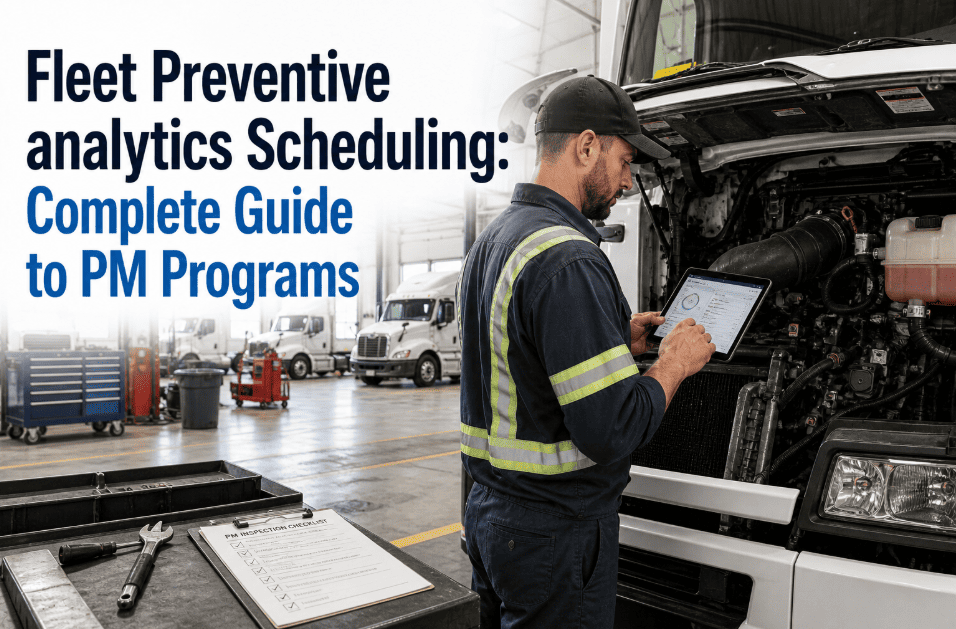
Fleet Preventive Maintenance Scheduling: Complete Guide to PM Programs
By Eric Abidal on March 19, 2026
A fleet preventive maintenance program is the difference between a maintenance budget you control and one that controls you. Fleets running structured PM schedules spend 28–35% less on total maintenance annually than those responding reactively — because planned repairs cost 4–5× less than the same repair performed at breakdown, and because scheduled downtime is recoverable where unscheduled downtime compounds. The challenge for maintenance directors managing mixed fleets is that PM scheduling is not one problem — it is five simultaneous problems: setting correct intervals per vehicle type, aligning with OEM specifications, adjusting for seasonal operating conditions, coordinating across a multi-vehicle roster without conflicts, and maintaining the documentation trail that satisfies warranty, insurance, and DOT requirements. CMMS platforms like OxMaint solve all five by automating the scheduling logic, trigger tracking, and work order generation that manual systems consistently fail at scale. This guide covers every component of a complete PM interval strategy, OEM schedule alignment, seasonal PM adjustments, and CMMS-automated multi-vehicle scheduling.
Fleet Maintenance · Blog · 2026
Fleet Preventive Maintenance Scheduling: Complete Guide to PM Programs
Build a complete fleet PM program — from interval determination and OEM alignment to seasonal adjustments and CMMS-automated multi-vehicle scheduling — that reduces total maintenance spend by 28–35% and eliminates unscheduled downtime at fleet scale.
4.8×Higher cost for unscheduled vs. planned repair of the same mechanical failure
32%Average reduction in unplanned downtime for fleets with CMMS-automated PM scheduling
68%Of fleet breakdowns are preventable with correct PM intervals and condition monitoring
23%Of emergency repairs occur within 2,000 miles of a completed service — the interval gap problem
The Real Cost of Running Without a Structured PM Program
Reactive maintenance feels cheaper in the short term — no scheduled downtime, no parts inventory investment, no administrative overhead of tracking intervals. In practice, reactive fleets pay 2.8–3.4× more per maintenance dollar than PM-driven fleets because they absorb the compounding costs of secondary damage, emergency parts sourcing, roadside events, and the driver downtime that planned shop visits eliminate. The math is straightforward: a planned oil change costs $85–$140. The engine replacement that follows from 12,000 miles of degraded oil costs $8,000–$22,000. PM scheduling is not about spending money on maintenance — it is about spending the right amount at the right time to eliminate the catastrophic spend entirely.
Planned vs. Unplanned Repair Cost — Same Failure, Different Timing
Failure Type
Planned PM Cost
Unplanned Breakdown Cost
Cost Multiplier
Oil / filter change
$95
$8,500 engine repair
89×
Brake pad replacement
$280
$1,400 rotor + caliper
5×
Coolant flush
$160
$3,200 head gasket
20×
Transmission fluid change
$220
$4,800 transmission rebuild
22×
Air filter replacement
$45
$680 injector cleaning
15×
Tire rotation / pressure check
$60
$1,200 blowout + tow
20×
Average cost multiplier across common fleet PM items: 4.8× — every deferred planned service increases its eventual repair cost exponentially
PM Interval Strategies: Mileage, Hours, and Calendar-Based Triggers
The most consequential decision in fleet PM program design is which trigger type to use per vehicle type and per service item. The three trigger types — mileage, engine hours, and calendar time — each capture a different dimension of vehicle wear, and using the wrong trigger for a given fleet application systematically produces either over-maintenance (wasting money) or under-maintenance (generating failures). Most real-world fleet PM programs require a combination of all three triggers, with the service due on whichever trigger fires first — a rule called "first-to-occur" scheduling that prevents any dimension of wear from being missed.
Mileage-Based
Best for: Line-haul, delivery, OTR
Tracks cumulative wear directly — ideal for vehicles that accumulate miles consistently. Oil changes, tire rotations, and drivetrain services are naturally mileage-driven.
Example: Oil change every 7,500 mi · Brake inspection every 25,000 mi · Transmission service every 60,000 mi
Engine-Hours-Based
Best for: Construction, agriculture, off-road
Captures engine wear independent of distance — critical for equipment that operates under heavy load at low speed. A vehicle idling for 6 hours accumulates more engine wear than one driving 40 miles.
Example: Oil change every 250 hrs · Filter service every 500 hrs · Major inspection every 2,000 hrs
Calendar-Based
Best for: Low-mileage, seasonal, specialty vehicles
Time-based degradation — fluids oxidize, seals dry, and belts harden regardless of miles accumulated. Vehicles that sit for extended periods need calendar-driven PM independent of odometer.
Example: Coolant flush every 2 years · Battery test every 12 months · Brake fluid every 18 months
First-to-occur rule: Always schedule PM on whichever trigger fires first — mileage, hours, or calendar. A vehicle reaching 7,500 miles in 3 months gets its oil change at 7,500 miles. If it only covers 2,000 miles in 6 months, the 6-month calendar trigger fires instead. OxMaint tracks all three trigger types simultaneously per vehicle and fires the work order on whichever threshold is reached first.
OEM Schedule Alignment: Building Your PM Program on the Right Foundation
OEM maintenance schedules are the baseline for every fleet PM program — not because they are always optimal for fleet duty cycles, but because deviating from them without documented justification exposes the carrier to warranty voidance and liability risk. OEM schedules are designed for average-use conditions, which means fleet operations in severe-duty environments (heavy loads, frequent stops, extreme temperatures, dusty conditions) require more frequent service than the OEM baseline specifies. The correct approach is to start with OEM intervals, evaluate your fleet's actual operating conditions against the OEM's "severe duty" definition, and adjust intervals shorter where conditions warrant — documenting the rationale in your CMMS maintenance records.
Step 1 — Pull OEM Service Manual
Obtain the complete OEM maintenance schedule for every vehicle model in your fleet. Distinguish between "normal duty" and "severe duty" intervals — most fleet operations qualify as severe duty.
Step 2 — Classify Operating Conditions
Evaluate each vehicle's actual duty cycle against the OEM severe-duty criteria: frequent short trips, heavy loads, extreme temperatures, dusty environments, trailer towing, or extended idling.
Step 3 — Apply Interval Adjustments
For each severe-duty condition present, reduce the OEM interval by the recommended factor — typically 25–40% shorter. Document every adjustment with the qualifying condition as the rationale.
Step 4 — Validate Against Failure Data
After 6–12 months of program operation, review component failure data against your adjusted intervals. Components failing before the next PM interval need shorter triggers; those consistently passing inspection can be extended.
Step 5 — Schedule Annual OEM Review
OEMs update maintenance schedules with each model year. Set an annual review in your CMMS to check for OEM interval changes, new service bulletins, and recall-related maintenance requirements for all active models.
Step 6 — Document Everything in CMMS
Every interval decision, OEM reference, and condition-based adjustment is recorded in the vehicle's asset record. This documentation satisfies warranty claims, DOT audits, and insurance investigations simultaneously.
Seasonal PM Adjustments: What Changes Each Quarter
Seasonal PM adjustment is one of the most underimplemented components of fleet maintenance planning — most programs set intervals once and never update them for operating condition changes across the year. A vehicle operating in Phoenix in August and Minneapolis in January is not the same vehicle for maintenance purposes. Temperature extremes, road surface conditions, and seasonal load patterns each create distinct wear profiles that a static PM schedule systematically misses. A complete fleet PM program incorporates four seasonal adjustment windows — pre-winter, mid-winter, pre-summer, and mid-summer — that trigger inspection items and interval modifications beyond the standard PM cycle.
Pre-Winter Prep
Coolant concentration test — minimum 50/50 for −34°F protection
CMMS-Automated PM Scheduling: How Multi-Vehicle Programs Actually Work
Manual PM scheduling for a fleet of 20+ vehicles — managing multiple trigger types, different intervals per vehicle model, seasonal adjustments, and technician capacity simultaneously — is where spreadsheets and calendar reminders break down permanently. The complexity scales non-linearly: 10 vehicles with 8 PM items each on three trigger types is 240 simultaneous tracking points. At 50 vehicles, that is 1,200 tracking points. No manual system maintains that at the accuracy a PM program requires. OxMaint's CMMS PM scheduling engine manages every tracking point automatically — reading odometer data from telematics, engine hours from OBD-II, and calendar triggers from the system clock — generating work orders as each threshold is approached with a configurable lead time of 3–14 days.
Telematics-Triggered Work Orders
Live odometer and engine-hour data from connected telematics generates PM work orders automatically — no manual mileage entry, no missed triggers from driver self-reporting errors.
Multi-Vehicle Scheduling Conflict Prevention
When multiple vehicles are due simultaneously, CMMS staggers work orders against technician capacity — preventing the 6-vehicle-in-shop scenario that leaves 20% of the fleet off-road on a Monday.
Parts Pre-Procurement Alerts
Work orders generated 10–14 days before service window trigger parts procurement at planned rates — eliminating the 15–30% emergency sourcing premium paid when PM is scheduled reactively.
Technician Assignment and Capacity Tracking
PM work orders assigned to available technicians by skill level and current workload. Capacity limits enforced — no technician overloading that causes rushed service and missed inspection items.
DOT and Warranty Compliance Documentation
Every PM event — work order, technician, parts used, completion time, and inspection results — recorded automatically in the vehicle's permanent asset record. Audit-ready in seconds, not days.
PM Compliance Rate Dashboard
Real-time fleet-wide PM compliance rate — percentage of vehicles with all PM items completed within window — visible per vehicle, per depot, and per vehicle type. Overdue items escalated automatically.
Automate Your Entire Fleet PM Schedule — Every Vehicle, Every Trigger
OxMaint tracks mileage, engine hours, and calendar triggers simultaneously per vehicle — generating PM work orders automatically 10–14 days before each service window. Free to start.
Building Your PM Schedule: A Fleet-Wide Interval Reference
The following interval reference covers the most common PM items across light, medium, and heavy commercial vehicle classes. These represent starting points aligned with OEM severe-duty recommendations — adjust shorter based on your fleet's specific operating conditions and extend only after validating against 12 months of inspection data showing consistent pass results at the current interval.
Light Duty (Class 1–3)
Medium Duty (Class 4–6)
Heavy Duty (Class 7–8)
Service Item
Mileage Trigger
Calendar Trigger
Severe Duty Adjustment
Engine oil & filter
5,000–7,500 mi
6 months
−30% (3,500–5,000 mi)
Air filter
15,000–20,000 mi
12 months
−40% in dusty environments
Tire rotation
5,000–7,500 mi
6 months
Every oil change if mixed routes
Brake inspection
12,000–15,000 mi
12 months
−50% for frequent stop routes
Coolant flush
30,000 mi
24 months
Test at 18 months in extreme heat
Transmission fluid
30,000–45,000 mi
24 months
−35% for towing applications
Spark plugs (gas)
30,000–100,000 mi
—
Per OEM spec; iridium = longer
Battery test
—
12 months
Every 6 months in extreme climates
Manual PM Scheduling vs. CMMS Automation: The Operational Difference
PM Factor
Manual / Spreadsheet
CMMS Automation (OxMaint)
Trigger tracking
Manual odometer entry — depends on driver self-reporting
Live telematics feed — automatic, continuous, no manual input
Multi-trigger management
One trigger per item — mileage or calendar, rarely both
All three triggers simultaneously — first-to-occur fires work order
Work order lead time
Zero — discovered when due or overdue
10–14 days advance — parts pre-ordered, technician scheduled
Multi-vehicle conflicts
Not managed — all vehicles due same week reported together
Staggered against technician capacity — no fleet-in-shop bottleneck
Seasonal adjustments
Manual update required — rarely done consistently
Seasonal PM templates trigger automatically by calendar window
PM compliance rate
Unknown — no real-time visibility across fleet
Live dashboard — per vehicle, per depot, per vehicle type
Audit documentation
Paper records or disconnected files — hours to assemble
Timestamped, person-attributed records — retrievable in seconds
32%
Reduction in unplanned downtime with CMMS-automated PM scheduling
Automated triggers eliminate the missed-interval failures that generate 68% of preventable breakdowns.
4.8×
Lower cost for planned vs. unplanned repair — every PM dollar prevents $4.80 in breakdown spend
The ROI case for PM automation is the cost multiplier — not the scheduling convenience.
15–30%
Lower parts cost from planned vs. emergency procurement
10–14 day advance work orders convert spot-rate emergency sourcing to planned purchasing.
3–6 mo
Typical platform payback — first prevented breakdown often covers annual cost
One prevented engine failure at $12,000–$22,000 covers 12–18 months of CMMS subscription cost independently.
Frequently Asked Questions
How do I determine the right PM interval for a vehicle type I haven't operated before?
Start with the OEM severe-duty interval for that vehicle class, then reduce by 20–25% if your operation involves any of: frequent short trips under 5 miles, regular trailer towing, sustained high-load operation, or temperatures consistently above 95°F or below 10°F. Run that interval for 6–12 months, review inspection results, and adjust based on actual component wear rates. OxMaint's PM templates include pre-built interval sets for common commercial vehicle classes that serve as a validated starting point.
How many vehicles can one technician realistically maintain on a PM program?
For light-duty vehicles with standard PM intervals, one full-time technician can maintain 18–24 vehicles. For medium and heavy-duty with more intensive PM requirements, that drops to 10–14. These ratios assume 6–8 hours of productive shop time per day — CMMS scheduling that staggers PM work orders across the week rather than clustering them prevents the capacity crunches that reduce effective throughput. Book a demo to see how OxMaint manages technician capacity across your fleet size.
What is the biggest mistake fleets make when building a PM program?
Using a single interval for all vehicles in a mixed fleet. A Class 3 delivery van and a Class 7 straight truck operating on the same route have completely different PM requirements — applying one standard interval to both simultaneously over-services the light vehicle and under-services the heavy one. Each vehicle model needs its own PM template based on its duty cycle, OEM specification, and operating conditions. OxMaint's per-vehicle PM templates solve this by assigning individual interval sets to each asset in the fleet.
How does CMMS prevent PM intervals from being missed in a busy dispatch environment?
CMMS removes PM scheduling from the dispatch environment entirely. Instead of relying on a dispatcher or manager to notice that a vehicle is approaching its service interval, the system generates a work order automatically when the trigger threshold is reached — 10–14 days in advance — and routes it to the maintenance queue independently of dispatch activity. The vehicle is pulled from high-mileage routes in its next scheduling cycle, not when someone remembers to check. Sign up for OxMaint free to see how automated triggers work in practice.
Build a Fleet PM Program That Never Misses an Interval — For Any Vehicle in Your Fleet.
OxMaint's CMMS tracks mileage, engine hours, and calendar triggers simultaneously across every vehicle — generating PM work orders automatically 10–14 days before each service window, staggering against technician capacity, pre-ordering parts, and recording every service event in a permanent, audit-ready asset record. Reduce unplanned downtime by 32%, cut maintenance spend by 28–35%, and keep your entire fleet running on a documented, defensible PM program. Free to start. No hardware required. Join 1,000+ fleets running automated PM with OxMaint.