Facility Work Order Software Comparison Checklist

By Lewis Abbott on June 17, 2026

facility-work-order-software-comparison-checklist

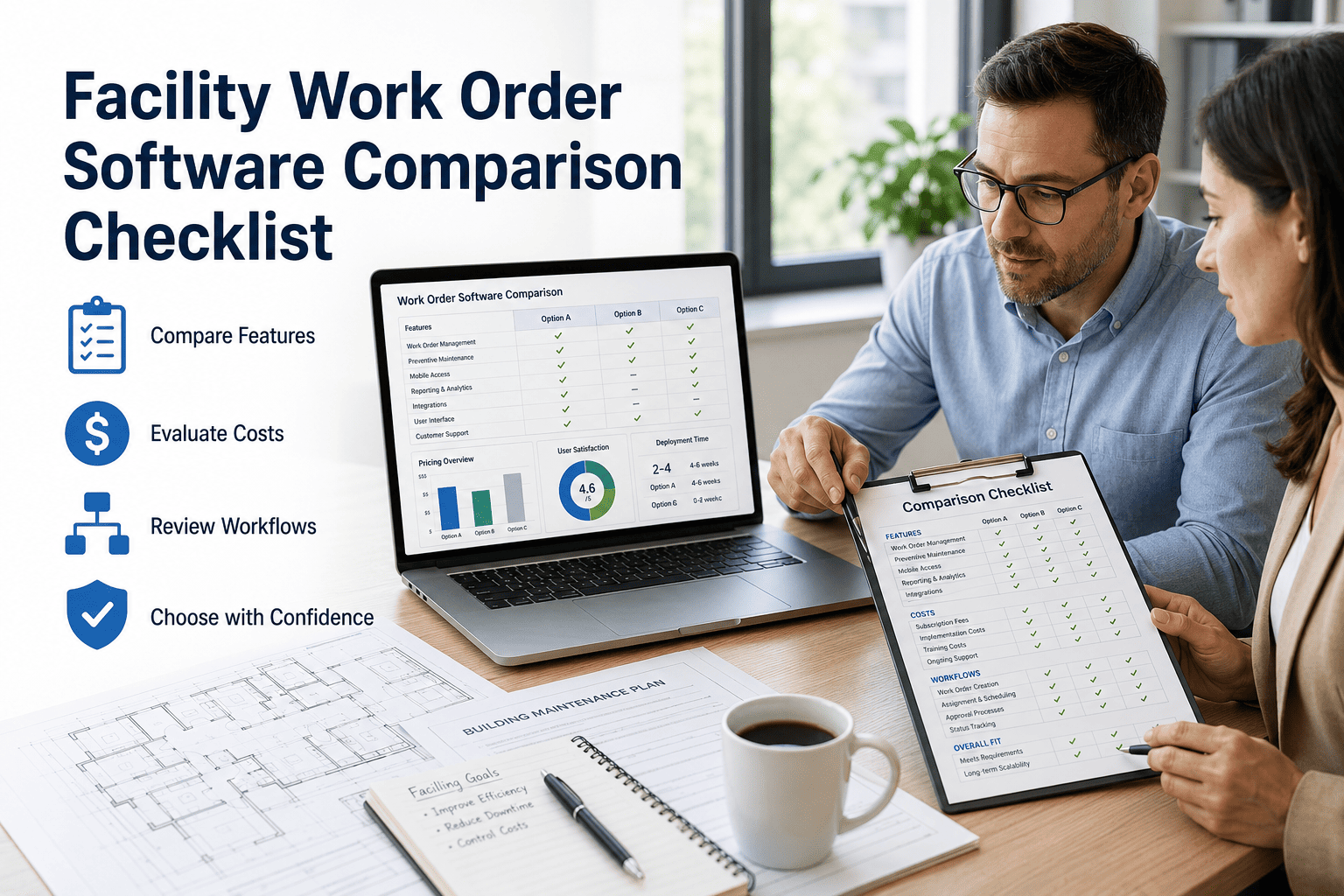
Choosing the wrong work order software costs more than the subscription fee — it costs months of adoption time, technician frustration, and the opportunity cost of maintenance data that never gets captured. The facility CMMS market in 2026 ranges from basic ticketing tools with no mobile app to AI-powered platforms that handle dispatch, inspections, inventory, and predictive maintenance in a single system. Knowing what questions to ask — and what to refuse to compromise on — is what separates a strong purchase decision from an expensive mistake. This comparison checklist covers every capability category that matters for facility work order management, from mobile access and QR code intake to OxMaint's AI automation features that reduce manual dispatch work by up to 70%. Use it as a scoring sheet during vendor demos, and book a live OxMaint demo to see how it performs against each criterion in a real facility environment.

Comparison Checklist · Work Order Management · 2026

Facility Work Order Software Comparison Checklist

48 evaluation criteria across 8 capability areas. Score your current or prospective CMMS before committing.

8
Capability Areas
48
Evaluation Criteria
30
Min Demo Checklist
100%
OxMaint Score
How to Use This Checklist

Score Every Vendor Before You Sign

Step 1
Print or copy this checklist and use it during every vendor demo — ask each vendor to demonstrate each item live, not just confirm it exists in documentation.
Step 2
Score each item: 2 points for fully included, 1 point for add-on or limited, 0 for unavailable. Total score out of 96 reveals the real capability gap between platforms.
Step 3
Weight the categories that matter most to your facility type. A hospital weights inspections and compliance highest; a commercial building weights tenant request management and SLA tracking.
Step 4
Flag any item where the vendor says "coming soon" or "on the roadmap" — those are 0 points. Only score features you can verify in the live demo on your own use case.
Evaluation Criteria

48-Point Work Order Software Evaluation Matrix

A
Mobile App & Field Access
6 criteria · 12 pts max

Native iOS and Android app (not mobile web wrapper)
OxMaint: Included

Offline mode — creates and updates work orders without connectivity
OxMaint: Included

Camera/photo capture within work order for documentation
OxMaint: Included

Digital signature capture on work order completion
OxMaint: Included

Push notifications for new assignments and updates
OxMaint: Included

Asset lookup and history accessible in field without desk access
OxMaint: Included
B
QR Code & Request Intake
6 criteria · 12 pts max

QR code scan → instant work request without app download or login
OxMaint: Included

Custom intake form fields per asset or location type
OxMaint: Included

Requestor receives automated status updates via email or SMS
OxMaint: Included

Duplicate request detection to prevent backlog inflation
OxMaint: Included

Web portal request intake for tenants without QR access
OxMaint: Included

Request routing rules by location, category, or asset type
OxMaint: Included
C
Preventive Maintenance
6 criteria · 12 pts max

Calendar-based, meter-based, and runtime-triggered PM scheduling
OxMaint: Included

Reusable PM templates with step checklists and required parts
OxMaint: Included

PM compliance rate dashboard and trend reporting
OxMaint: Included

Overdue PM escalation alerts to supervisors
OxMaint: Included

Seasonal or conditional PM triggers (e.g., pre-summer HVAC)
OxMaint: Included

PM history linked to individual asset lifecycle record
OxMaint: Included
D
Inspections & Compliance
6 criteria · 12 pts max

Digital inspection forms with pass/fail/numeric response types
OxMaint: Included

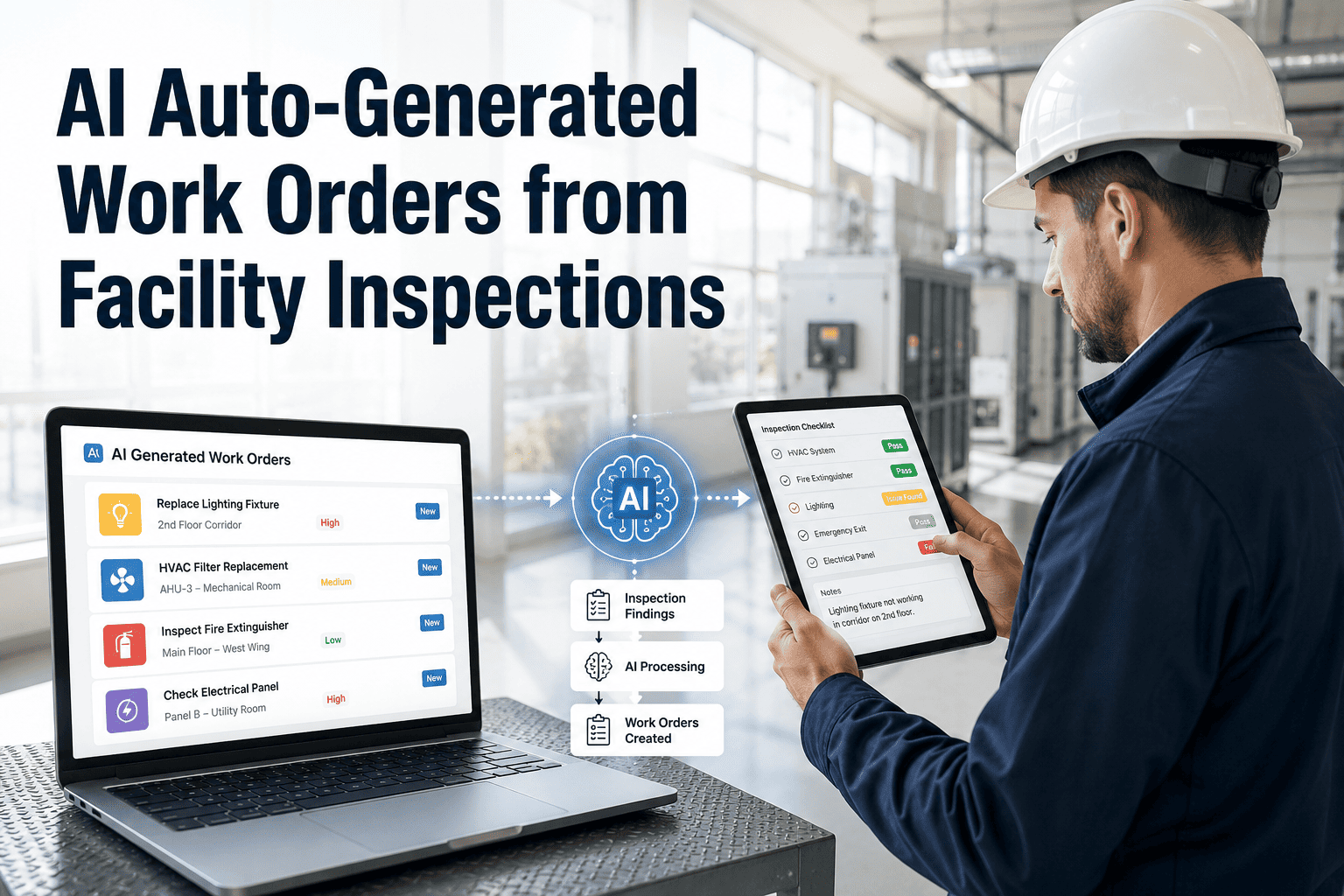
Automatic work order creation from failed inspection items
OxMaint: Included

Inspection report export for regulatory submission (PDF)
OxMaint: Included

Inspection schedule with recurring and ad-hoc trigger options
OxMaint: Included

Audit trail of all inspection completions with timestamps
OxMaint: Included

Inspector signature and geo-stamp capture on mobile
OxMaint: Included
E
Analytics & Reporting
6 criteria · 12 pts max

Real-time MTTR and MTBF dashboard by asset and location
OxMaint: Included

Reactive vs. planned work order ratio trend over time
OxMaint: Included

Cost per work order and cost per asset reporting
OxMaint: Included

Scheduled report delivery via email (daily/weekly/monthly)
OxMaint: Included

Custom KPI dashboards per role (manager, tech, executive)
OxMaint: Included

Export to Excel, PDF, and API for BI tool integration
OxMaint: Included
F
AI Automation
6 criteria · 12 pts max

AI-based work order dispatch using technician skill and location
OxMaint: Included

Predictive PM triggers from asset sensor or failure history data
OxMaint: Included

Failure pattern detection flagging chronic-failure assets
OxMaint: Included

Natural language work request intake with AI auto-categorization
OxMaint: Included

Maintenance budget forecasting using AI spend modeling
OxMaint: Included

Anomaly detection alerts from IoT sensor data streams
OxMaint: Included
G
Inventory & Parts Management
6 criteria · 12 pts max

Parts catalog linked to work orders with automatic depletion
OxMaint: Included

Low-stock alerts and automatic reorder threshold notifications
OxMaint: Included

Vendor purchase order generation from within the CMMS
OxMaint: Included

Parts cost included in work order total and asset cost history
OxMaint: Included

Barcode/QR scan for parts check-in and check-out
OxMaint: Included

Multi-location inventory with transfer and reserve workflows
OxMaint: Included
H
Support & Onboarding
6 criteria · 12 pts max

Dedicated implementation specialist for go-live (not just docs)
OxMaint: Included

Data migration support for assets and historical work orders
OxMaint: Included

Live human support during business hours (chat or phone)
OxMaint: Included

Role-specific training materials for technicians and managers
OxMaint: Included

90-day adoption review and KPI reporting post-launch
OxMaint: Included

SLA commitments for support response and resolution times
OxMaint: Included

OxMaint Scores 96/96 on This Checklist

Every criterion above is available in OxMaint's standard plan — no enterprise tier, no add-on modules. Book a demo and we'll walk through every item live using your facility's actual use case.

Expert Review

What to Watch Out For in CMMS Sales Demos


After evaluating 14 CMMS platforms across six facility portfolios, the consistent pattern is this: vendors who show their product on a polished demo environment with pre-loaded sample data look dramatically better than vendors who run the demo on your actual asset list and workflows. That gap is where purchase decisions go wrong. Always insist on seeing the platform perform on your data — your asset categories, your work order types, your request workflow. Specifically ask to see: AI dispatch with your technician profiles, a QR scan from your location to work order creation, and a PM compliance report filtered to your building. Any vendor unwilling to run these tasks in the demo is telling you something important about their real-world capability.

Facilities Technology Consultant
10+ years advising commercial real estate and institutional facilities on CMMS selection and implementation
Common Questions

Frequently Asked Questions

Why does OxMaint score better on AI features than legacy CMMS platforms?
Most legacy CMMS platforms were designed before AI became viable for maintenance use cases and retrofitted AI as expensive add-on modules. OxMaint was architected with AI automation as a core feature — smart dispatch, predictive PM triggers, and failure pattern detection are part of the standard platform, not enterprise upgrades. This architecture difference means OxMaint's AI learns from your data faster and integrates more naturally into daily workflows. Book a live comparison demo to see the difference directly.
Can OxMaint handle work orders for both in-house technicians and external contractors?
Yes — OxMaint supports hybrid workforce models where some work orders go to staff technicians and others are dispatched to external contractors or vendors. Contractors receive a limited-access portal view where they can accept assignments, update progress, and submit completion documentation without requiring a full CMMS license. Work order cost tracking distinguishes between internal labor and contractor spend automatically. Start a free trial and configure your contractor portal during onboarding.
How does QR code work request intake reduce maintenance backlog?
QR code intake eliminates three common backlog drivers: phone calls that go unlogged, emails that get lost, and in-person requests that never make it into the system. When any building occupant can scan a code and submit a request in 30 seconds — receiving an automatic confirmation and status updates — both submission rate and data completeness improve dramatically. Most OxMaint facilities see 40–60% more trackable requests in the first 30 days, which initially looks like more backlog but actually represents work that was always happening but never being managed. See a live QR intake demo for your facility type.
What is a realistic timeline for reducing reactive maintenance after deploying OxMaint?
Facilities typically see their reactive-to-planned ratio improve meaningfully within 60–90 days of activating PM schedules in OxMaint, with the largest shift occurring between months 3 and 6 as PM compliance builds and AI-predicted maintenance begins replacing failure-driven repair cycles. The industry benchmark for a well-managed facility is below 20% reactive work orders — most new OxMaint customers start between 50–70% reactive and reach the 25–30% range within six months. Track your ratio from day one with OxMaint's free trial.
Does OxMaint support multi-site work order management from a single dashboard?
OxMaint's multi-site dashboard allows facility managers and operations directors to view, filter, and act on work orders across all locations from a single login — with the ability to drill down by site, building, floor, or asset type. Work order assignments, PM schedules, and reporting can be managed at the portfolio level or site level depending on your org structure. Site-level managers see only their locations; portfolio managers see everything. See the multi-site dashboard in a live demo.
Work Order Software Comparison · OxMaint CMMS

Score OxMaint Against Your Current System — Live.

Bring this checklist to your OxMaint demo. Our specialist will walk through every criterion live on your facility's use case — no canned demo environment, no slides.
Share This Story, Choose Your Platform!