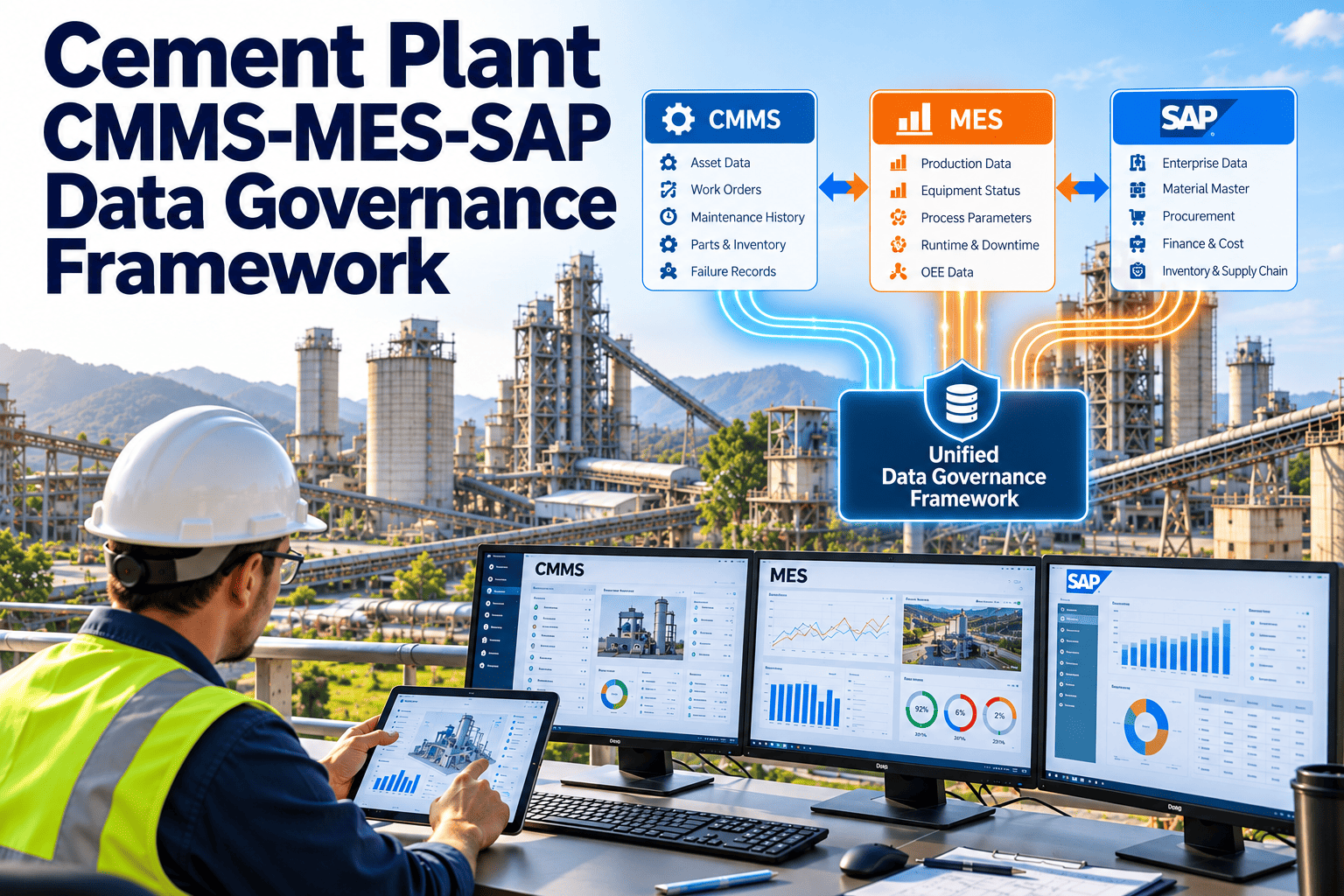
Most cement plants run three systems that all claim to know something about the same equipment. SAP holds cost centres, purchasing and stock. The MES records production, stops and quality. The CMMS holds work orders, inspections and failure history. When they disagree about an asset name, a stop reason or a spare part, people argue over spreadsheets instead of fixing machines. A data governance framework decides who owns each piece of data and how it moves between systems. This guide sets one out, with Oxmaint maintenance management software as the maintenance layer.
A CMMS, MES and SAP Data Governance Framework for Cement Plants
Define the system of record, the owner and the sync rule for every shared data element, so maintenance, production and finance work from the same facts.
Where the Three Systems Collide
Principles of the Framework
- One system of record per data element: every shared item has a single source, and other systems consume it rather than recreate it.
- Named owners, not named systems: a person or role is accountable for each data domain, regardless of where it is stored.
- Define before you integrate: agree meaning, format and rules first, because connecting two systems with unclear definitions only moves errors faster.
- Keep it proportionate: govern the data that drives decisions and analytics, not every field in every system.
System of Record by Data Domain
The assignments below are a common pattern, not a rule. Your plant may differ based on what each system is configured to do well.
| Data domain | Typical system of record | Consumers | Rule to define |
|---|---|---|---|
| Asset master and hierarchy | CMMS or ERP, as agreed | MES, analytics, finance | One ID per asset, mapped across all systems |
| Cost centres and budgets | SAP or ERP | CMMS, reporting | Each asset links to one cost centre |
| Material master and stock | SAP or ERP | CMMS | Part numbers shared, with the CMMS reading stock and reserving items |
| Work orders and tasks | CMMS | SAP for cost posting, reporting | Status values and closure rules aligned |
| Failure codes and causes | CMMS | MES, analytics | Controlled list, owned by reliability |
| Production runs and throughput | MES | CMMS, finance | Shared calendar and shift definitions |
| Stop events and reasons | MES | CMMS, reliability analysis | Stop reasons mapped to failure modes where relevant |
| Quality and lab results | MES or lab system | Reliability review | Linked to batch and equipment, where useful |
| Inspection and condition data | CMMS | Analytics, MES dashboards | Readings linked to asset and measurement point |
Who Is Accountable for What
| Role | Accountable for | Typical decisions |
|---|---|---|
| Data governance lead | Framework, standards and conflicts between domains | Approves new data elements, resolves ownership disputes |
| Asset data owner | Asset master and hierarchy | Approves new assets, changes and retirements |
| Maintenance data steward | Work order quality and failure codes | Audits closure data, maintains code lists |
| Production data steward | Stop reasons, shifts and run data | Maintains stop reason lists and shift calendars |
| Materials owner | Part numbers and stock rules | Approves new parts, manages duplicates |
| IT or integration lead | Interfaces, security and monitoring | Owns sync jobs, error handling and access |
The Life of a Shared Record
Shared Standards Every System Must Respect
Access, Security and Audit Trail
| Area | Governance question | Practical control |
|---|---|---|
| Who can create or change master data | Are changes limited to trained and approved people? | Role-based permissions, with change requests for protected fields |
| Who can close work orders | Is closure restricted to people who can verify the work? | Supervisor approval for critical assets and safety-related jobs |
| Who can see cost data | Is financial information visible only where needed? | Separate permissions for labour rates and cost reports |
| How changes are traced | Can you tell who changed a record and when? | Audit history on assets, parts, work orders and codes |
| How interface accounts are managed | Are system-to-system connections secured and reviewed? | Dedicated service accounts, with periodic access review by IT |
Governing Change During Shutdowns and Projects
- Register new equipment before it arrives: capital projects and contractors should supply asset data in the agreed structure as part of handover, not after the plant has started up.
- Freeze lists during major shutdowns: avoid structural changes to codes or hierarchies in the middle of a kiln outage, when many people enter data at once and mistakes multiply.
- Use temporary data carefully: short-term work packages, contractor orders and temporary parts should have rules for naming and retirement, so they do not clutter master lists.
- Review after each shutdown: check how much data was entered outside the standard, and use the findings to improve forms and training.
- Keep the history: when assets are modified or replaced, preserve the previous record rather than overwriting it, because reliability analysis needs both versions.
Pitfalls That Stall Governance Programmes
- Treating it as an IT project: data meaning belongs to the business, and IT can build the interface but cannot decide what a failure code should mean.
- Starting with tools: buying integration software before agreeing ownership and definitions simply automates disagreement.
- Trying to govern everything: a long list of rules that nobody follows is worse than a short list that is enforced.
- No feedback to the front line: operators and technicians keep entering poor data if they never see how it is used or corrected.
- No review rhythm: without a scheduled forum, ownership slowly fades and exceptions become the norm.
Give Maintenance a Clear Place in Your Data Landscape
Define ownership, keep maintenance records structured and make sure what the CMMS holds can be trusted by production and finance.
Aligning Stop Reasons With Failure Modes
- Keep the MES reason list short and operational, and the CMMS code list technical, then maintain a mapping between them.
- Agree who confirms the cause when operators and maintenance disagree, so the record does not stay as a dispute.
- Use shared timestamps and a common clock, because stops and repairs are only comparable when times align.
Data Quality Rules to Enforce
At entry
- Required fields cannot be left blank at closure
- Assets must come from the master list, not free text
- Failure codes chosen from controlled lists
- Dates cannot precede earlier events on the same order
- Parts must reference valid material numbers
After entry
- Weekly checks for orphan records and unmatched IDs
- Monthly comparison of MES downtime and CMMS repair time
- Quarterly audit of duplicates in assets and parts
- Review of failed interface messages and their causes
- Annual review of code lists and mapping tables
Choosing Synchronization Frequency
| Data | Direction | Suggested pattern | Reason |
|---|---|---|---|
| Stock availability | ERP to CMMS | Frequent or on demand | Planners need current availability to commit to a job |
| Cost postings | CMMS to ERP | On work order completion or daily | Costs should follow the work without long delays |
| Asset master changes | System of record to others | Scheduled and event-based on approval | Avoids drift between systems |
| Stop events | MES to CMMS | Near real time where feasible | Supports quick work request creation |
| Failure code lists | CMMS to MES for reference | On change | Lists change rarely but must stay aligned |
| Reporting extracts | All to analytics | Nightly or as needed | Reporting rarely needs real-time data |
Without and With Governance
- Each department fixes data in its own system
- Reports are reconciled manually before every meeting
- Integration errors are found when someone complains
- Analytics projects start by arguing about definitions
- New equipment arrives with no agreed data standard
- Corrections happen once, at the system of record
- Shared reports use agreed definitions
- Interface errors are monitored and assigned
- Analytics teams start from documented, owned data
- New equipment is registered before commissioning ends
Measuring Governance Health
How Oxmaint Fits the Maintenance Layer
- How a CMMS connects to SAP and a particular MES depends on the systems, versions and your integration approach, so scope this early with the people who own each platform.
- Some plants start with scheduled file exchanges and move to interfaces once definitions are stable.
- Document every interface in plain language, covering what data moves, in which direction, how often and who is notified when it fails, so the knowledge does not live with one engineer.
- Test interfaces with real edge cases such as cancelled orders, replaced assets and partial part issues, since these are where mismatches usually appear first.
Rolling Out Governance in Stages
Frequently Asked Questions
Three Systems, One Set of Facts
Agree who owns the data, how it moves and how it is checked, and let maintenance, production and finance make decisions from the same numbers.