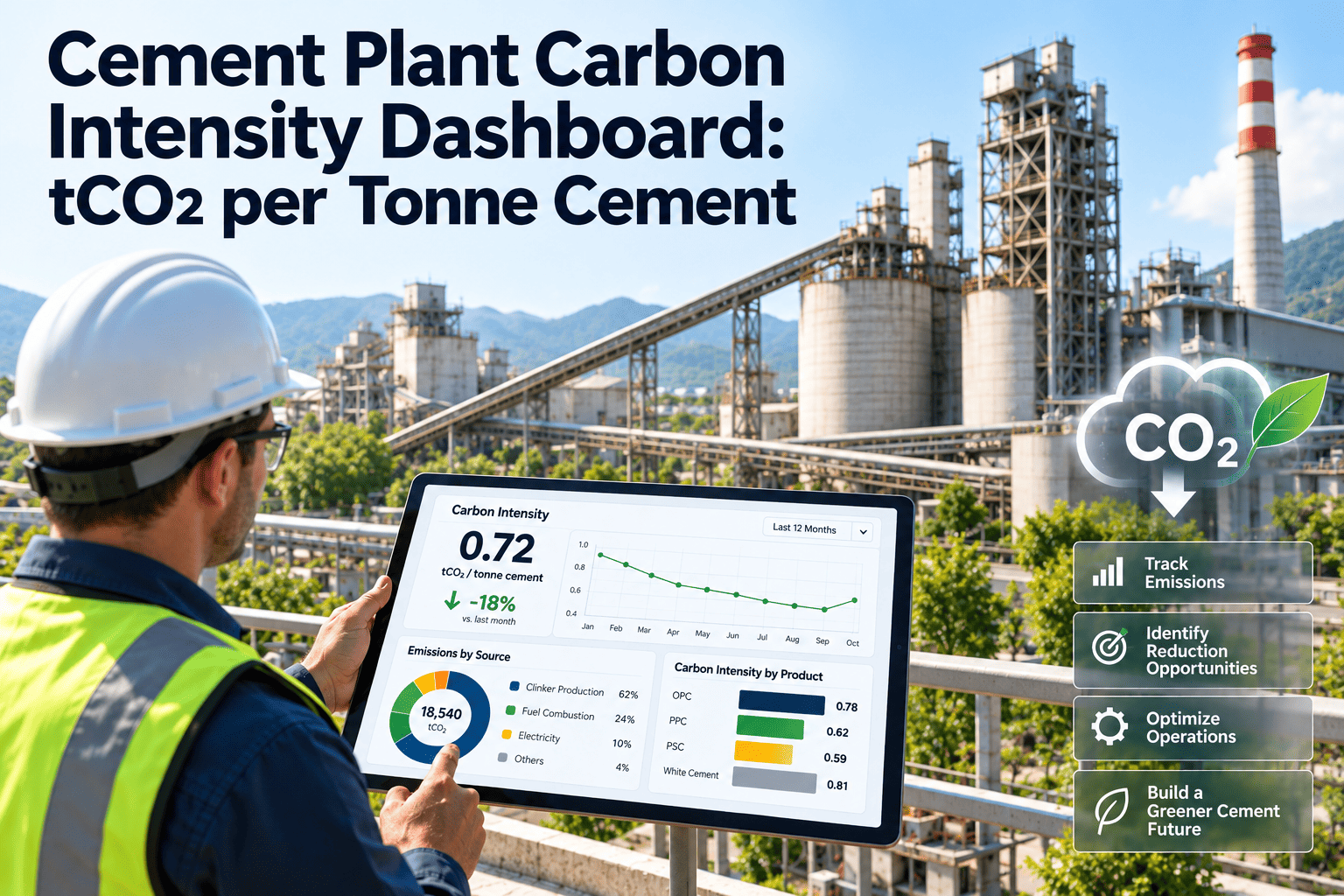
Carbon intensity is the number a cement plant is increasingly measured on: tonnes of CO2 emitted for each tonne of cement or cementitious product. Most of it is set by chemistry and fuel, yet a surprising share moves with equipment condition, such as kiln heat losses, false air, cooler performance and the availability of alternative fuel feeding systems. A dashboard that places emissions beside maintenance data shows where reliability work lowers the figure, and a cement maintenance management platform supplies the asset side of that picture.
Cement Plant Carbon Intensity Dashboard: tCO2 per Tonne Cement
Track tCO2 per tonne of cement alongside the kiln, mill and fuel-system conditions that move it, and turn efficiency losses into planned maintenance work.
Define the Metric Before You Chart It
Denominator choices that change the number
- Per tonne of clinker measures the kiln process itself and ignores how much clinker goes into each tonne of cement.
- Per tonne of cementitious product includes clinker substitution, so a lower clinker factor lowers the figure.
- Per tonne of cement product may follow a different boundary again, which matters for product declarations.
- Pick one definition as primary, label every chart with it, and follow the protocol your company reports under.
Anatomy of the Dashboard
Reporting Context: Why the Definition Matters Outside the Plant
Data quality problems to catch early
- Fuel deliveries recorded in one period but burned in another, which distorts weekly intensity.
- Calorific values or biomass fractions copied forward from old analyses instead of current ones.
- Meter or weighfeeder drift, which affects both production tonnes and fuel quantities.
- Differences between operations records and finance or sales records for cement tonnes.
- Gaps during instrument outages, which should be flagged, not silently filled.
What Drives tCO2 per Tonne and Who Controls It
| Driver | How it affects intensity | Main owner | Maintenance link |
|---|---|---|---|
| Clinker factor | Less clinker per tonne of cement means less process and fuel CO2 | Quality and product management | Mill and separator reliability supports cement fineness with more additives |
| Raw material chemistry | Calcination of limestone releases process CO2 that fuel changes cannot remove | Process and quarry | Raw mill and sampling reliability keep chemistry stable |
| Kiln thermal efficiency | More fuel per tonne of clinker raises combustion CO2 | Process and maintenance | Refractory, seals, false air and cooler condition affect heat loss |
| Fuel mix | Alternative and biomass fuels change reported gross and net values | Operations and fuels team | Feeding, handling and dosing equipment must stay available |
| Electricity use | Purchased electricity adds Scope 2 emissions | Maintenance and energy team | Fan, mill and compressor condition affect kWh per tonne |
| Kiln stability | Frequent stops and restarts waste fuel and disturb quality | Operations and maintenance | Fewer unplanned stoppages lower start-up fuel use |
Data Flow Behind the Number
Carbon Targets Are Met on the Plant Floor
Link every efficiency loss to a task, an owner and a record.
Equipment Conditions That Quietly Raise Intensity
Before and After Connecting Emissions to Maintenance
- Sustainability team reports intensity after month end
- Maintenance sees only equipment alarms and backlog
- Efficiency losses are discussed but rarely scheduled
- Targets feel remote from daily work
- Intensity and drivers are visible together every week
- Seal, cooler and feeder issues show beside the thermal energy trend
- Losses become tasks with owners and dates
- Reports show which repairs supported the target
Alert Bands That Make the Dashboard Useful
Reading the trend carefully
- Compare periods with similar product mix, since cement types with different clinker content shift the average.
- Separate kiln stoppage periods from steady running when judging fuel performance.
- Check data completeness before acting, because a missing fuel record can distort a month.
Levers by Timeframe
| Timeframe | Lever | Typical examples | Role of maintenance |
|---|---|---|---|
| Weeks | Operational tuning and fault correction | Reduce false air, restore cooler airflow, clear blocked feeders | Fast response work orders and verified repairs |
| Months | Planned reliability work | Seal replacement, grate plate renewal, refractory repair at planned stops | Planning, parts readiness and shutdown scheduling |
| Year or more | Product and process changes | Higher additive use in cement, more alternative fuel capacity, efficiency upgrades | Asset history to justify investment and to support commissioning |
| Long term | Capital projects | Carbon capture, new technology, electrification | Maintenance planning for new assets from day one |
Agenda for a monthly carbon and reliability review
- Review intensity against plan and explain the largest movement using the driver panels.
- List efficiency-related defects found since the last meeting and their status.
- Confirm which repairs are scheduled for the next planned stop and whether parts are ready.
- Decide which findings need a root cause review, for example repeated seal failures.
- Record owners and dates, then check them at the next meeting.
How Oxmaint Supports the Maintenance Side of Decarbonization
- Asset management holds the kiln, cooler, preheater, fans, mills and fuel feeding systems with their full history.
- Preventive maintenance schedules cover seals, grate plates, refractory inspections and fan checks that influence energy use.
- Inspections capture heat loss, leaks and wear findings that explain a drifting energy trend.
- Work orders connect efficiency losses to owners, parts and completion records.
- Reports and dashboards show open efficiency-related work, repeat defects and downtime by area.
- Inventory keeps critical spares for efficiency-sensitive parts available when stops are planned.
- Compliance records retain evidence of inspections and repairs that support audits and sustainability reviews.
Using the Dashboard Around a Kiln Stop
Questions the dashboard should help answer
- Which equipment condition best explains last month's rise in fuel use per tonne of clinker?
- Did the alternative fuel system run as planned, and if not, which fault stopped it?
- Which repairs scheduled for the next stop carry the largest efficiency benefit?
- Are repeat defects on the same asset pushing intensity away from plan?
- Which actions from the previous review are still open, and who owns them?
KPIs to Place Beside tCO2 per Tonne
Common mistakes when launching a carbon dashboard
- Mixing gross, net and per-clinker figures on the same chart without clear labels.
- Showing intensity with no link to equipment, so teams see the problem but not a task to fix it.
- Setting targets without checking whether the plant has the maintenance capacity and spares to support them.
- Judging a repair by a single month, when product mix and kiln stops can hide the effect.
- Letting the dashboard become a reporting tool only, with no meeting that turns it into decisions.
- Skipping a written note of which assumptions and emission factors were used for each period.
- Ignoring small drifts in electricity use, which add up across large fans and mills over a year.
Build Plan: Four Steps to a Working Dashboard
Checklist Before Launch
- Metric definitions documented
- Fuel records complete and timely
- Production figures reconciled
- Efficiency-critical equipment listed
- Inspection tasks defined
- Owners named for each driver
- Targets approved by management
- Review meeting scheduled
- Action tracking in place
Frequently Asked Questions
Put Carbon Targets and Maintenance on the Same Screen
Use Oxmaint to turn efficiency losses behind your tCO2 per tonne figure into planned, tracked and evidenced work.